Limiting the Number of Incorrect Responses to a Question
You may want to limit the number of times a contact can respond to a specific question in your flow, such as in a quiz or survey. You can do this by using the @node.visit_count expression in a Split by Expression node.
In the example below, we've created a simple quiz that asks what year Lakeside University was founded. We want the contact to have a limited number of chances to answer, so we've placed the @node.visit_count expression on a Split by Expression node to limit the number of guesses.
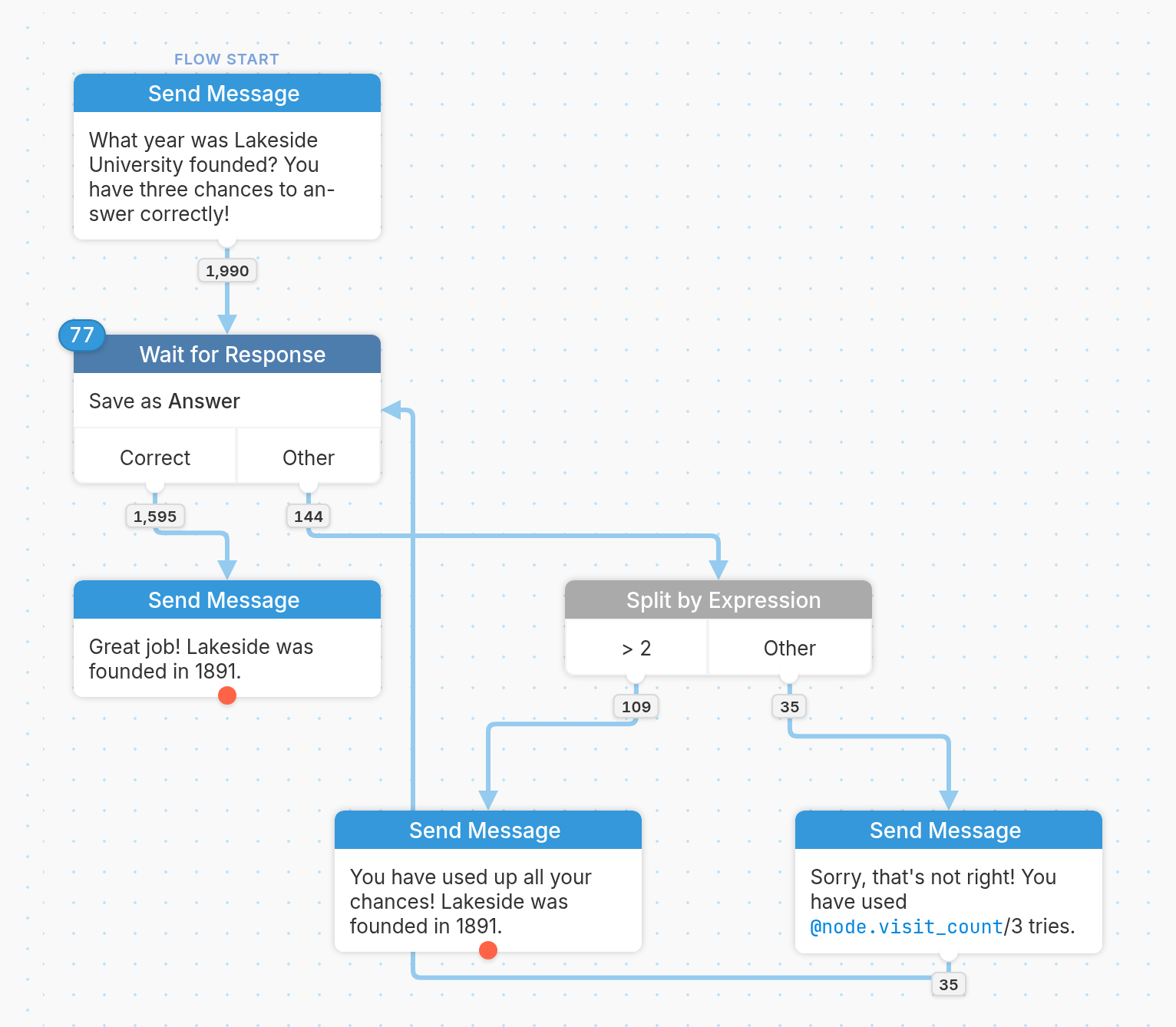
In the flow above, after collecting the contact's response with a Wait for Response node, we evaluate wrong answers with a Split by Expression node. Since we want to give the contact three chances to answer correctly, here's how we've written the expression and rule:
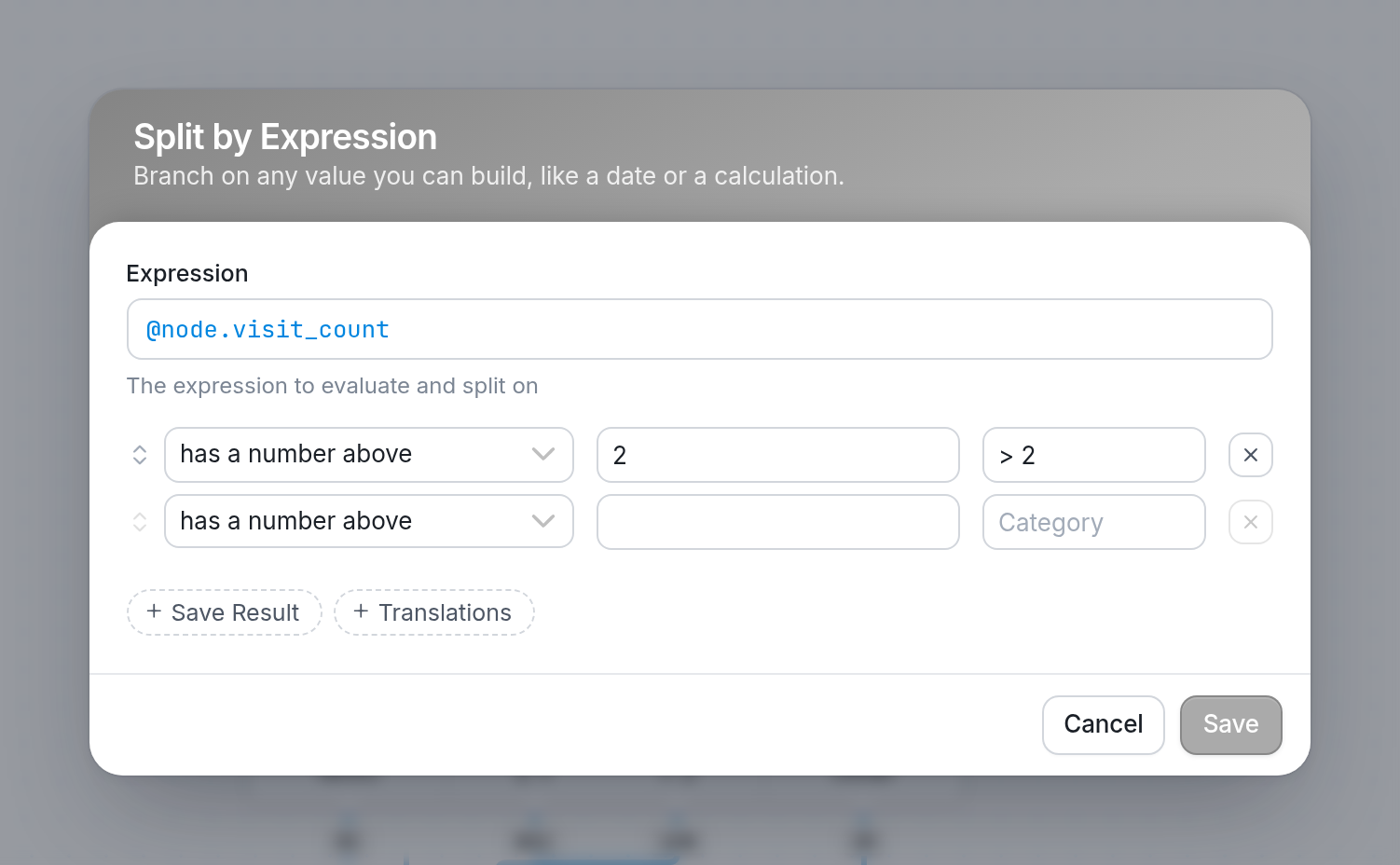
We've used the expression @node.visit_count and written a rule with has a number above 2. The contact reaches this node each time they answer incorrectly, so their first two wrong answers go through the Other exit, and their third wrong answer goes through the > 2 exit. That gives them three attempts in total.
If the contact answers correctly, they're routed through the Correct exit on the Wait for Response node and get a congratulatory message. If they answer incorrectly, they're routed through the Other exit to the Split by Expression node, which limits the number of times the contact can be wrong. Until the visit count goes above 2, the contact is told how many tries they've used and is sent back to answer again. Once it goes above 2, they're told they've used up all their chances and no further attempts are permitted.
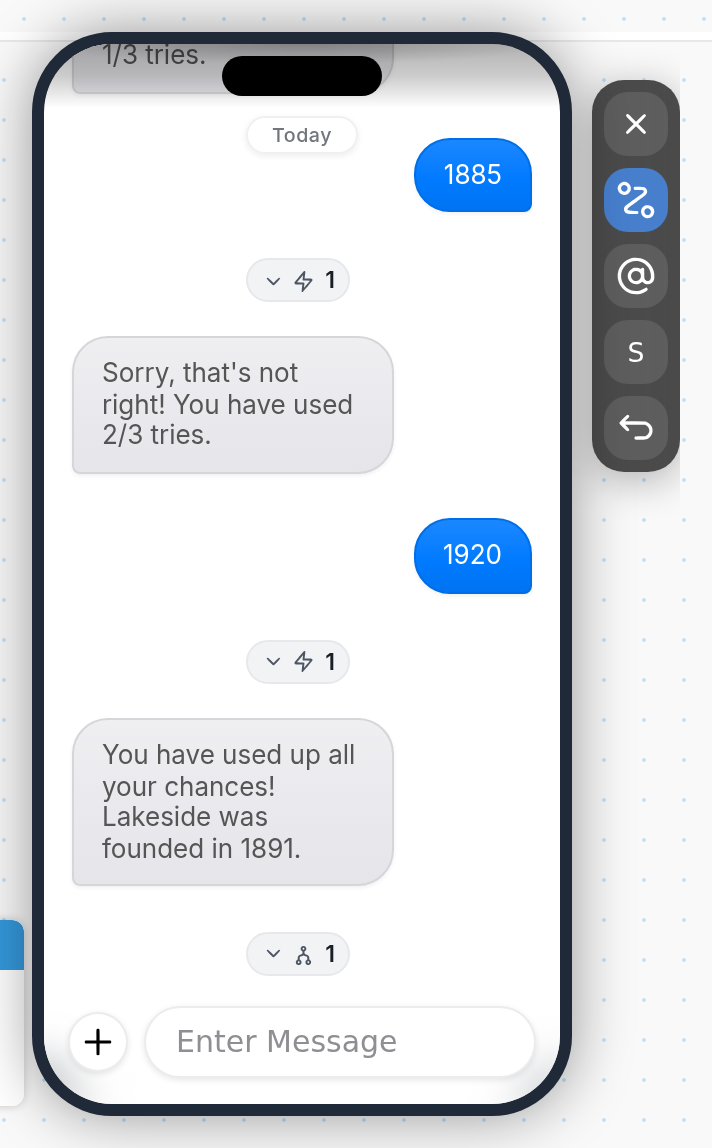
We can see how this works in the Simulator. This contact answered incorrectly three times, with 1900, 1885 and 1920. Because we set a @node.visit_count limit of above 2 on the Split by Expression node, their third incorrect answer means they've used up all their tries.
Another contact studied a bit harder. They answered 1901, then got it right with 1891:
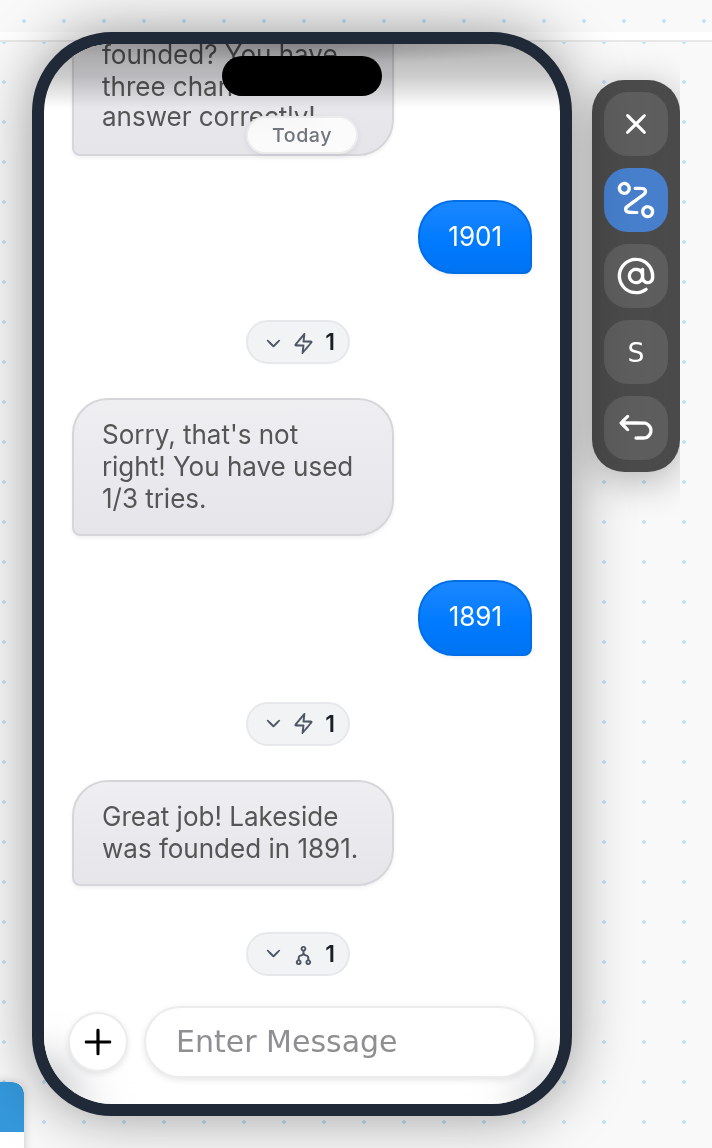
Notice that in our follow-up message, we've referenced the number of tries the contact has made. We did this by using the same expression in the message text, written as @node.visit_count/3. This is especially useful when the contact has several chances to answer, because it tells them how many opportunities remain.
Keep in mind that visit_count reflects only the current flow run. If the contact is restarted in the flow, the count goes back to zero, because counts from previous runs are not saved. |
Try building this logic into your own flow to test it. If you have questions, send us a message using the support widget in the bottom right corner of your browser.