Call AI Action
You can automate more of your flows with AI. Add a large language model (LLM), such as OpenAI's ChatGPT or Anthropic's Claude, and call it from any flow.
What Can AI Do in My Flows?
Here are some ideas:
- Auto-translate your flows into multiple languages. You can use TextIt's built-in LLM for this.
- Language learning: Practice conversation, translate, or quiz vocabulary.
- Customer service: Handle inquiries, complaints, or refund requests conversationally.
- Internal assistant: Help employees find documents, policies, or HR info.
- Onboarding bot: Guide new users or team members through a process step by step.
- Sales assistant: Qualify leads, book calls, or suggest packages.
- Task automation: Integrate with APIs to handle bookings, reminders, or daily reports.
Call AI in a Flow
-
Build your flow. In the example below, students send in questions for the advising office. We use Split by AI with Lakeside Claude to sort each question into Course Question or Account Issue. Course questions go to a Call AI action, which answers them from the advising FAQ. Account issues, other questions, and anything the AI fails to classify or answer open a ticket with an agent who can reply later.
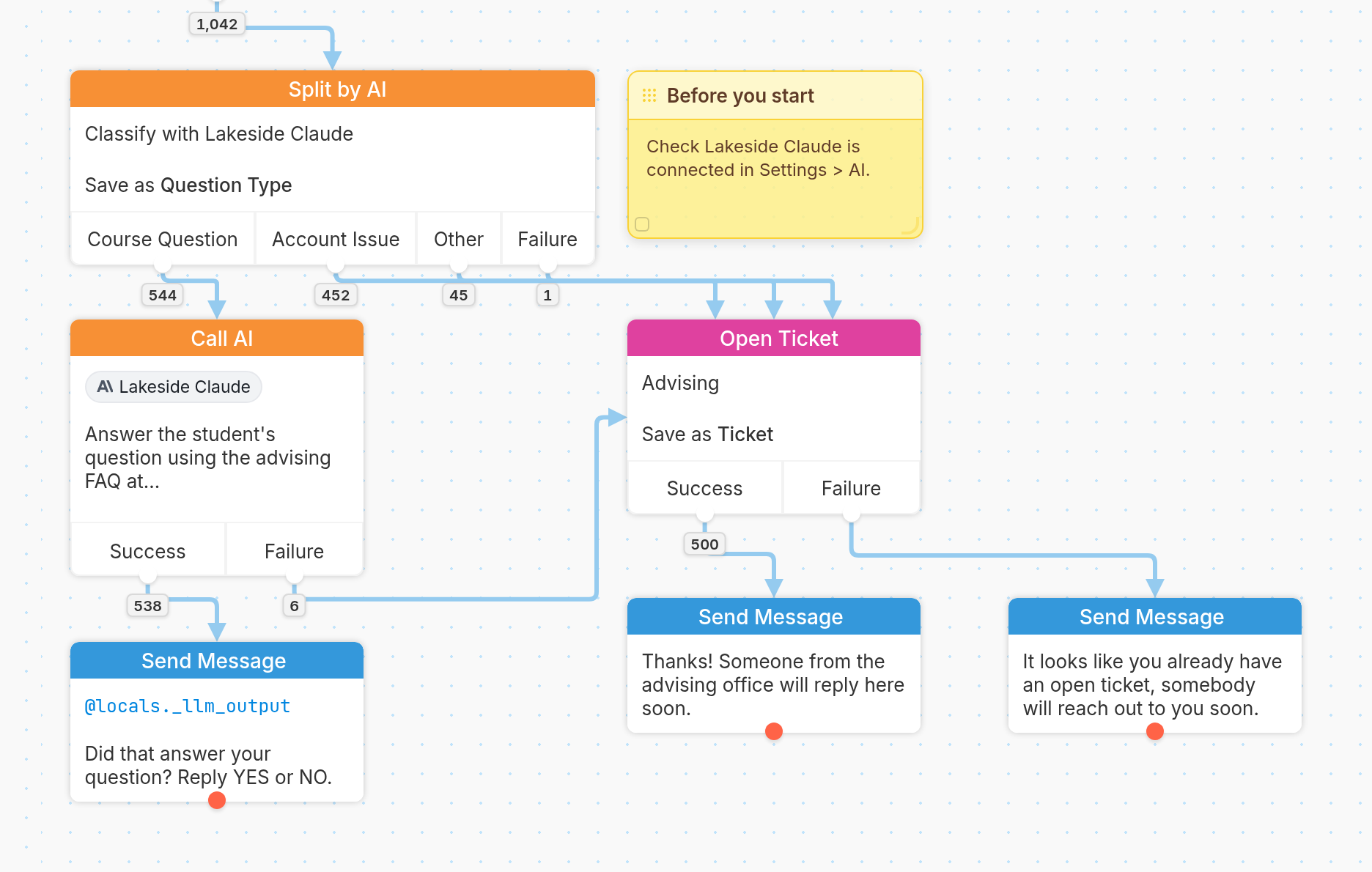
A Closer Look
Call AI Action
This is where you tell your LLM what to do. Choose the LLM, set the Input (here @input), and write the Instructions. Make them as clear as you can. In this example, we ask Lakeside Claude to answer the student's question using the advising FAQ, keep the answer short and friendly, and say so if the FAQ doesn't cover the question.
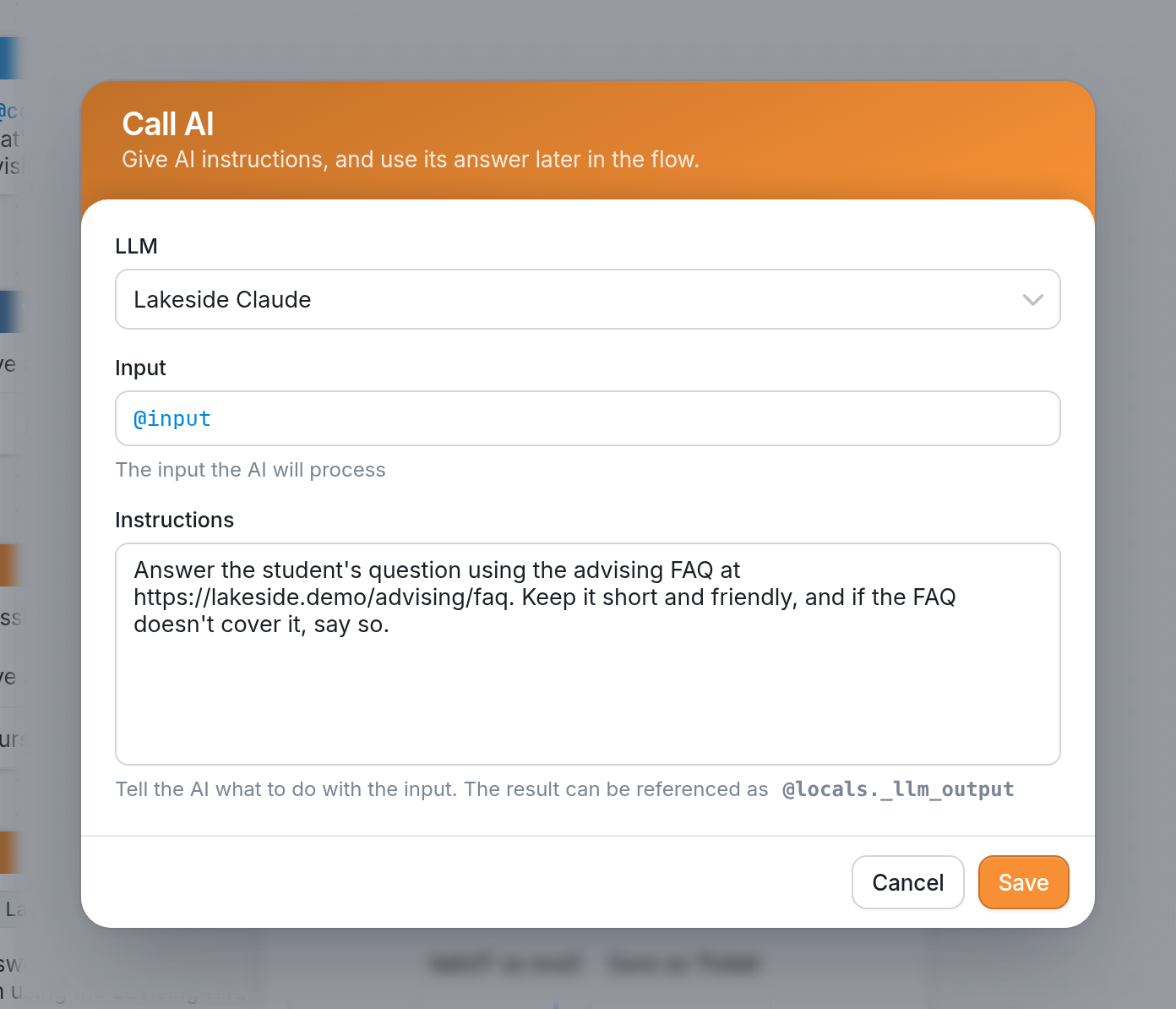
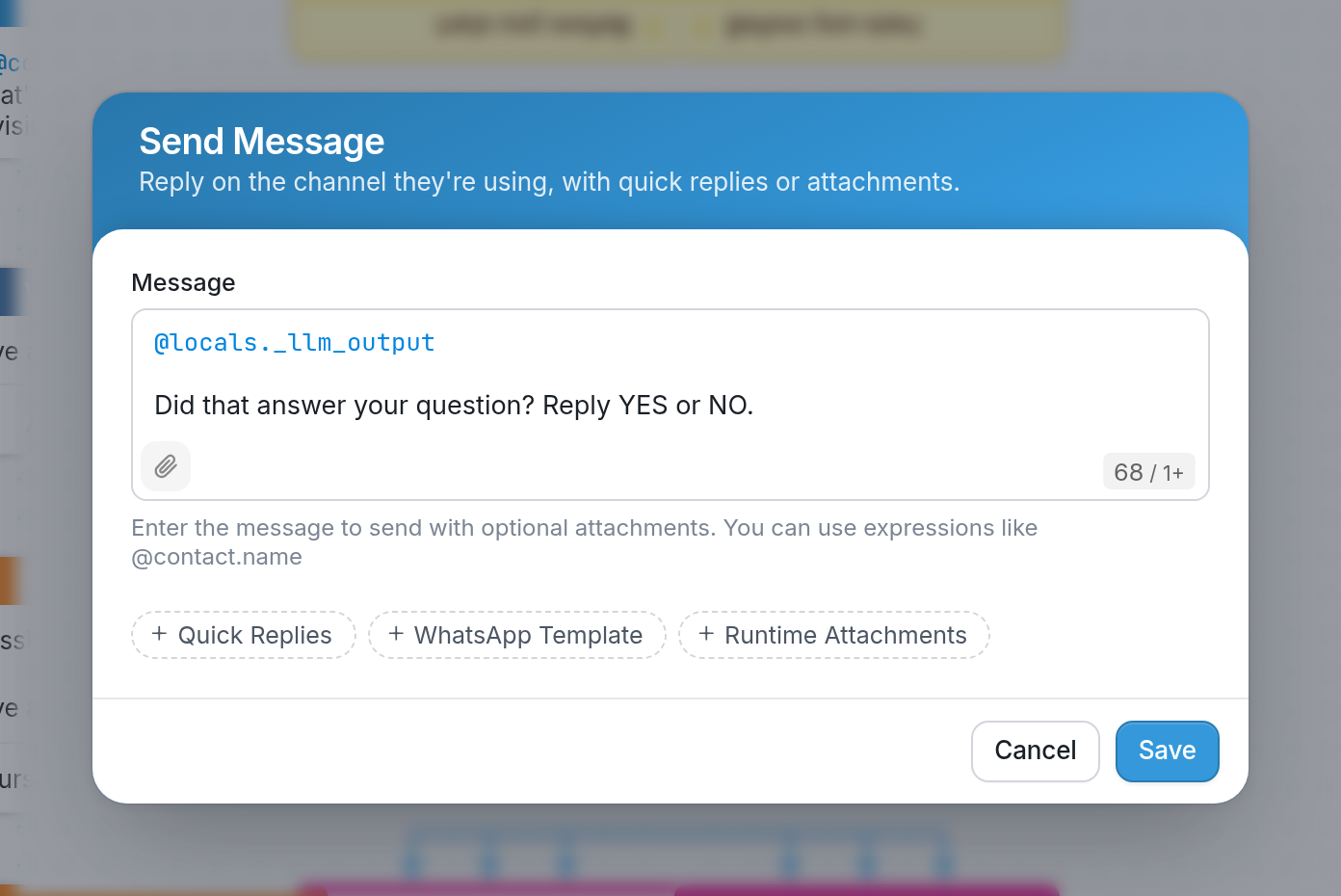
You can reference the result of this Call AI action later in the flow using @locals._llm_output, as in the Send Message action below. |
Open Ticket
In this example flow, we escalate account issues and questions the AI can't handle to a human agent. We do that by opening a ticket with the Advising topic.
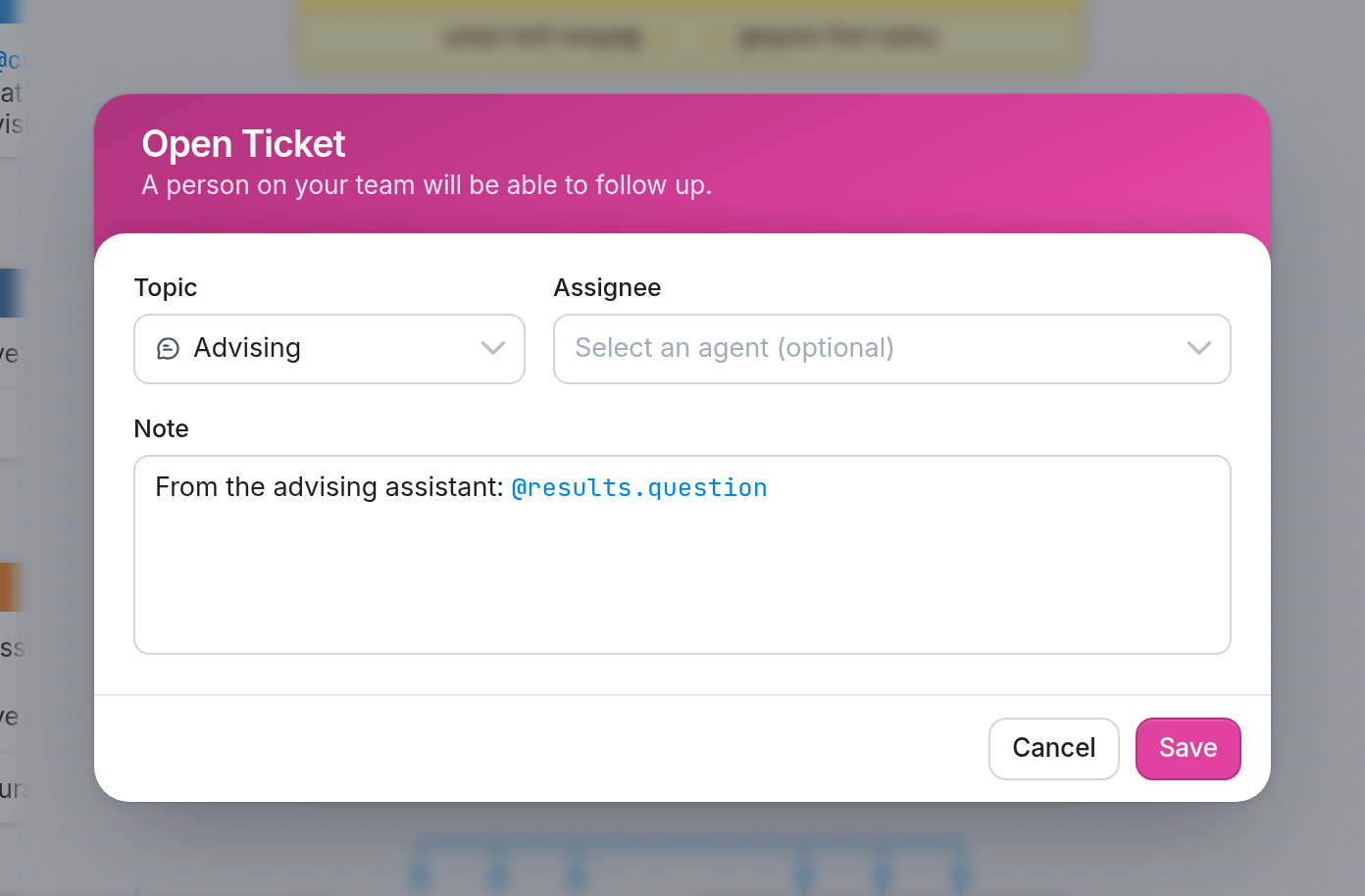
The Note gives the agent some context, including the student's question (@results.question) that we collected at the beginning of the flow.
If you need more help, send us a message using the support widget in the bottom right corner.