Split by AI
The Split by AI action uses LLMs to automatically categorize incoming messages and route contacts down different paths in your flow.
Instead of writing rigid keyword rules, you can define natural-language categories and let the AI handle the nuances of human language—including typos, slang, and context.
Use this action when you need to make a routing decision based on the meaning of a contact's response.
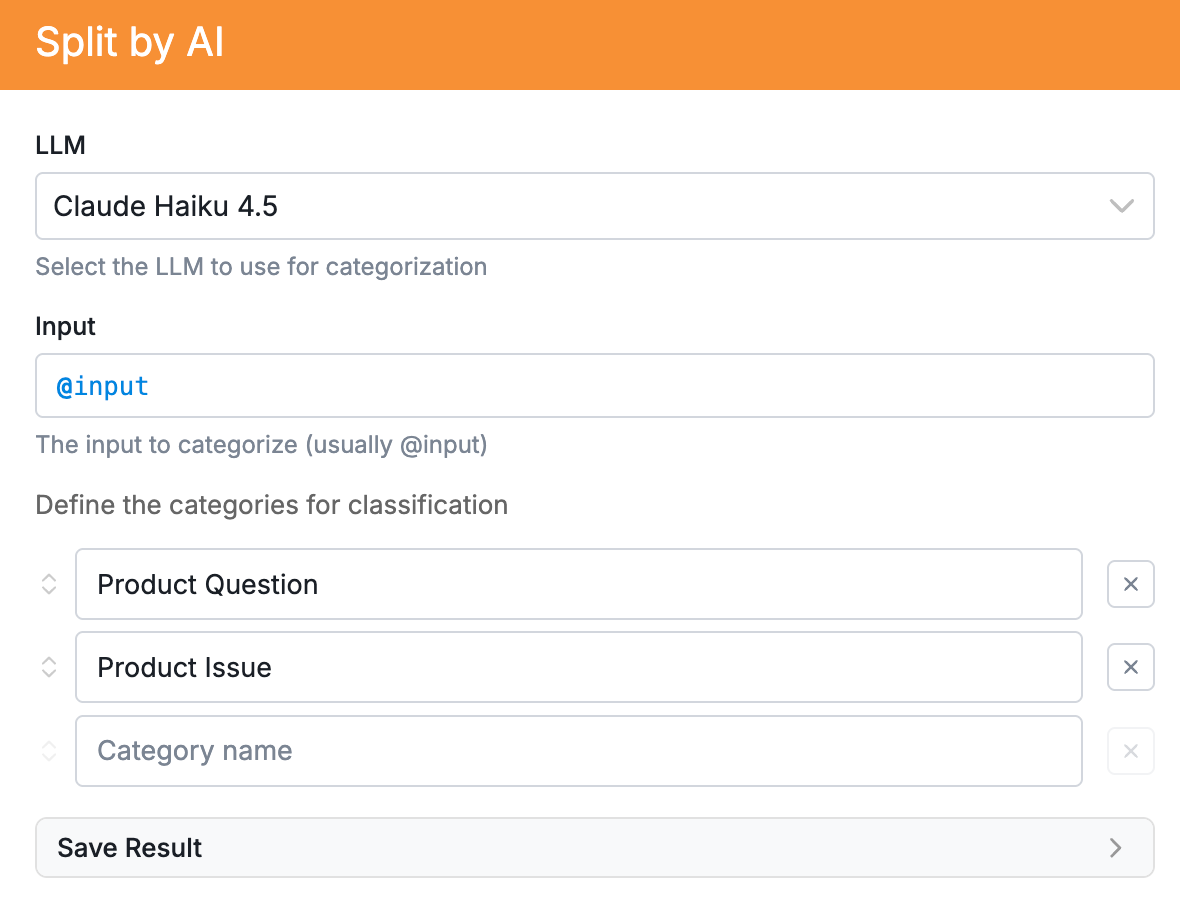
Configuration
- Split by AI: Select the ‘Split by AI’ Action. Choose which LLM you will use to power the action.
- Input: Define the text to analyze (usually @input.text for the contact's last reply).
- Categories: Enter the exact categories you want the AI to choose from.
- Save Result (Optional): Enter a variable name to save the chosen category to the flow context (e.g., ticket_type).
| Note that For Split by AI, Jev is our recommended model. This is because Jev is a model built specifically for classification (it's quick!). It reads a contact's reply and sorts it into one of your categories, but it can't write new text. That means you can use Jev only with the Split by AI action. |
Split by AI vs. Call AI
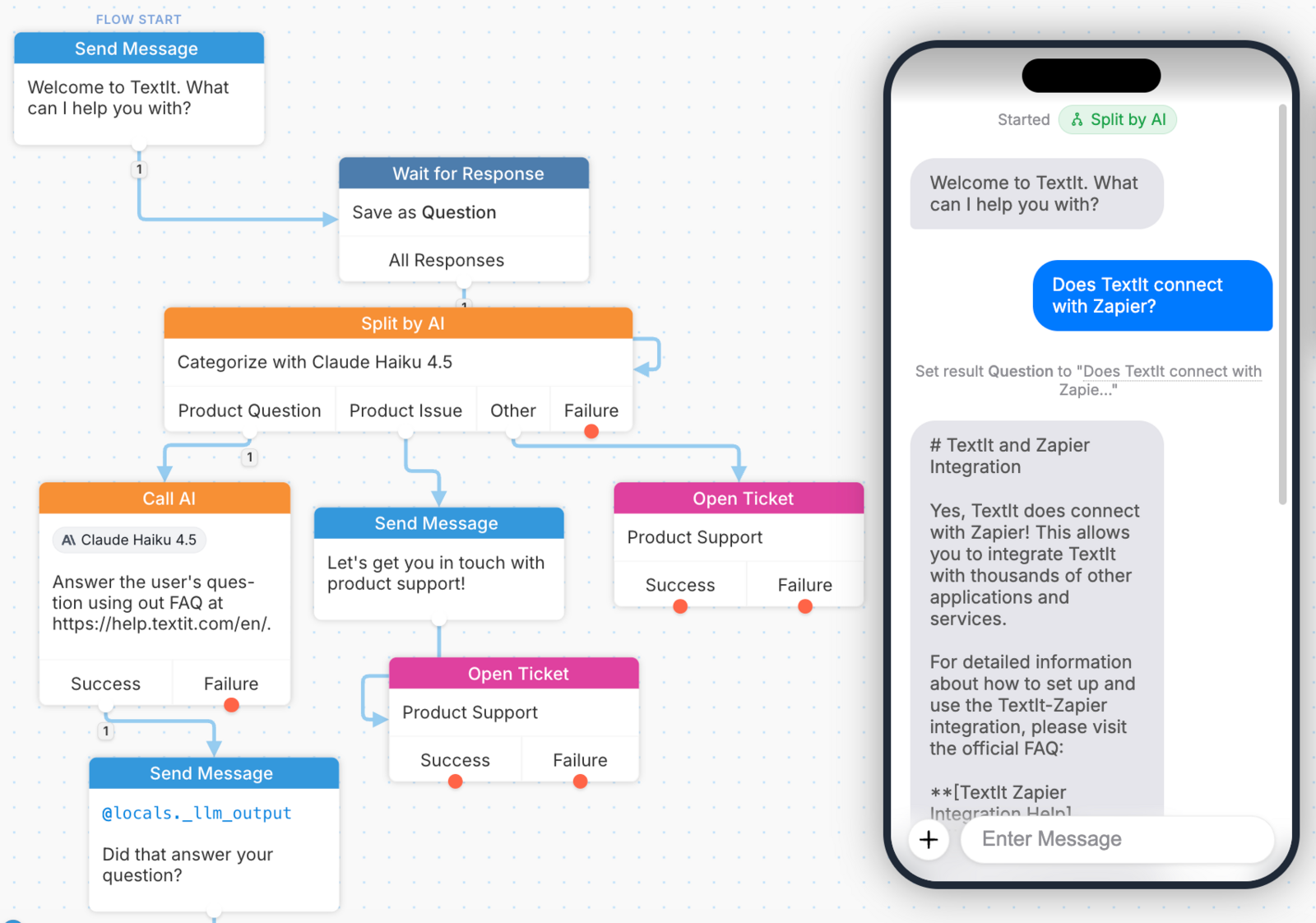
Split by AI is for routing. It forces the AI to pick one category from a fixed list and automatically builds physical paths in your flow editor. * Use this to decide where a contact goes next. Call AI is for generation. It is a blank canvas where you write a custom prompt to have the AI generate text, answer questions, or summarize a conversation. It does not create branching paths. * Use this when you want AI to write something.
Use Cases
- Support or Support Triage: Classifying messages into Billing, Tech Support, or Sales to route them to the right team.
- Sentiment Analysis: Sorting feedback into Positive, Neutral, or Negative to trigger appropriate follow-ups.
- Survey Classification: Grouping open-ended answers into defined themes like Price, Features, or Usability.