Opening a Ticket from the Contact Page
TextIt lets you escalate contacts from automated flows to one-on-one conversations with human agents through tickets, without leaving your workspace.
You can also open a ticket for a contact directly, without the contact first going through a flow. Here's how:
Go to the Contacts tab on the left-hand side.
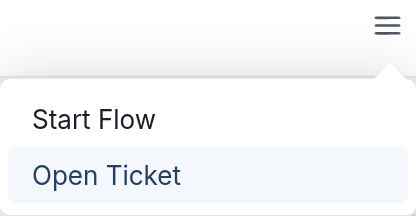
Select the contact, then click the menu icon ☰ on the right-hand side and choose Open Ticket from the drop-down. This option only appears for contacts who don't already have an open ticket.
The Open Ticket window appears. Fill in the fields:
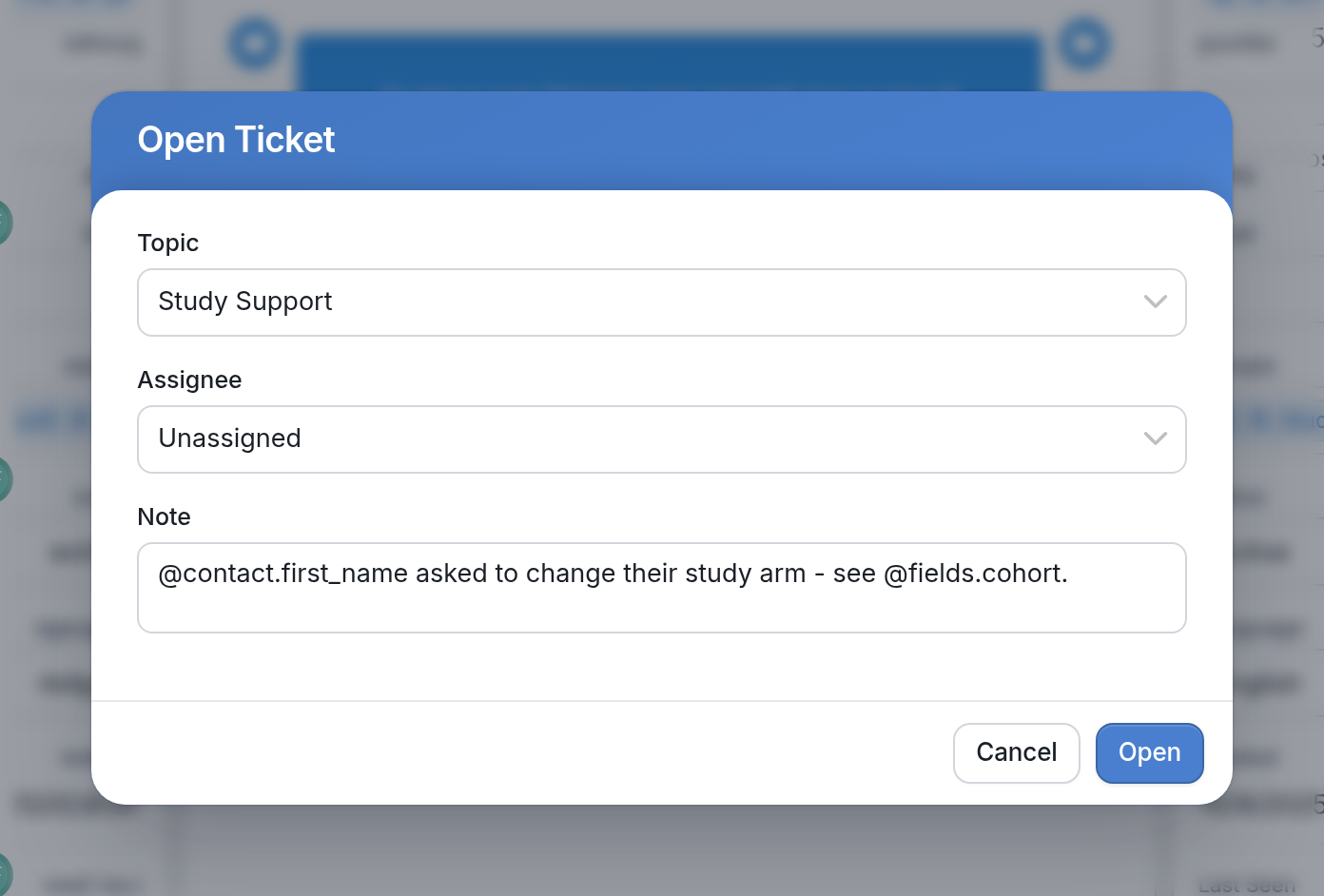
- Topic: select a topic or category for the ticket, such as Study Support.
- Assignee: select the agent you would like to handle the contact's tickets, or leave it as Unassigned. To learn more about adding agents to your workspace, visit this article.
- Note: add any information you want your agents to see while they interact with the contact. In the example, the note uses @contact.first_name and @fields.cohort.
Click Open, and the ticket is ready for the agent to start chatting with the contact.
If you have any questions, reach out to us via the support widget or support@textit.com.