Starting a Flow after Receiving a Call
If you've set up IVR flows, you can use this trigger to start an IVR (Phone Call) flow when a contact calls you.
Here's how to set up this trigger:
-
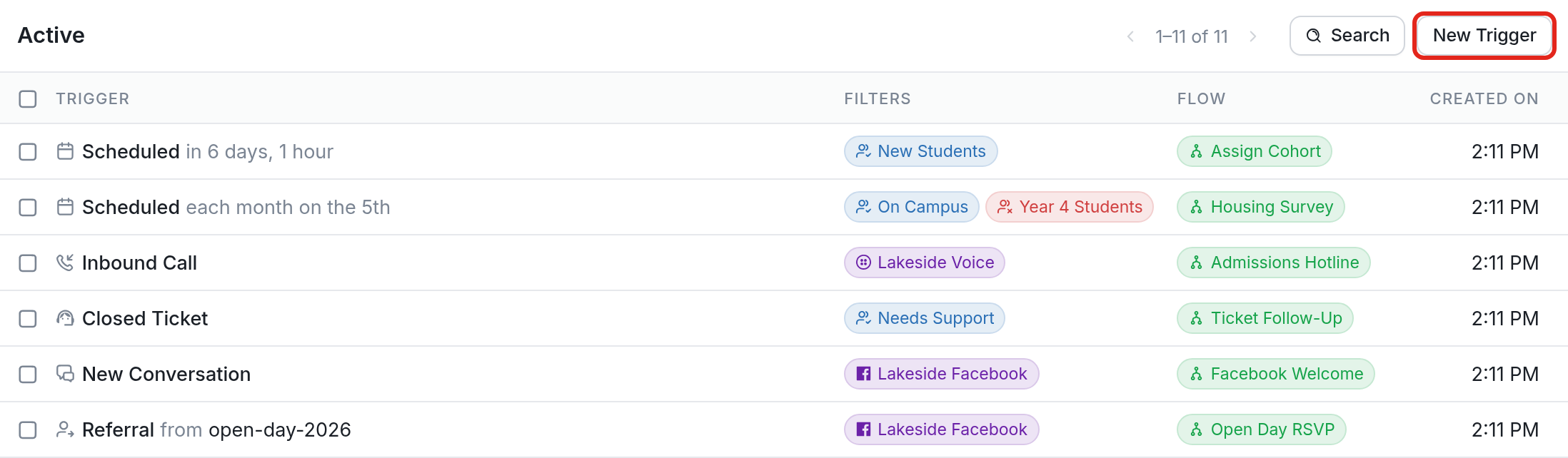
Navigate to the Triggers tab.
-
Click New Trigger and scroll down to Start a flow after receiving a call.

- Fill out the fields to create your trigger, then click Create.
Here's some more detail:
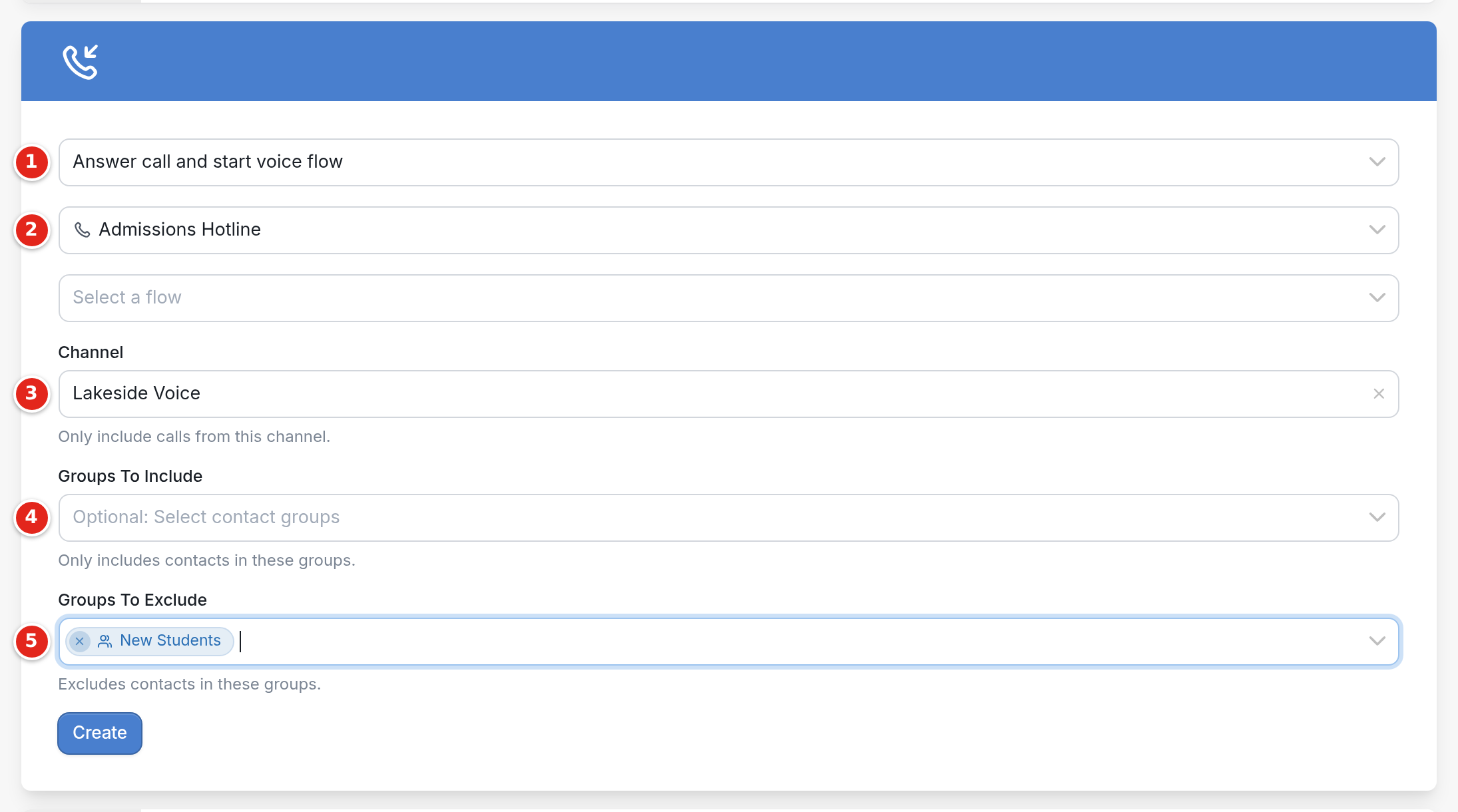
- Choose whether to answer the call and start a voice flow (Answer call and start voice flow) or hang up and start a messaging flow (Hangup call and start messaging flow).

-
Choose the IVR/phone call flow you'd like to start. If you chose to hang up the call, choose the messaging flow to start in the Select a flow field below it.
-
Optionally, choose the Channel you'd like this trigger to operate on. If you have more than one voice-enabled phone number, this lets you limit the trigger to one of them.
-
Optionally, choose Groups To Include so that the trigger acts only on contacts in those groups.
-
Optionally, choose Groups To Exclude so that the trigger ignores contacts in those groups. For more on both options, see include or exclude certain groups.
For more, see our full collection of articles on triggers.