Start a Flow after Receiving a Message that Doesn't Match Any Keywords
Use this trigger to start a flow after receiving an uncaught message (a message not handled by any of your other flows or triggers). We refer to this as the "catch-all" trigger, as it can be used to route uncaught messages to any of your flows.
To create a catch-all trigger:
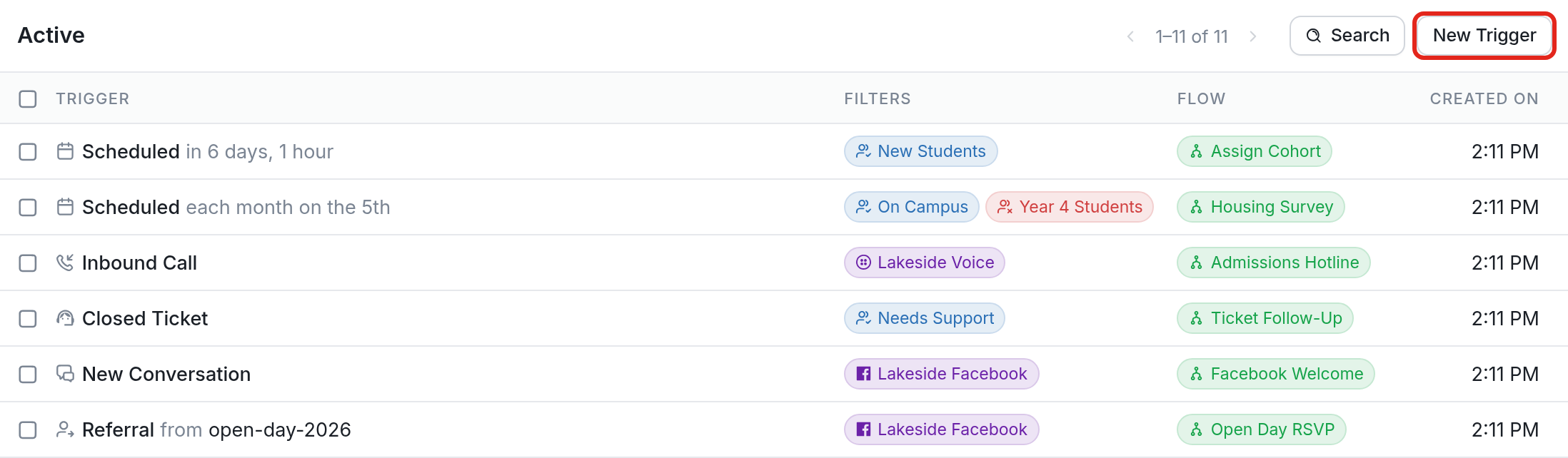
- Navigate to the Triggers tab and click New Trigger.
- Click the Start a flow after receiving a message that doesn't match any keywords option.

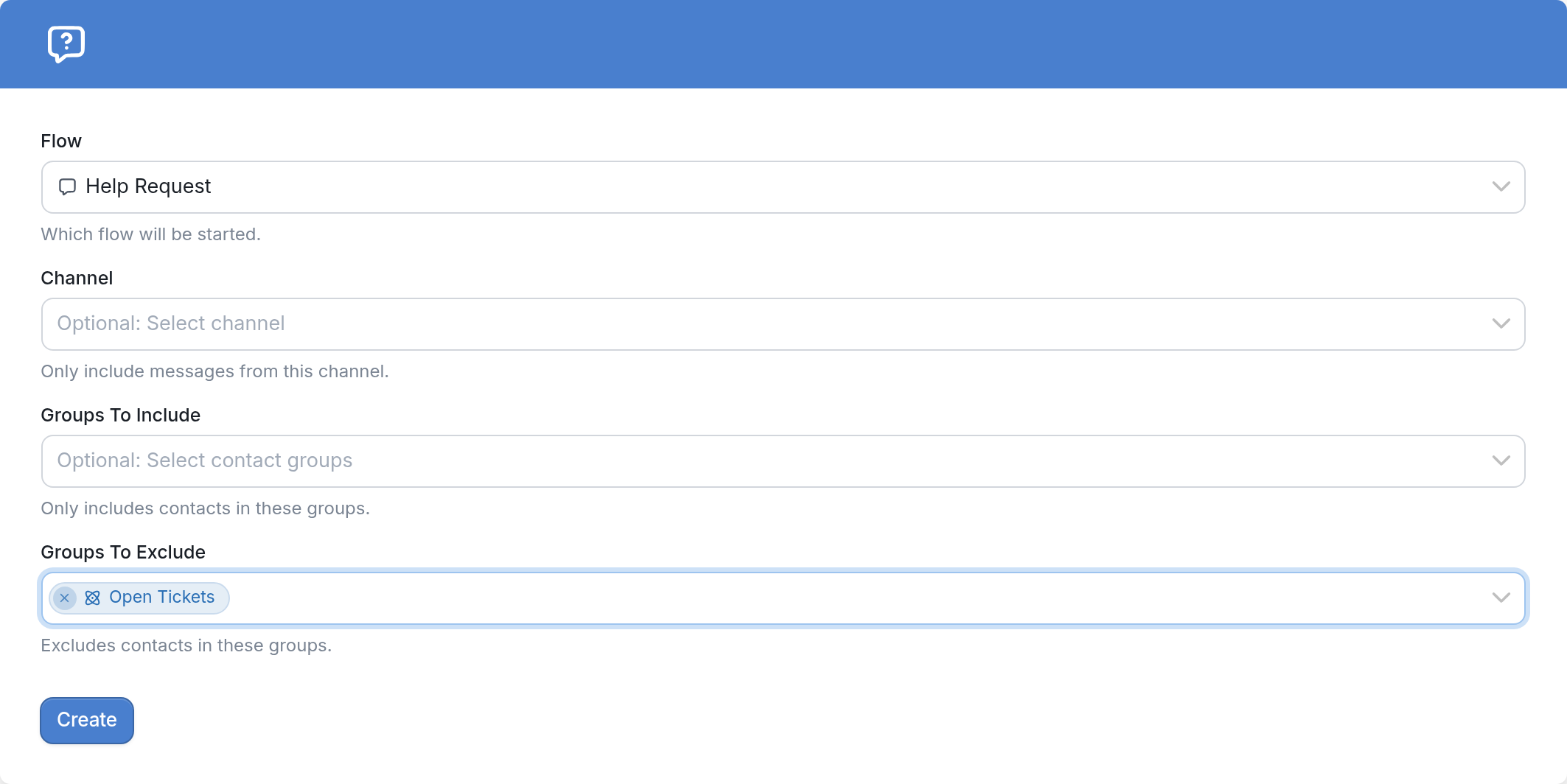
- Choose the flow you want to start and, optionally, which channel this should apply to and any groups to include or exclude.
- Click the Create button.
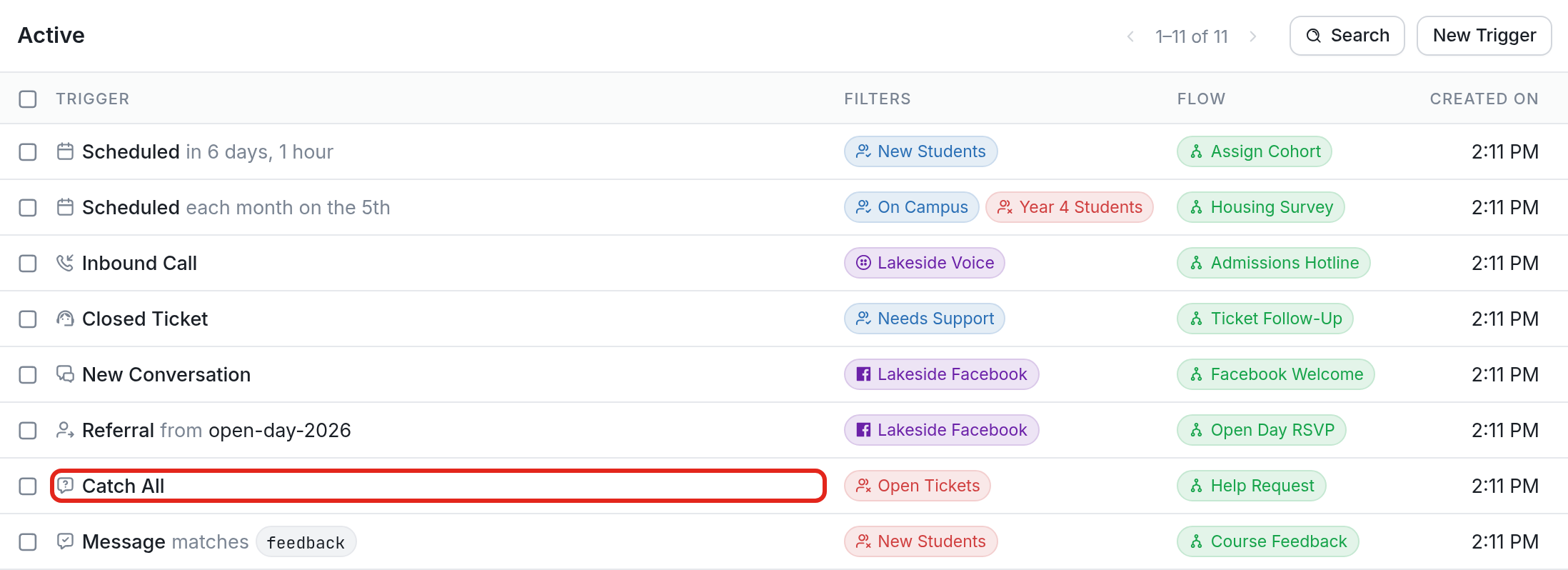
In our example, when an incoming message that doesn't match any existing keyword triggers comes from a contact who isn't in the Open Tickets group, the Help Request flow will be started. Here's what that looks like in our active triggers list:
Exclude the Open Tickets Group
When using the ticketing system, make sure to exclude the Open Tickets smart group from other triggers.
When a ticket is open, incoming messages from your contacts may be interpreted as a keyword trigger or as a message that doesn't match any keywords, which could unintentionally launch the contact into a flow. Contacts are added to the Open Tickets smart group automatically when a ticket is opened, so these other triggers ignore them while they are communicating with an agent through the ticket. Once the ticket is closed, the contact is automatically removed from the group, and their future messages can trigger flows normally, including keyword-based or unmatched-message triggers.
Questions? Send us a message via the support widget in the bottom right corner!