Start a Flow When Facebook Refers a Contact.
Facebook Messenger's deep links make it easy for people to discover your chatbot. You can place the link anywhere, and it will take people directly to your Messenger threads. TextIt can help you manage those contacts by using a trigger to start a flow of your choice.
Triggering a Flow
Once you set up your link on Facebook, come back to your TextIt workspace to set up your trigger.
-
Go to your triggers tab on the left.
-
Click New Trigger in the top right.
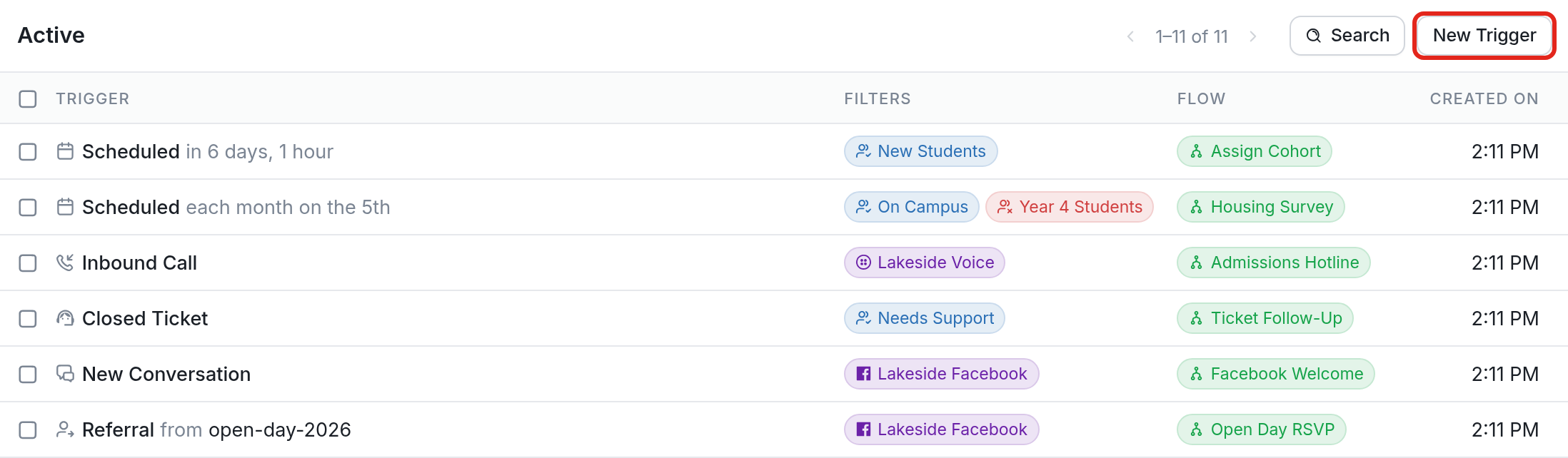
- Scroll down to find Start a flow when Facebook refers a contact.

- Create your trigger. Choose a Facebook channel from the Channel drop-down and the flow you want contacts to start in from the Flow drop-down. In the example below, the trigger starts the Open Day RSVP flow on the Lakeside Facebook channel.
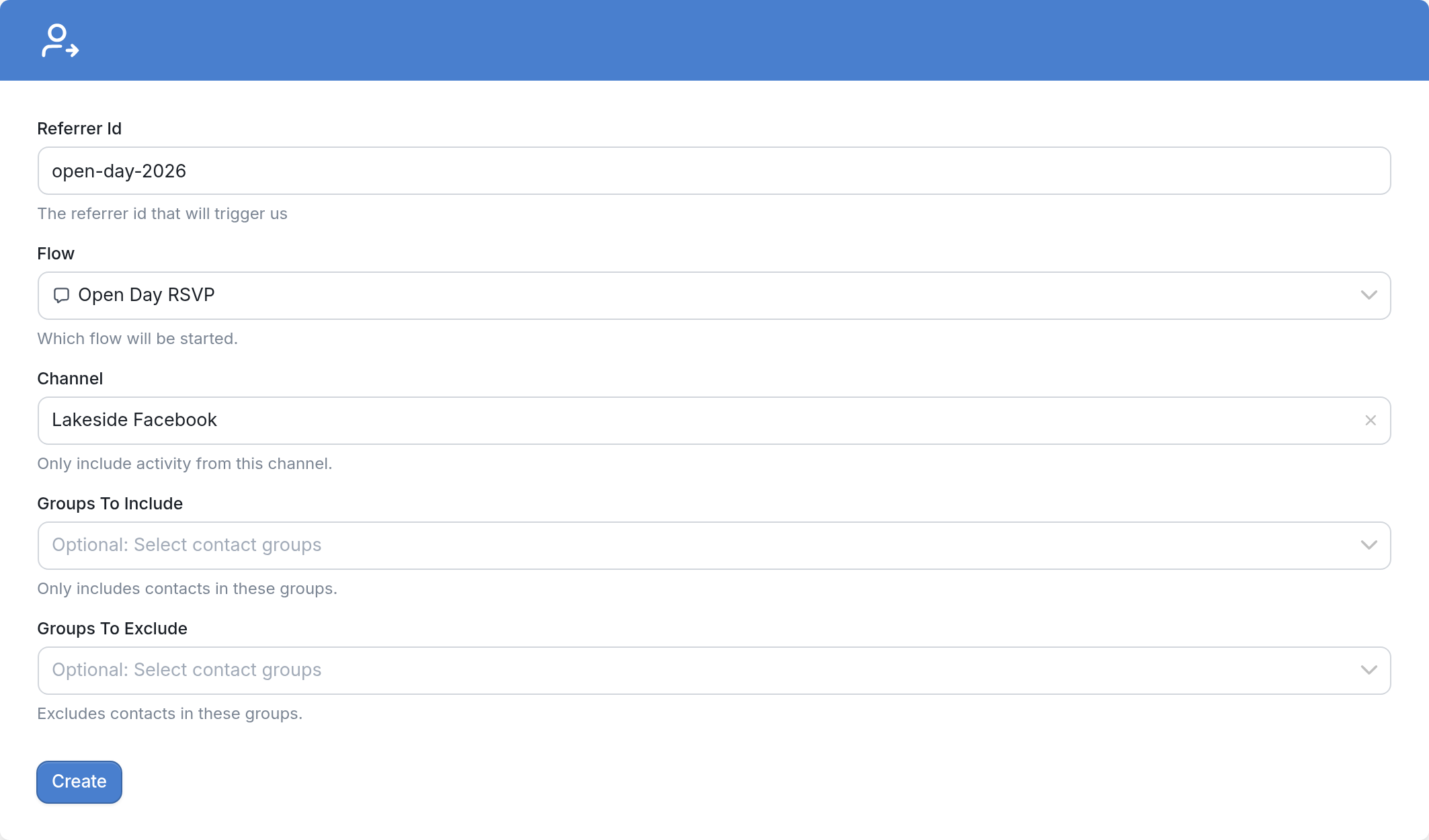
You can send contacts to different flows depending on which link they clicked. The Referrer Id field lets you do this. When you set up your deep link on Facebook, add a parameter to it. The parameter can be a word or code, such as open-day-2026, and you then enter it in the Referrer Id field when you create your trigger.

You can also choose to include or exclude groups using Groups To Include and Groups To Exclude.
Finally, click Create to save your deep link trigger.
If you have questions, send us a message using the support widget in the bottom right corner of your browser.