Forwarding Calls in Voice (IVR) Flows
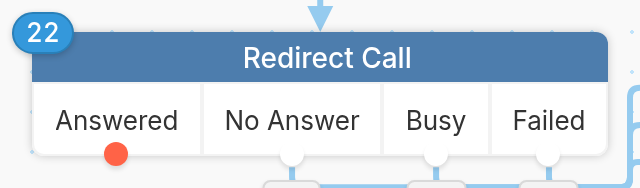
Use the Redirect Call split action in an IVR flow to redirect calls to another phone number. Here's how it works:
In our example, the Advising Line asks callers to press 1 to speak to an advisor or 2 to leave a message. If they choose Advisor, the flow redirects their call to another phone number of our choice.
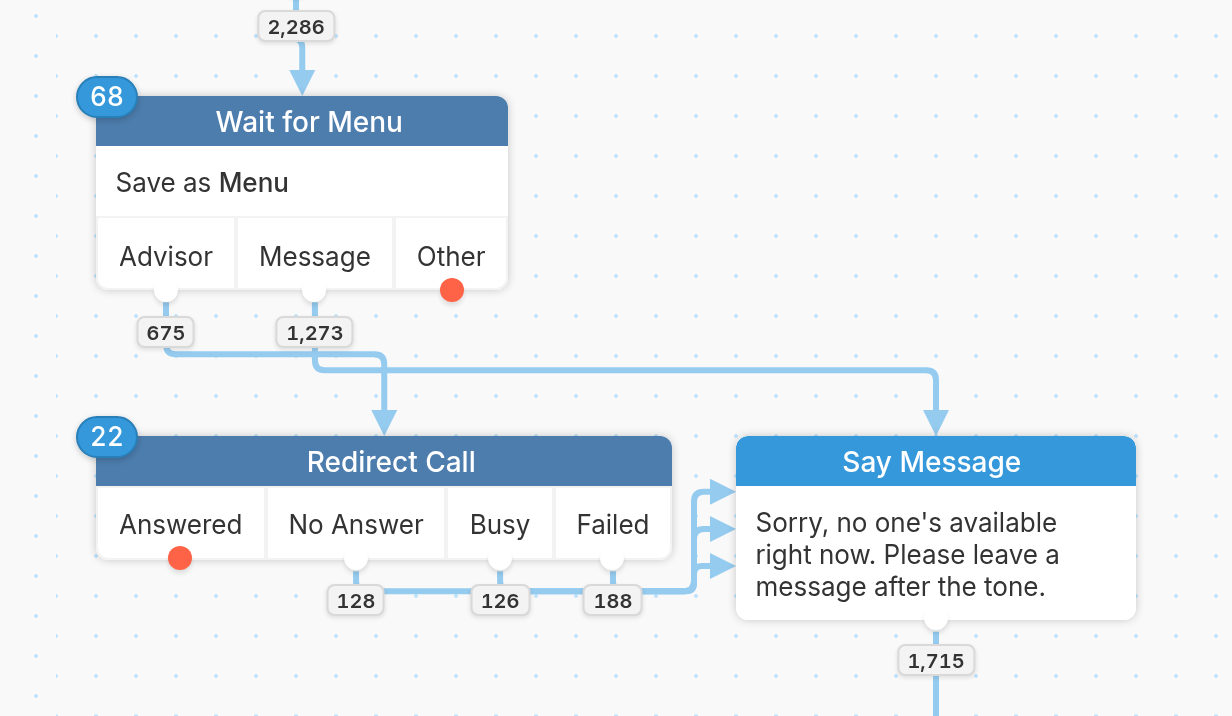
The Redirect Call split action has 4 possible exits:
-
Answered - The redirected call was answered.
-
No Answer - The call wasn't picked up and was disconnected.
-
Busy - The line was busy and the call was disconnected.
-
Failed - The call failed.
Depending on how the redirected call is handled, you can add different actions to support your contact after it's over. In our example, the Answered exit ends the flow. Calls that come back through No Answer, Busy or Failed go to the same Say Message action that callers who pressed 2 hear: "Sorry, no one's available right now. Please leave a message after the tone." A Make Recording action saves their voicemail as Message, and a final Say Message tells them an advisor will call back within one business day. You can also alert a team member when a forwarded call fails with a Send Somebody Else a Message action.
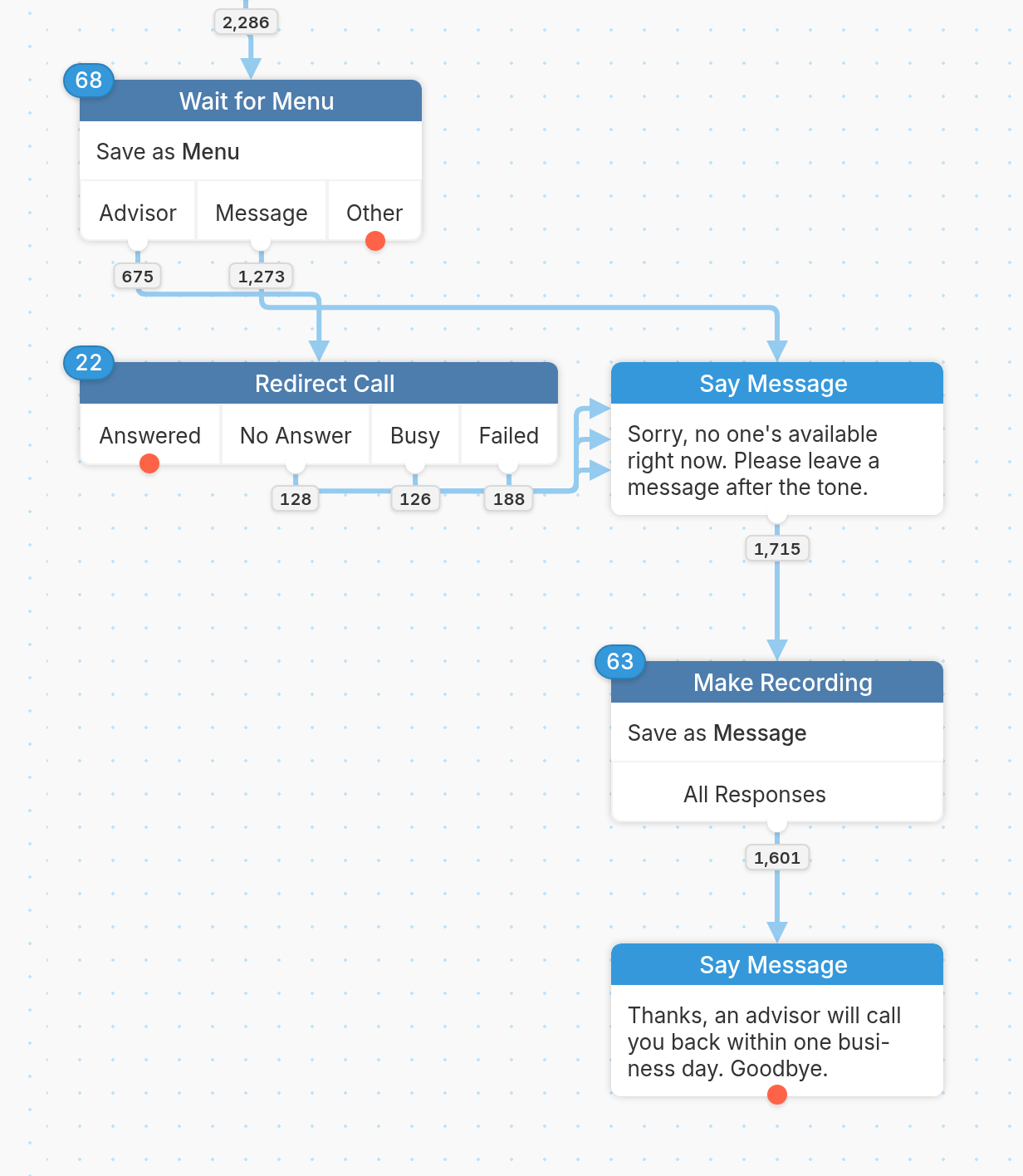
After the forwarded call has ended, the contact immediately moves forward in the flow on their original call with your voice number.
You can learn more about building IVR flows here.
Questions? Send us a message via the support widget in the bottom right corner.