Sending Options for Campaign Events
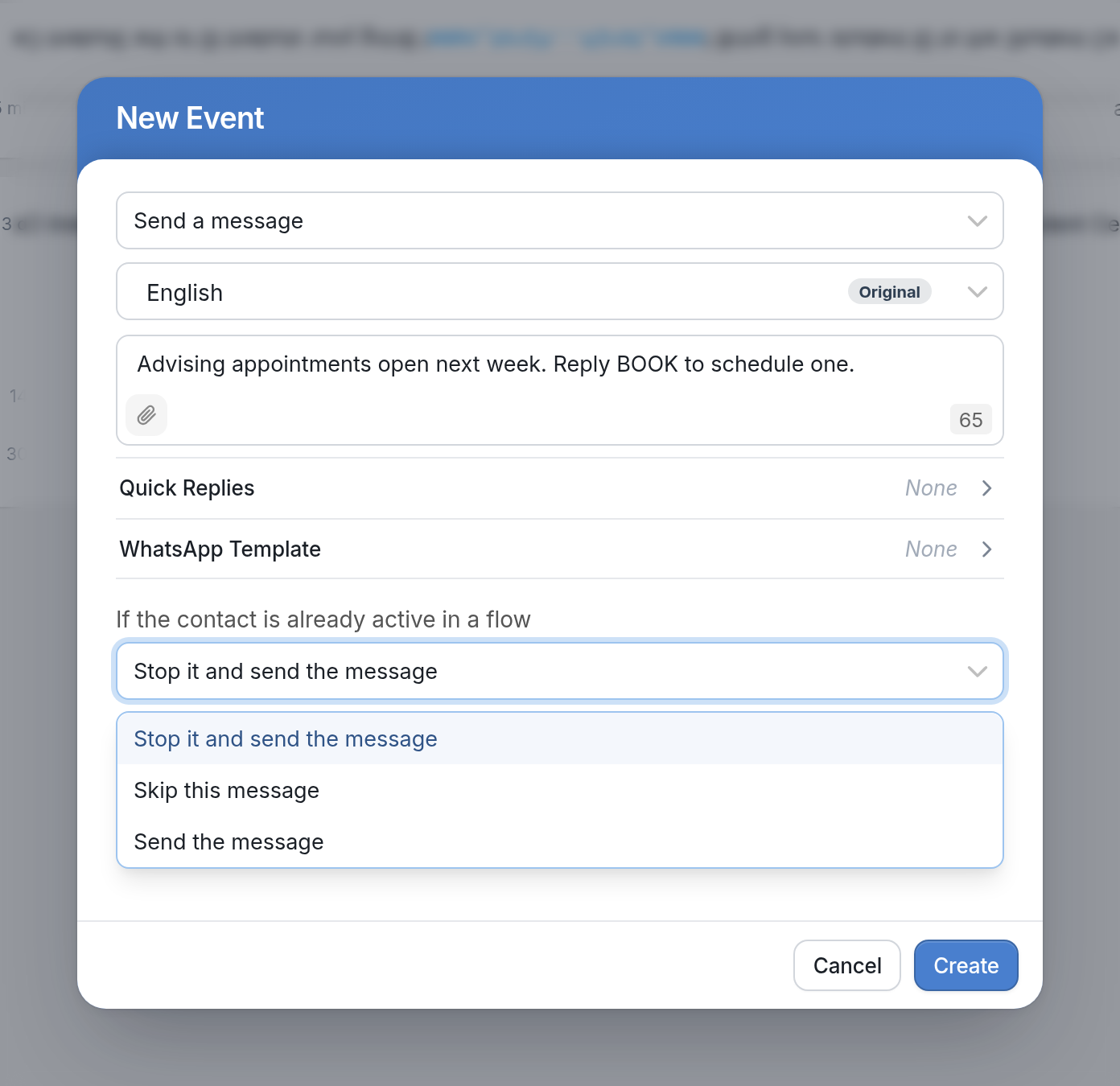
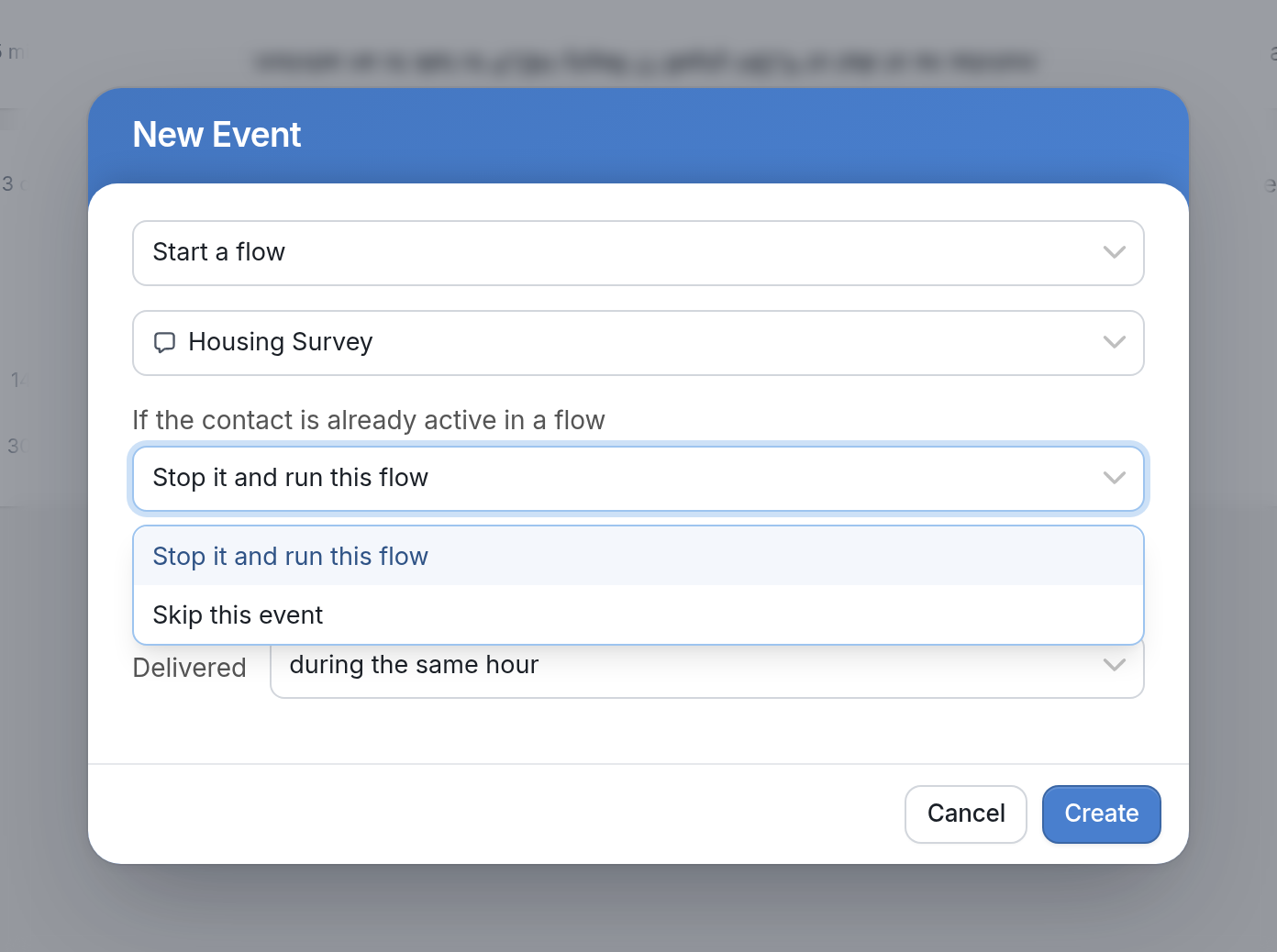
When adding a campaign event, you can choose what happens if the contact is already active in a flow when the event is sent. Use the If the contact is already active in a flow dropdown to pick an option.
If the event sends a message, you can choose:
-
Stop it and send the message to stop the contact's current flow and send the message.
-
Skip this message to skip the event and not send the message.
-
Send the message to send the message anyway.
If the event starts a flow, there are only two options:
-
Stop it and run this flow to stop the contact's current flow and start the event's flow.
-
Skip this event to skip the event.
Learn more about campaigns here.