Multi-Workspace Accounts
Our reseller plan lets you have one bill for many workspaces. It's intended for use cases across multiple countries or projects, where it's useful to create workspaces for specific programs and manage them from a central account. It also lets a single user create multiple workspaces to resell to clients.
How it works
The primary account is the usual $25/mo. Instead of including 1,000 free contacts, it lets you create new workspaces at $15/mo per workspace and combines the contacts messaged across all workspaces. If your combined active usage is above 100,000 contacts, we can offer a 25% discount.
All of this is combined into a single invoice, and if you use it as a reseller account, you're free to charge your customers however you see fit. We also sell an option to add your own branding, colors and domain for your site. Let us know if you're interested.
Creating a new child workspace
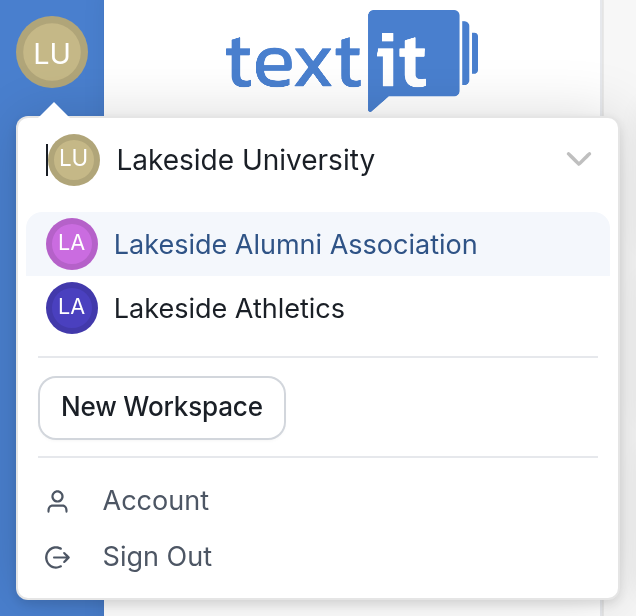
To add a child workspace, click the circle with your workspace's initials in the upper-left corner, then click New Workspace. Give the workspace a name and set its time zone. You won't see this option if your account isn't on a reseller plan yet.
Click the dropdown arrow next to your workspace name to see a list of all your workspaces.
Navigating your multiple workspaces
When you're logged into your main workspace, you don't need to log out and back in to reach your other workspaces. Click the circle with your workspace's initials at the top left to see a dropdown with all your workspaces, then click a workspace's name to switch to it.
| You can also switch workspaces when you open an object (flows, contacts, messages and more) that belongs to a different workspace. If a teammate sends you a link to an object, open it and you'll be prompted to switch to the workspace that object belongs to. Click Switch Workspace to go there. | 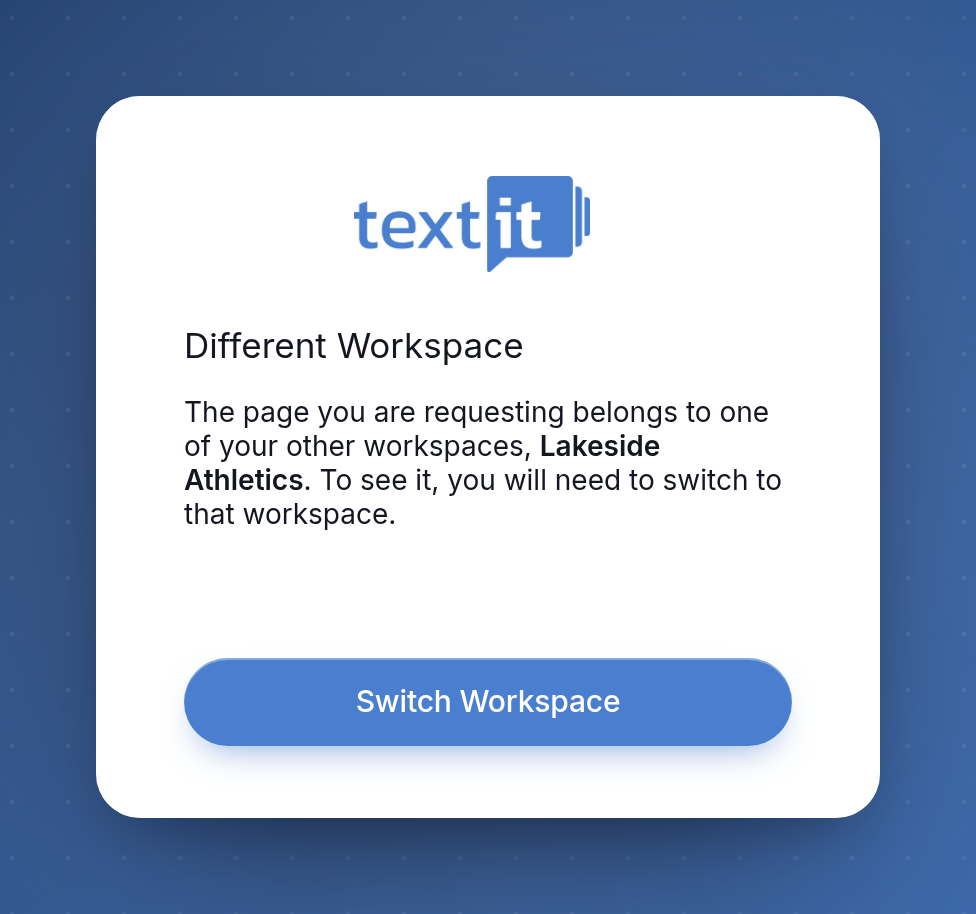 |
Switching to the reseller plan
We can convert any paid account to a reseller plan, and you can then create as many workspaces under it at the $15/mo rate as you need. Contact us if you're interested and we'll set it up. If you have existing accounts you want to merge into it, you may want to export and import flows and contacts from your existing workspaces.