Background Flows
Contacts can only be active in one Messaging flow at a time. If you want a flow to perform actions that don't need a response from the contact, use a Background flow.
Background flows are useful when you need to perform additional actions on a contact or group without interrupting any active flows.
Building a Background Flow
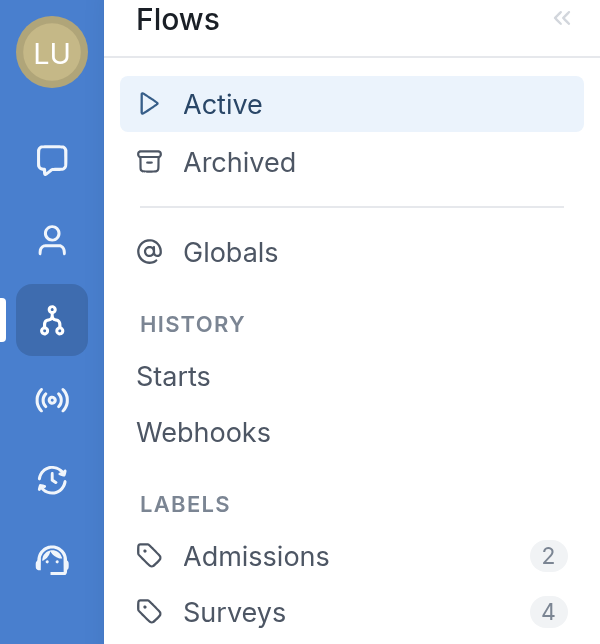
First, click Flows in the navigation menu on the left:
Next, click the New Flow button at the top right:

Name your new flow and choose Background from the Type dropdown:
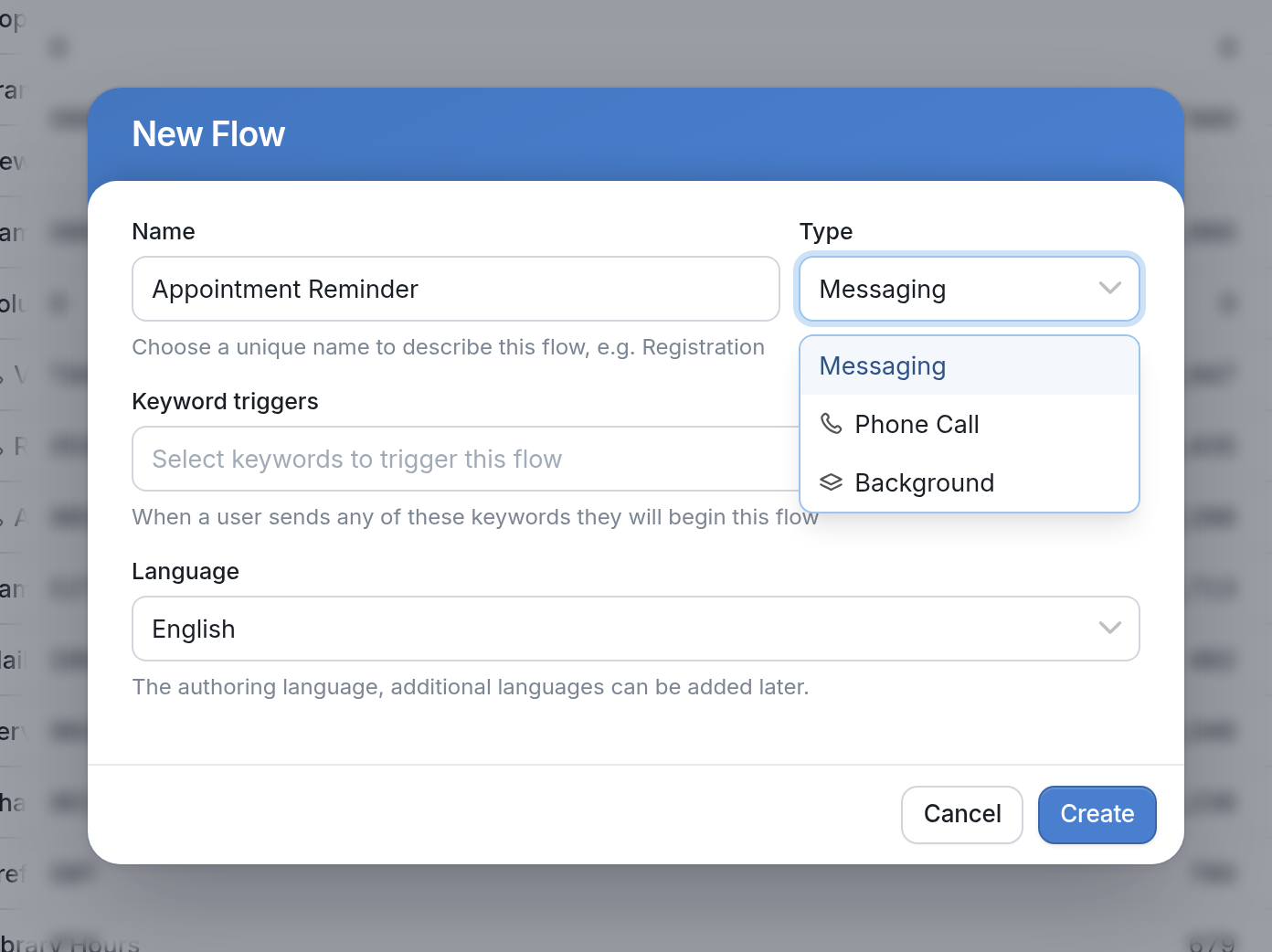
After you click Create, you'll be taken to the flow editor to build your flow. You can add as many actions as you need for the contacts who pass through the flow. Contacts can't respond to Background flows, so Wait for Response isn't available as an option.
Actions in a Background Flow
Nearly every action that's possible in a Messaging flow is also possible in a Background flow. Background flows don't allow labeling incoming messages, because contacts can't send responses to this type of flow. Actions are commands your flow carries out. They allow you to:
-
Send a Message (sends a message and/or media attachment to active contacts who reach that node in your flow)
-
Send a Message to Someone Else (outside the interaction taking place)
-
Add an additional URN for the contact. A URN is an address for your contact, such as a phone number, email address or Telegram ID.
-
Add and Update Contact Fields (with a value received in a response, for example)
-
Start Another Flow. From a Background flow, you can only start other Background flows.
-
Create Splits, such as splitting by a custom expression, by contact field, by channel, by random chance or by group membership.
How It Works
In the image below, a contact was started in a flow called "Survey Check-In" but was interrupted when a new flow called "Mood Check-In" was started:
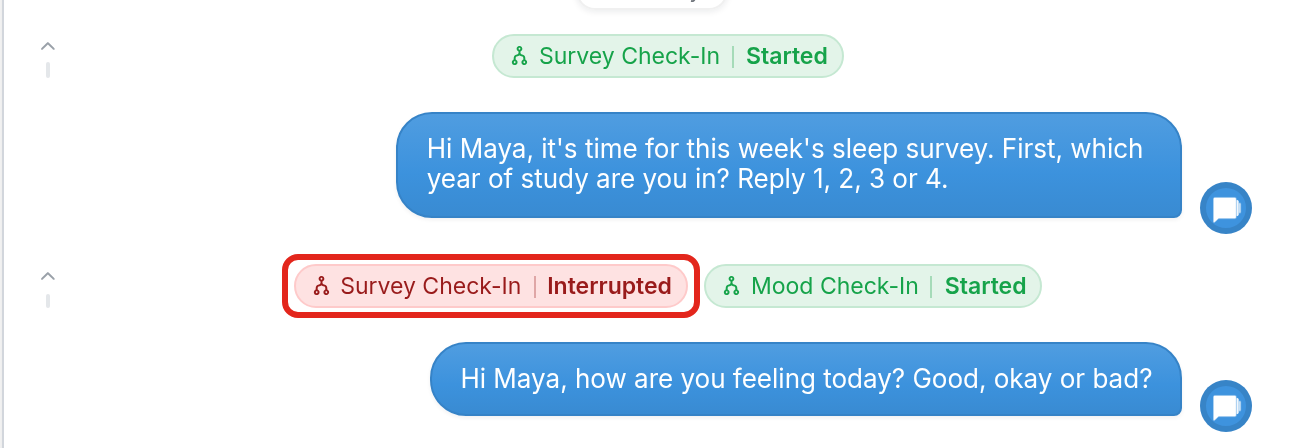
This happened because a contact can't be active in two Messaging flows at the same time.
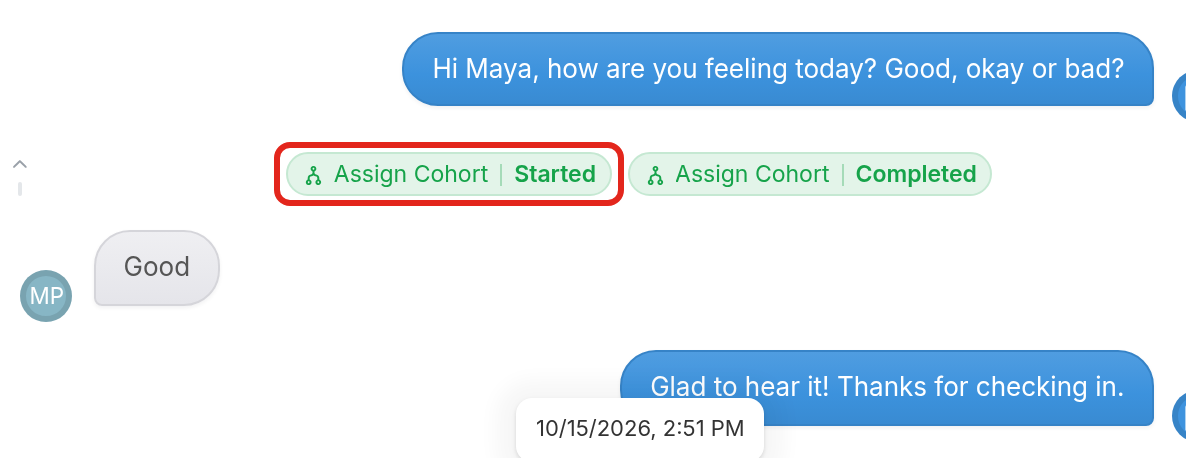
To avoid this, you can start a Background flow instead, which runs without interrupting active Messaging flows. The difference between the two is that only Messaging flows can collect responses.
In the image below, the Background flow "Assign Cohort" started and completed without interrupting the contact in the "Mood Check-In" flow, so the contact could still reply to it:
Starting a Background Flow
There are two ways to start contacts in a Background flow.
- Start manually. Click the Start button in the flow editor to start the flow immediately.

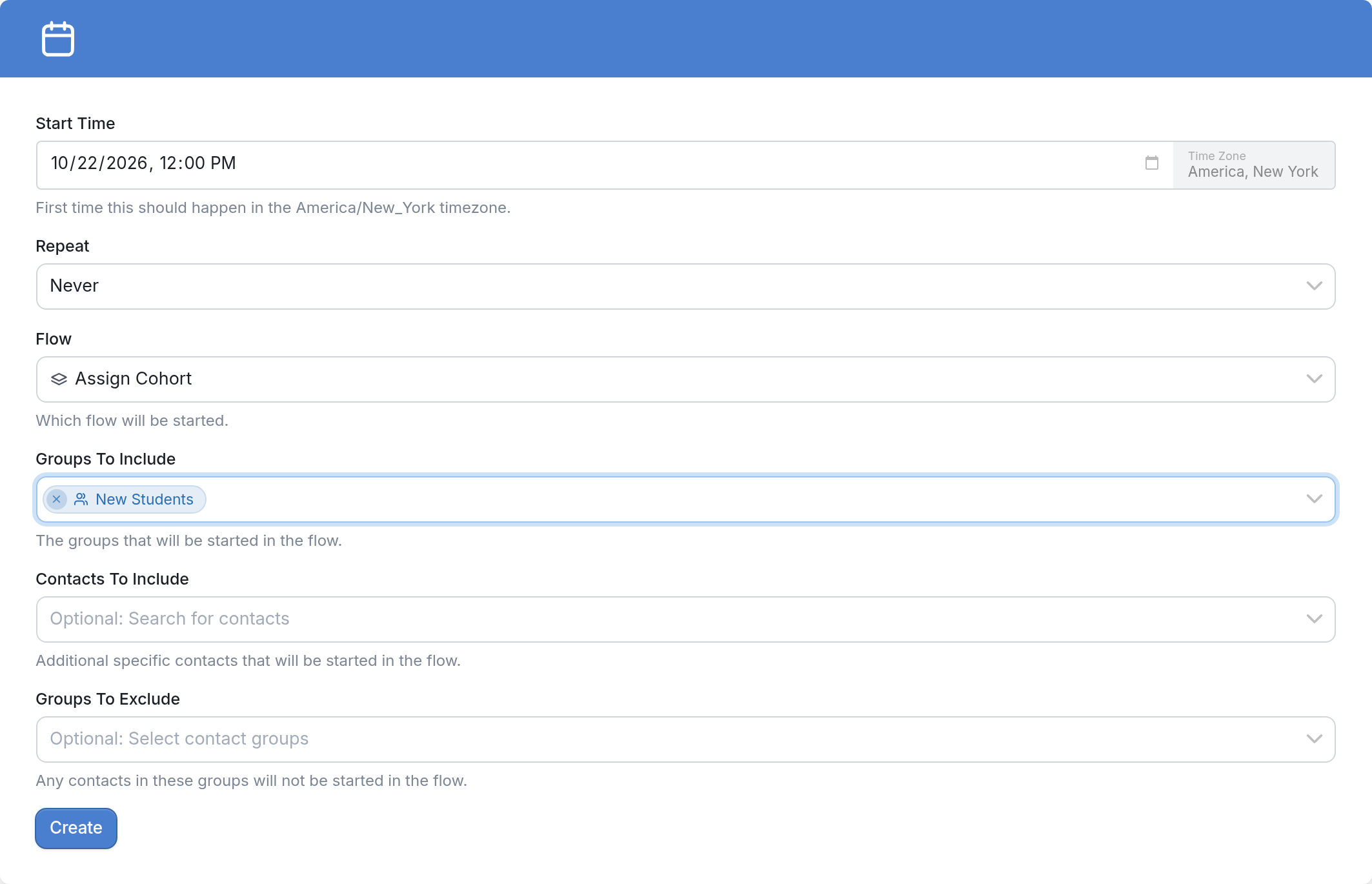
- Schedule the flow for later. Create a schedule trigger from Triggers > New Trigger, and choose the flow and the groups to start in it. You can schedule a single start or set it to repeat daily, weekly or monthly. Below, the "Assign Cohort" flow is scheduled for the "New Students" group.
Questions about using and building Background flows? Send us a message via the support widget in the bottom right corner of your browser.