Sending Messages with a Flow
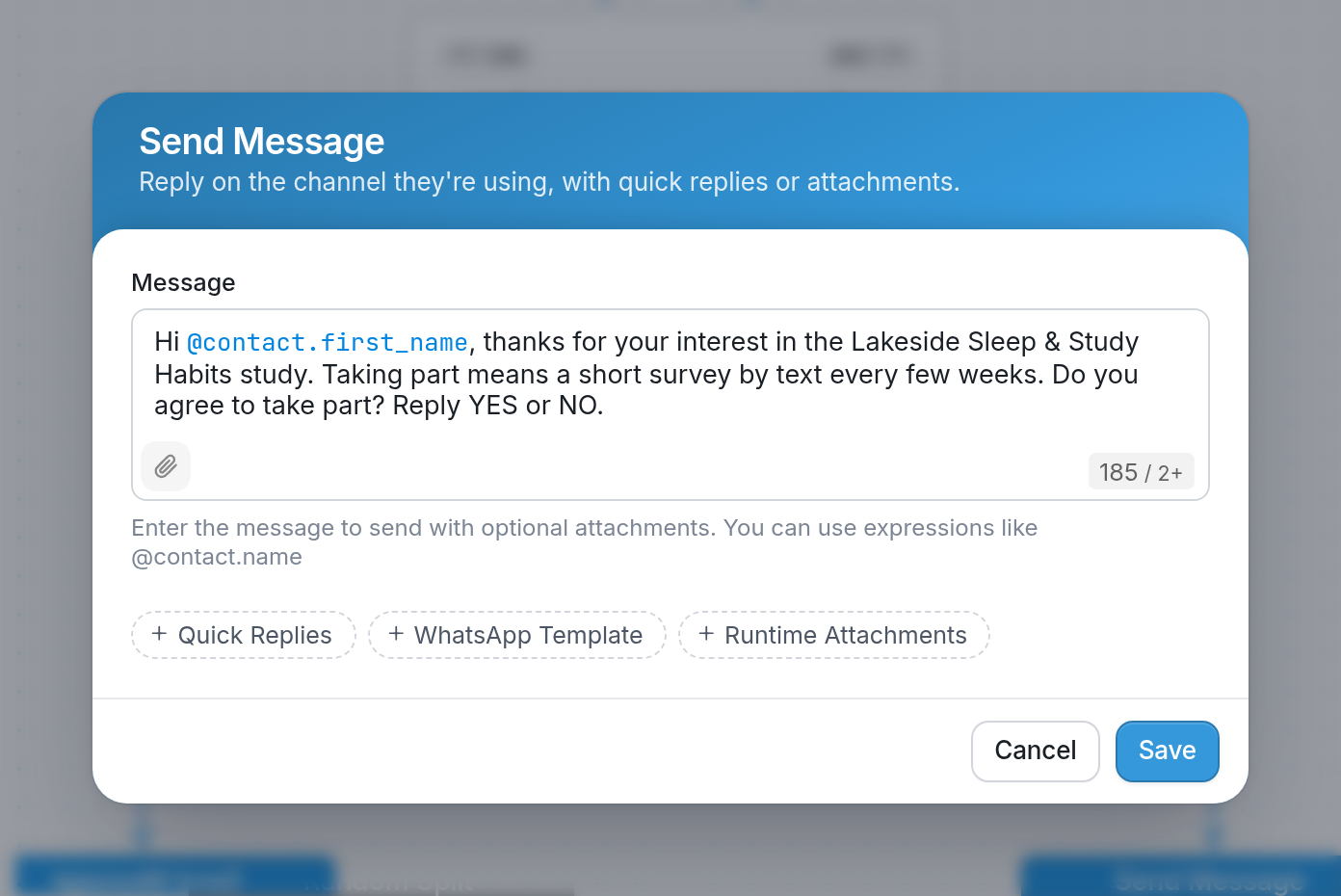
In the example below, we've asked an initial question, waited for the contact's response, and created a new Send Message action that is sent automatically when a contact who replies "No" reaches that node in the flow:
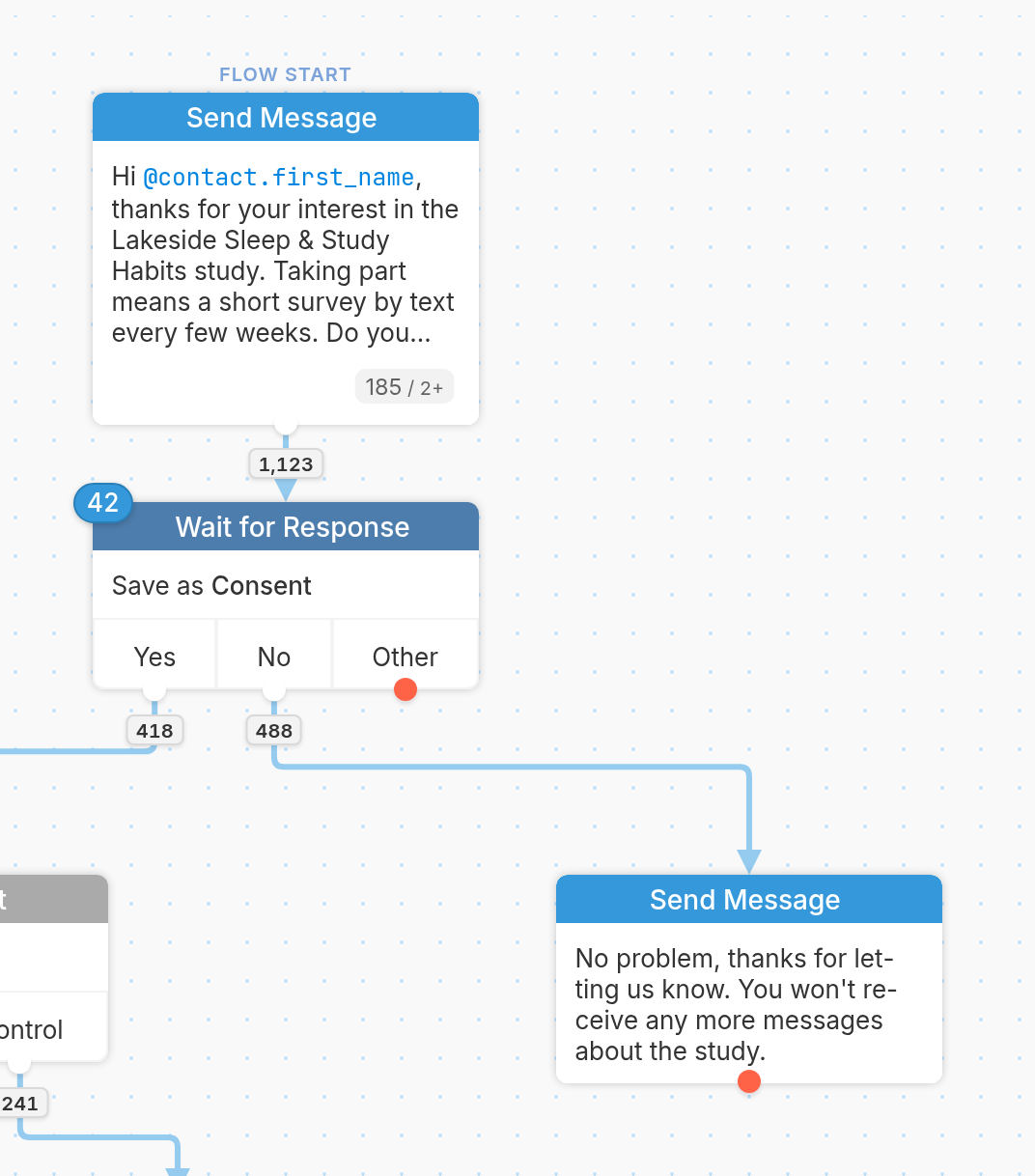
We'd then go on to create Send Message actions for each of the other possible responses from contacts.
Attach Media
Click the attachment (paperclip) icon in the bottom-left corner of the Message box to attach a file from your device:
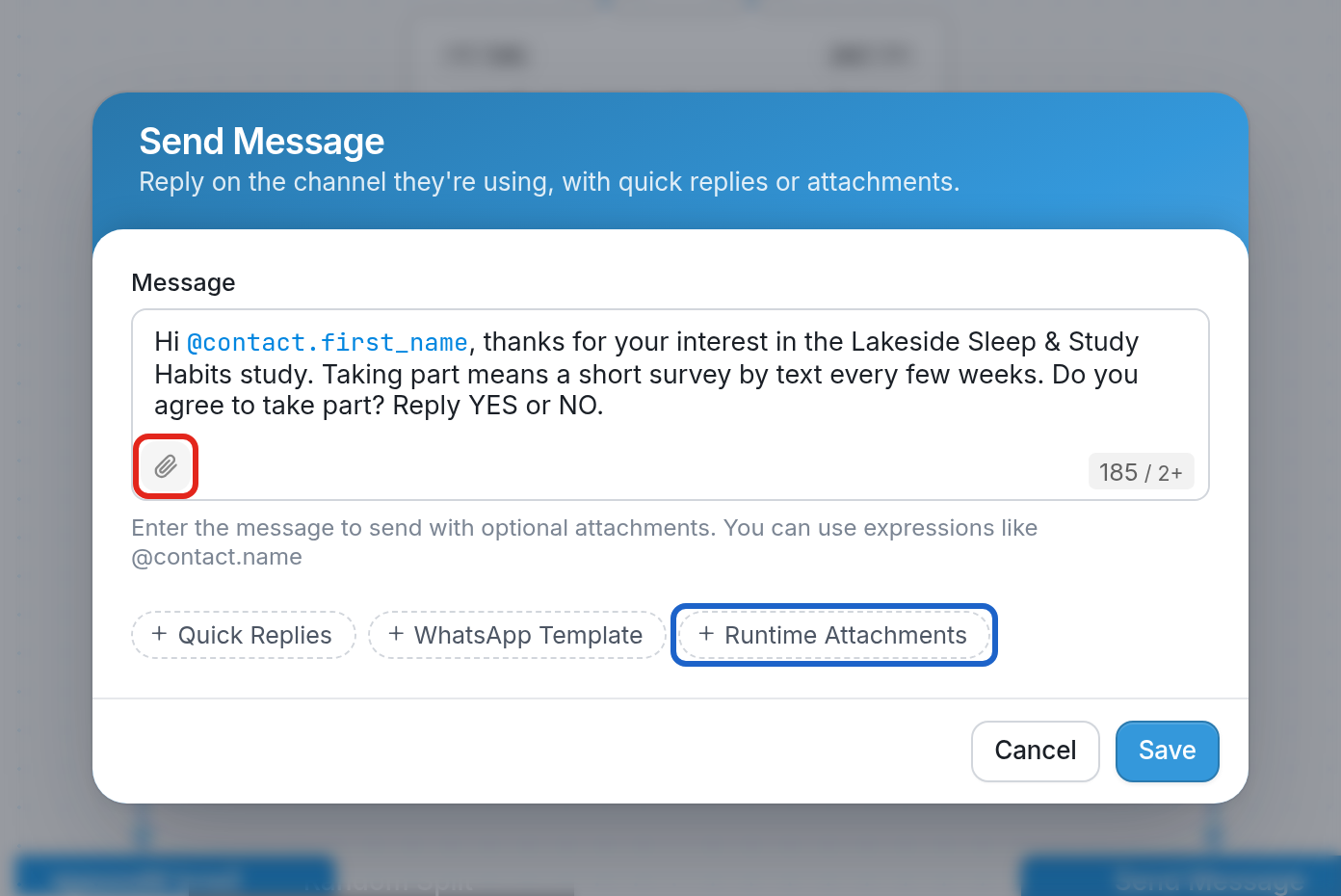
Highlighted in blue is Runtime Attachments, below the message, which lets you attach a media URL.
Note the following:
-
Outgoing media is displayed in-app for Facebook Messenger, Telegram and Twilio channels, but converted to a link for others.
-
Twilio only supports MMS in the US and Canada, and will convert a picture message into an SMS with linked media when sending to MMS-incompatible numbers. Before you buy a Twilio phone number, check that it supports MMS, as not all numbers do.
-
Twilio will also automatically resize the images you send to meet your contacts' carriers' requirements.
-
Image attachments are limited to 500KB, and video attachments are limited to 20MB.
-
Android channels do not support image attachments.
Using Quick Replies
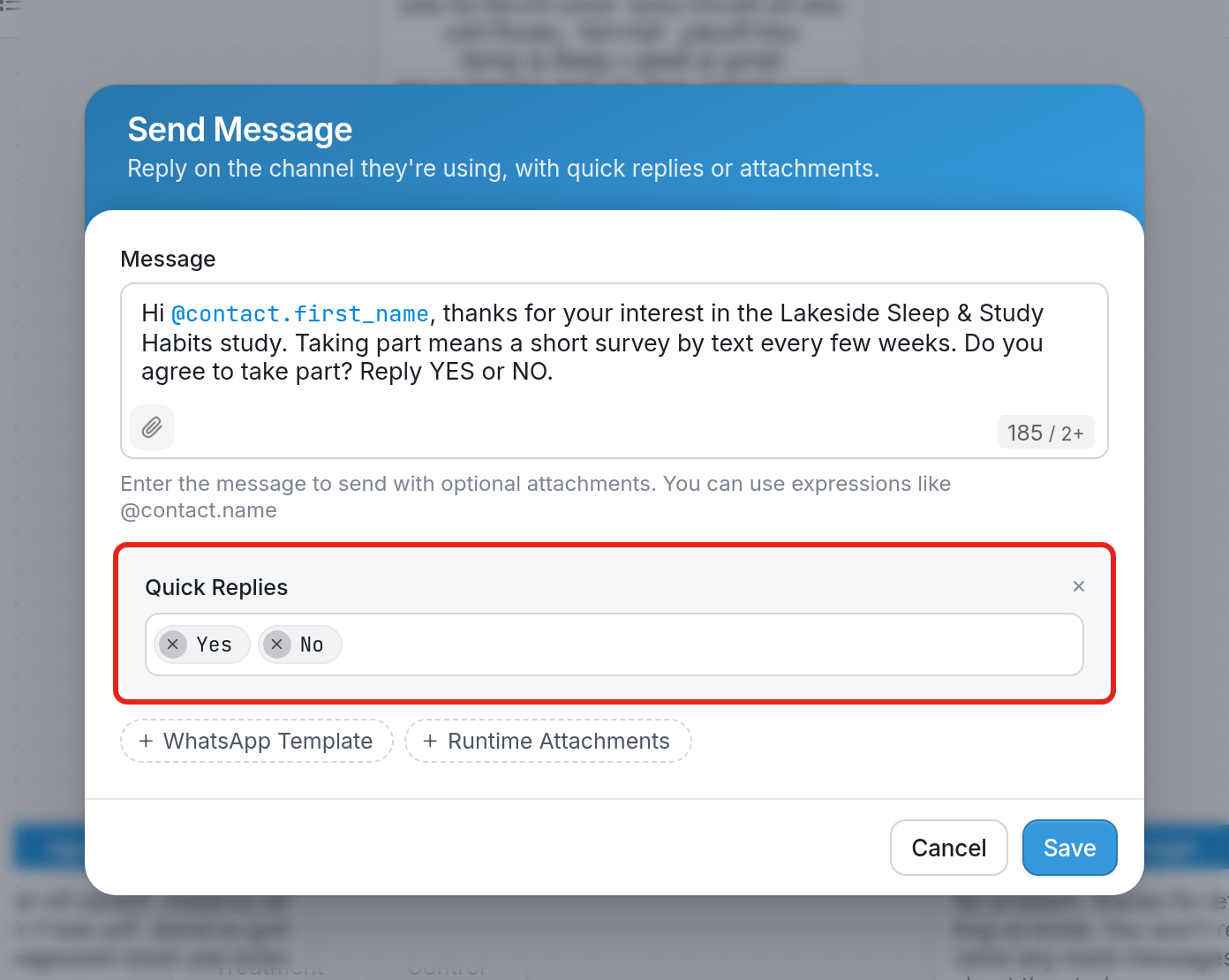
Quick replies let you offer contacts on IP messaging channels such as Facebook Messenger, Viber and Telegram a predefined set of responses. In the example below, the quick replies are "Yes" and "No".
Learn how to use this feature here.
SMS Character Limit
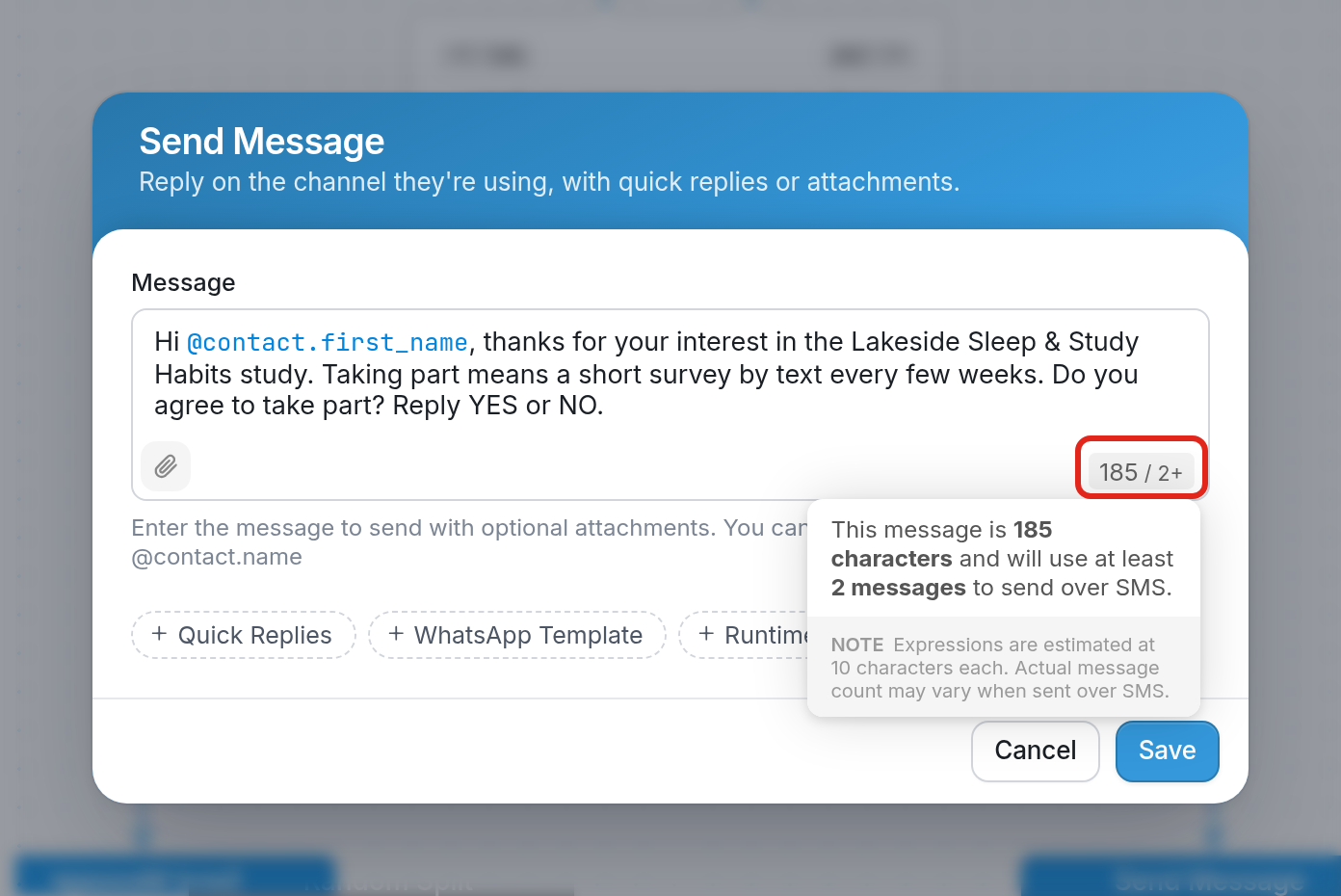
If a Send Message action exceeds 160 characters, carriers will split it and send it as multiple messages. The character counter in the bottom-right corner of the Message box shows how many characters the message contains and the minimum number of SMS messages it will use. In the example below, the message is 185 characters and will use at least 2 messages.
| Note: You can split a message that's longer than 160 characters yourself by moving the text beyond the 160-character limit into an additional Send Message action. Each SMS channel also handles long messages differently, so a single long message might work best for Twilio channels but not for others. We recommend testing to see what works for your channel. |
Unicode
| Note: Certain content will cause your messages to be sent as Unicode instead of standard GSM7. SMS messages are limited to 160 characters only if they contain the standard GSM7 alphabet. If you use characters outside this alphabet (e.g., emojis or Chinese characters), the message is sent as Unicode, which lowers the limit to 70 characters. |