Sending Broadcasts in a Flow
Note: @contact inside the Send Broadcast action refers to the active contact in the run, not the recipients of the message. To reference a recipient's details, start that contact in a flow and use the normal Send Message action with @contact. |
Place this action at any node in a flow to send a message to someone other than the active contact who reaches that point. For example, you can use this action to:
-
alert others of a contact's progress in a flow
-
alert others of a contact's response to a question in a flow
-
link a contact to a team member who can continue the conversation directly from their own phone. If you want an agent to respond to your contacts within TextIt, use Tickets instead.
Message Forwarding
The following example flow forwards a contact's question to members of your team:
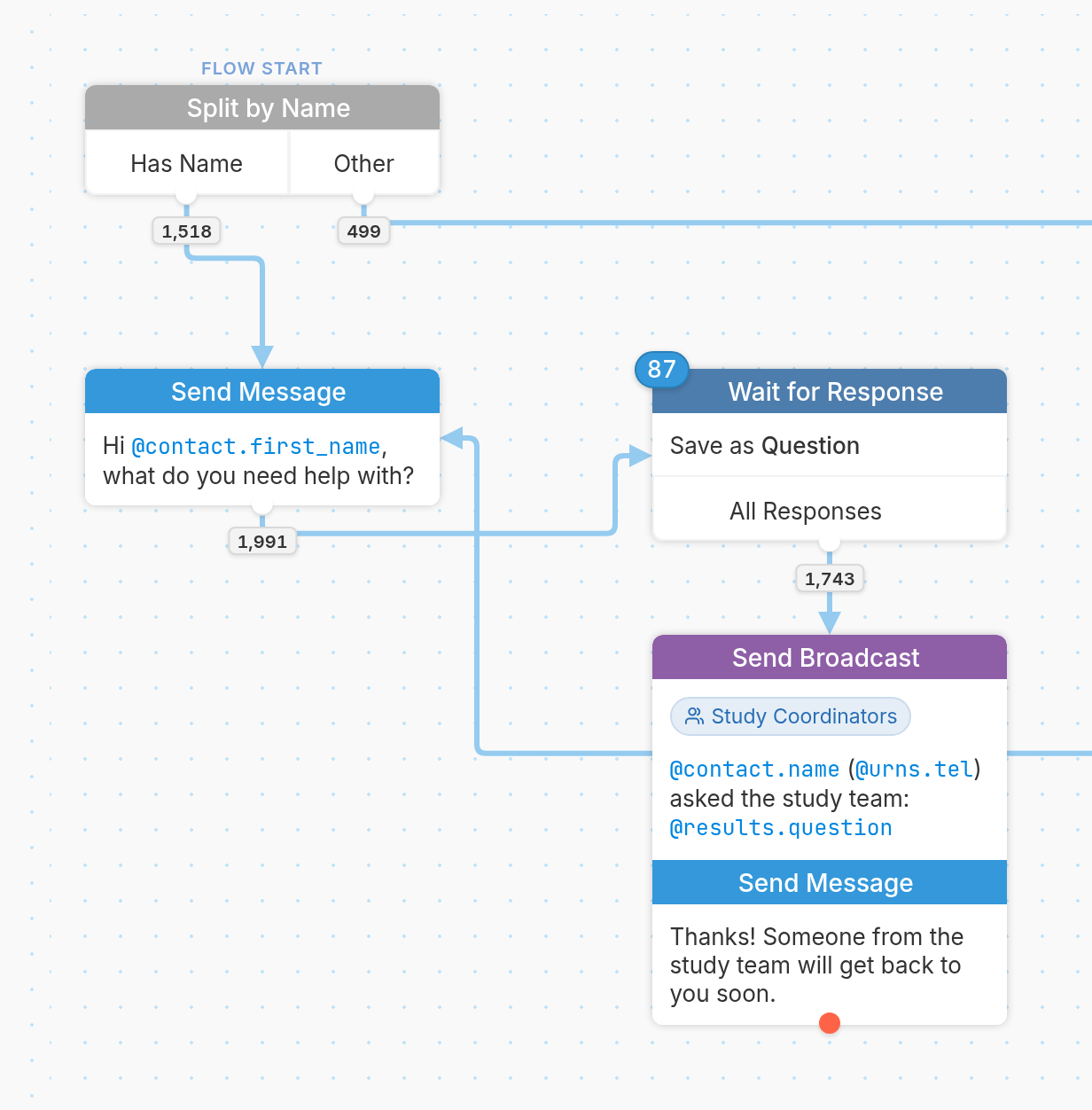
The flow starts with a Split by Name node, which checks whether the contact already has a name. If they don't, they follow the Other branch, which asks for their name and saves it to their Name field. Every contact then receives the message "Hi @contact.first_name, what do you need help with?" and replies with their question, which the Wait for Response node saves as "Question". The last node forwards the question to the team and tells the contact that someone will get back to them soon. To reference the active contact, add the @contact prefix to the contact variables you'd like to include, such as @contact.name, and use @results to reference results collected earlier in the flow.
-
Responses to the question are collected by the Wait for Response node, which saves them as the result
@results.question. -
By adding a Send Broadcast action to the node that follows the Wait for Response node, we can forward the responses it collects to the Study Coordinators group:
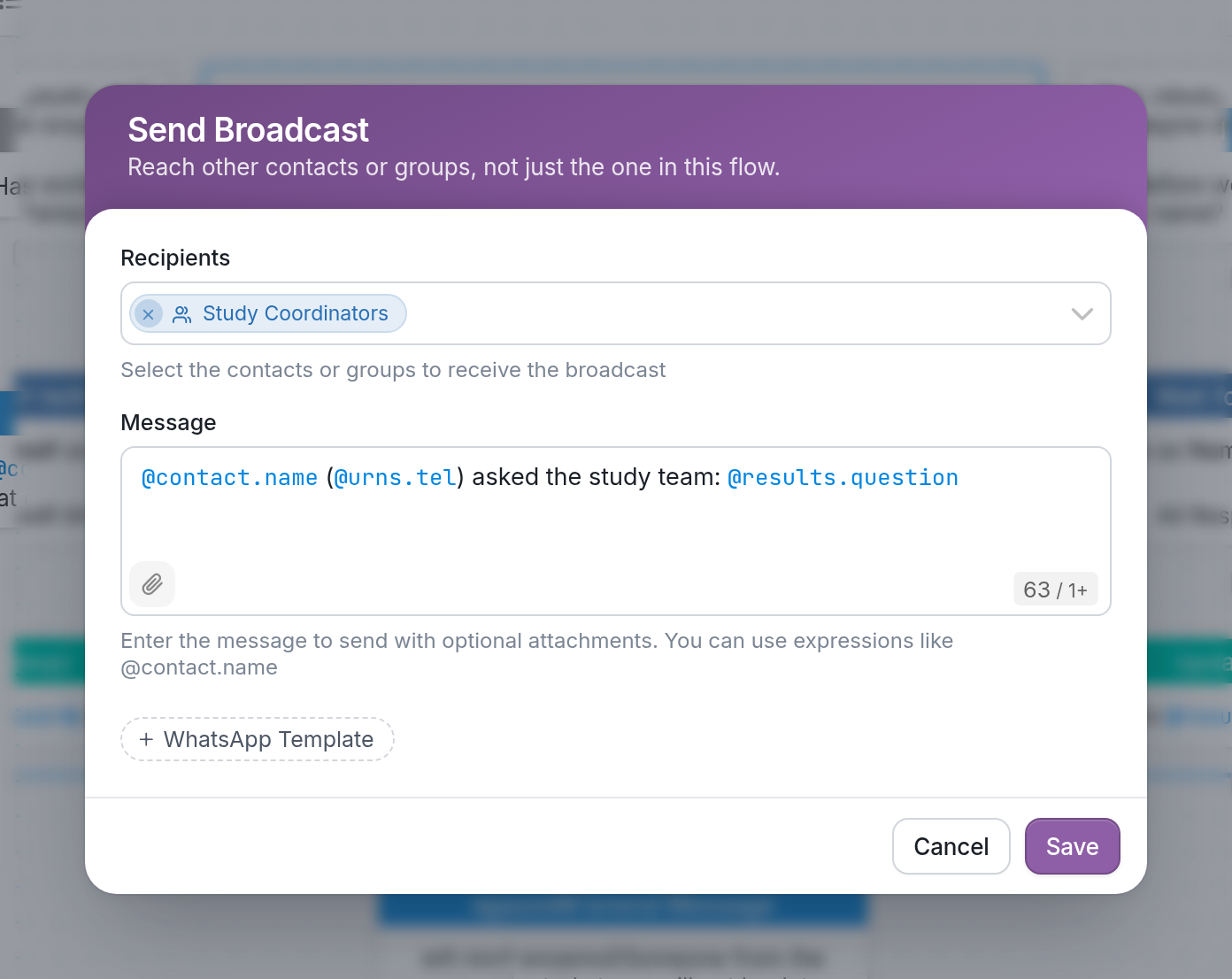
In the message above, we use variables to represent the following information about each contact who reaches this step:
-
@contact.name- the name of the active contact, the one who passes through the Send Broadcast action. -
@urns.tel- the contact's phone number. -
@results.question- the contact's reply to "what do you need help with?", collected by the Wait for Response node.
Questions? Send us a message via the support widget in the bottom right corner of your browser.