Delete or Archive a Flow
You can delete a flow permanently, or archive it to make it inactive while keeping it in your workspace.
Deleting a Flow
When you delete any data from your workspace, it is gone forever. We do not store deleted data on our servers, so be sure you really don't want the flow.
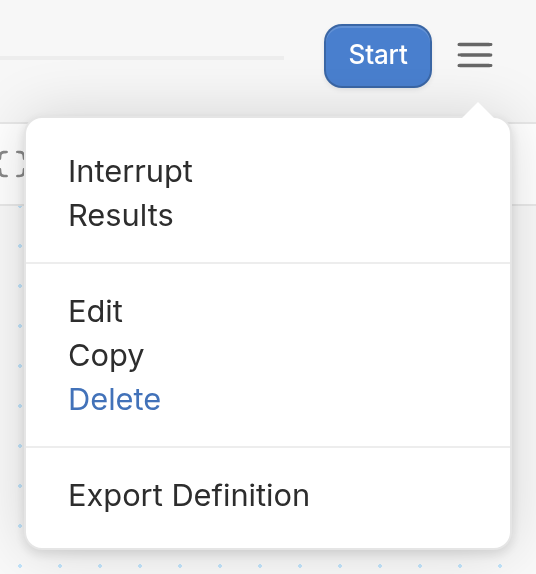
You can delete a flow from inside the flow editor. Open the flow and click the menu icon (☰) in the top-right corner, next to the Start button. Then select Delete from the menu.
Archiving a Flow
If you'd like to stop using a flow for now without removing it from your workspace, you can archive it instead of deleting it. Archiving a flow makes it inactive.
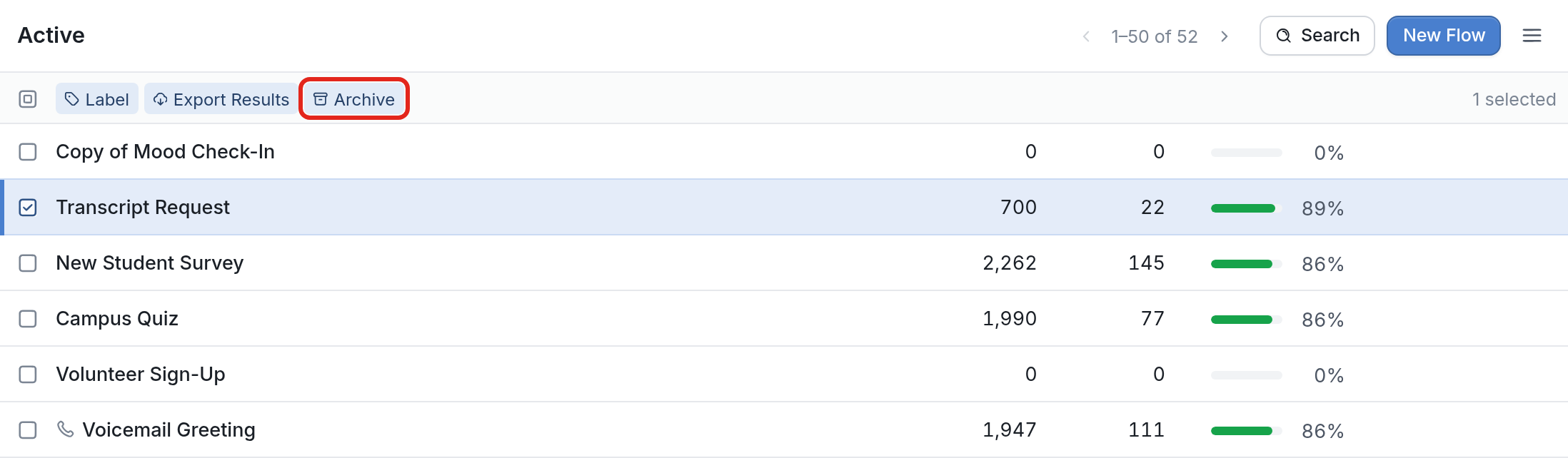
From your Active flows list, select the flow(s) you want to archive by clicking the corresponding checkboxes. An Archive button appears at the top of the list. Click it, and the selected flows will no longer send messages and will be moved to the Archived folder.
To reactivate a flow, find it in the Archived folder and select it. A Restore button appears at the top of the list. Click it to move the flow back to your Active flows.

Be aware that a flow may once again be triggered once it is reactivated.