Starting Somebody Else in a Flow from a Query
The Start Somebody Else in a Flow action places a separate contact or group in a flow when a contact reaches this step. You can also use it to start a contact who matches a query in another flow.
In the example flow below, we ask an advisor for a student's ID and for a message to send to that student. We then start the contact who matches the query student_id = @results.student_id in the flow 'Advisor Message', so only the student whose ID the advisor sent is started in the child flow. The child flow references the message collected in the parent flow using @parent.results.note.
Parent Flow
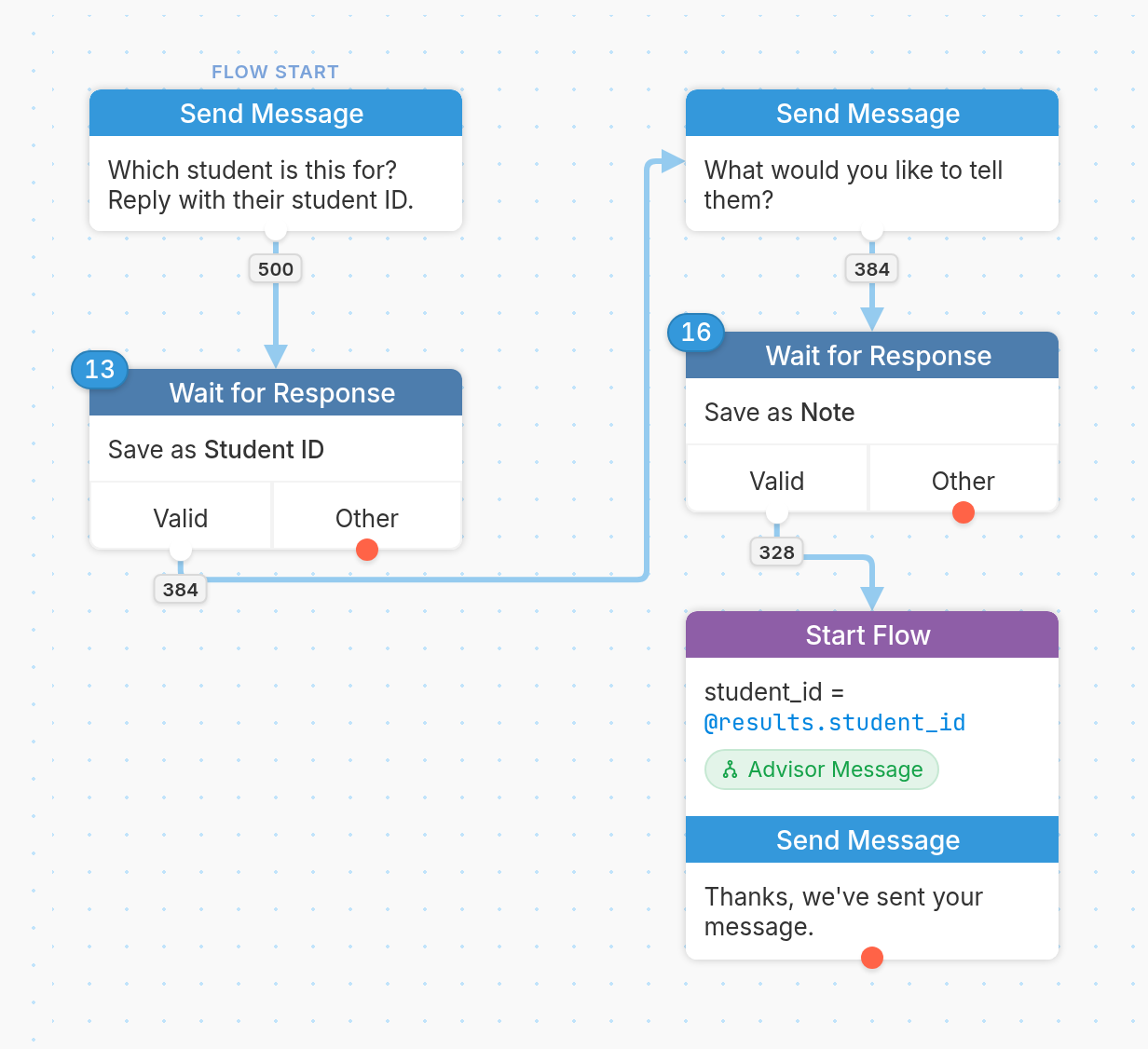
Building the Parent Flow
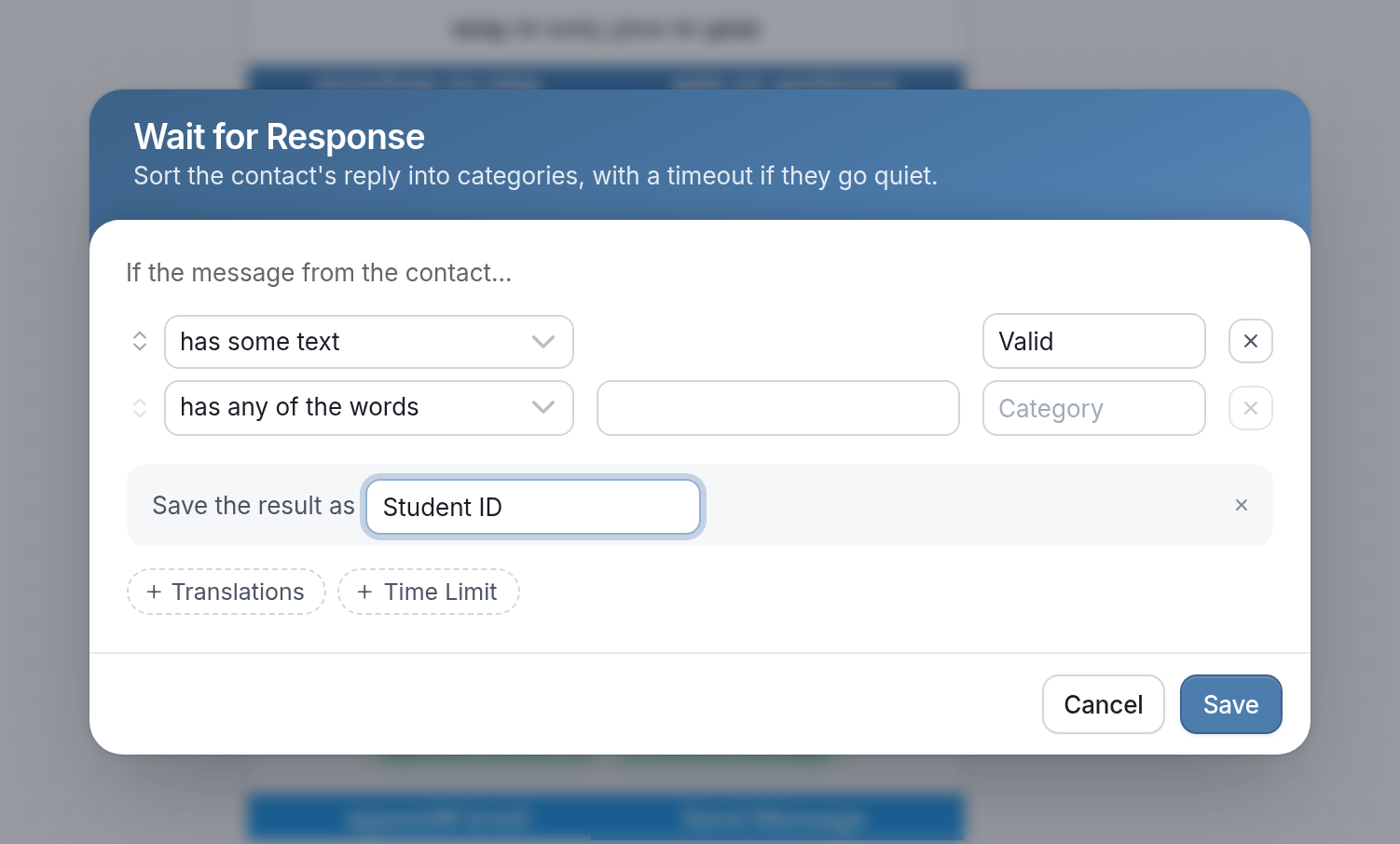
After asking the advisor for the student's ID, we collect it with a Wait for Response and save the result as 'Student ID', which is referenced using @results.student_id:
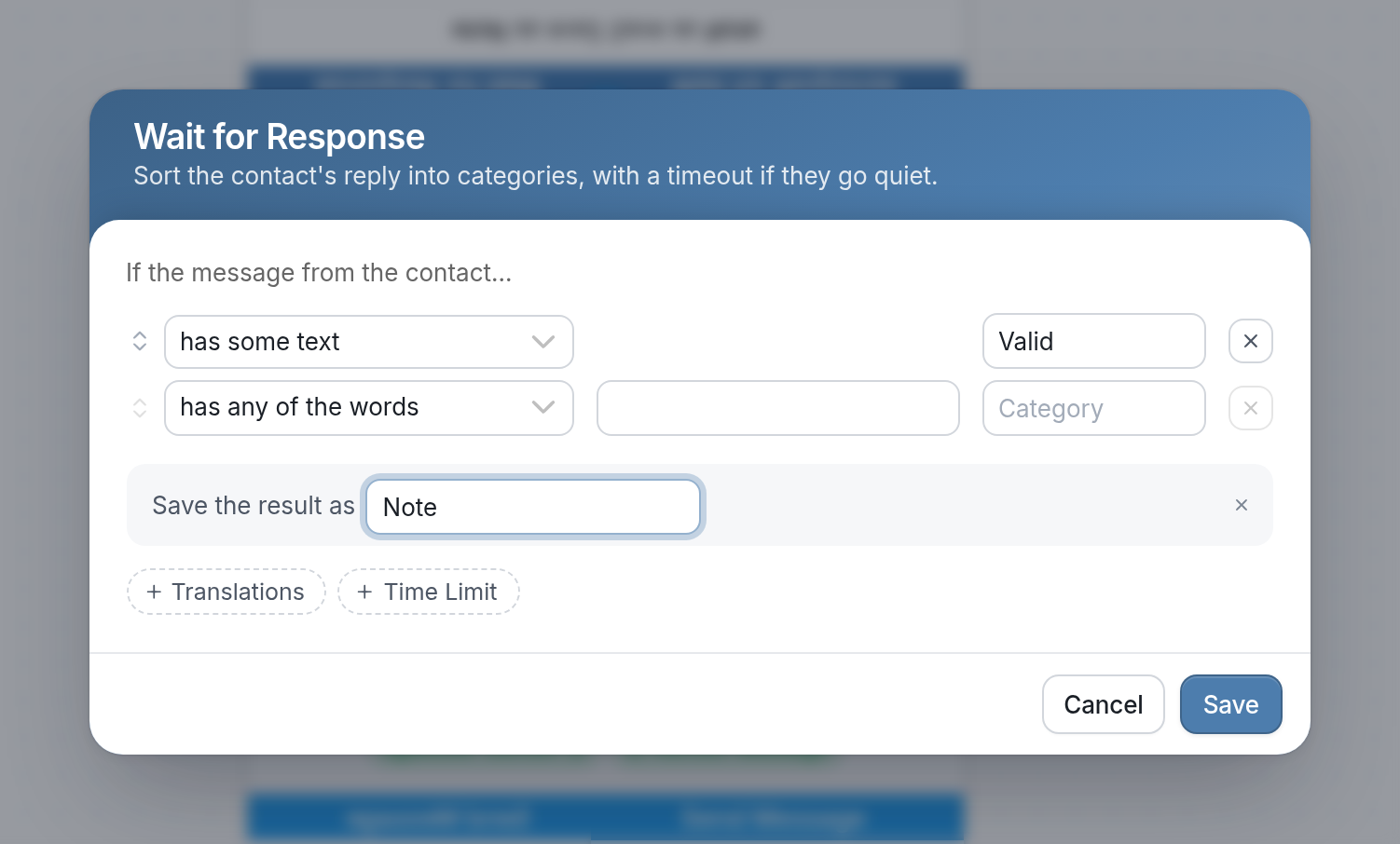
Next, we ask the advisor what they'd like to tell the student. Another Wait for Response saves all of the text they send as a result named 'Note', which is referenced using @results.note:
Once we've collected everything we need from the advisor, we start the student in a child flow called 'Advisor Message' and then let the advisor know their message was sent:
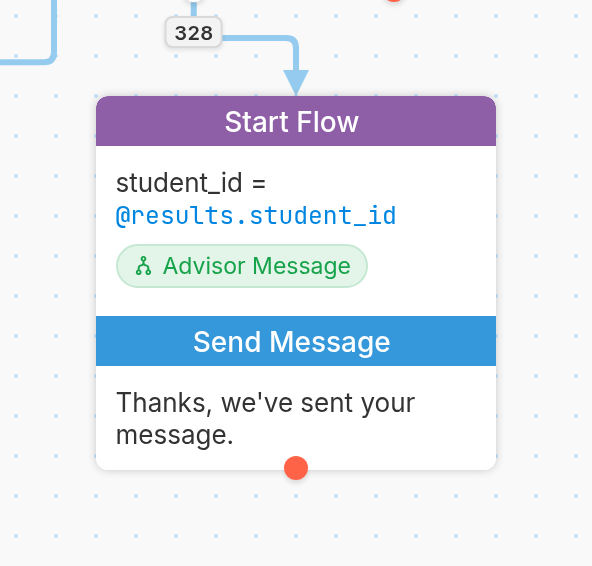
To set up this step, choose the 'Start Flow' action from the dropdown menu when creating a new node. In the Flow field, choose the flow you want to start the recipient in. Then set Start Type to Select a contact with a query:
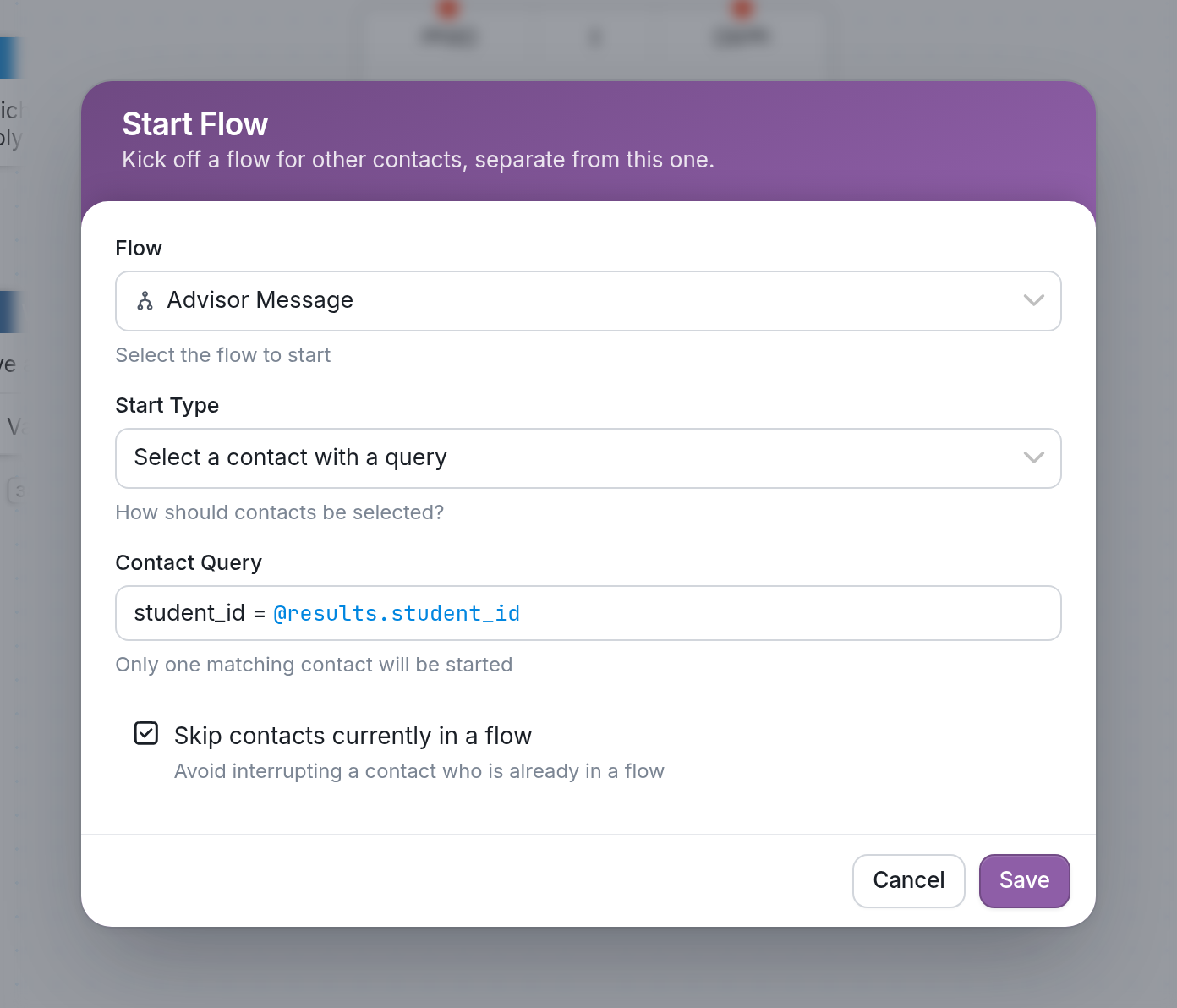
In Contact Query, enter the query that finds the contact. In our example, we match the contact's student_id field against the 'Student ID' result from the flow, so we use student_id = @results.student_id. As the note below the field says, only one matching contact will be started, so the student whose ID matches is started in the flow 'Advisor Message'.
Be sure to separate words with underscores rather than spaces.
Child Flow
Our final step is to send the text of the message collected in the parent flow's Wait for Response result named 'Note', using @parent.results.note within the child flow:
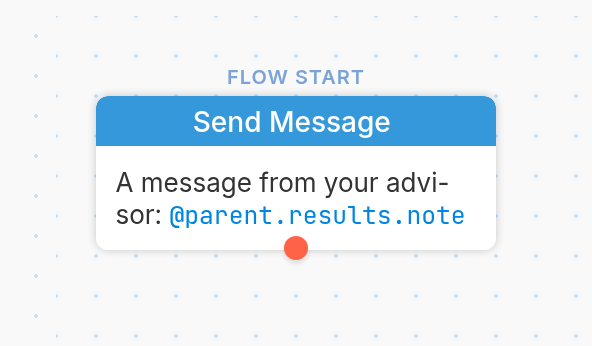
By referencing that result from the parent flow, the student receives the full text of the message sent by the advisor.
See our article on using Start Somebody Else in a Flow for an example of the 'create a new contact' option, which creates an empty contact and starts it in the flow you choose.
If you have questions, send us a message via the support widget in the bottom right corner of your browser.