Split by Contact Field
This action is useful for checking whether your contacts have particular contact fields filled in. It saves you from asking contacts for the same information more than once, while making sure empty contact fields get updated.
In the example below, we want to see if our contact already has a name saved in their contact information. If they do, we route the contact through Has Name. If there is no text in the Name contact field, they're asked to send their name, and we add an Update the Contact action to save it to their contact information.
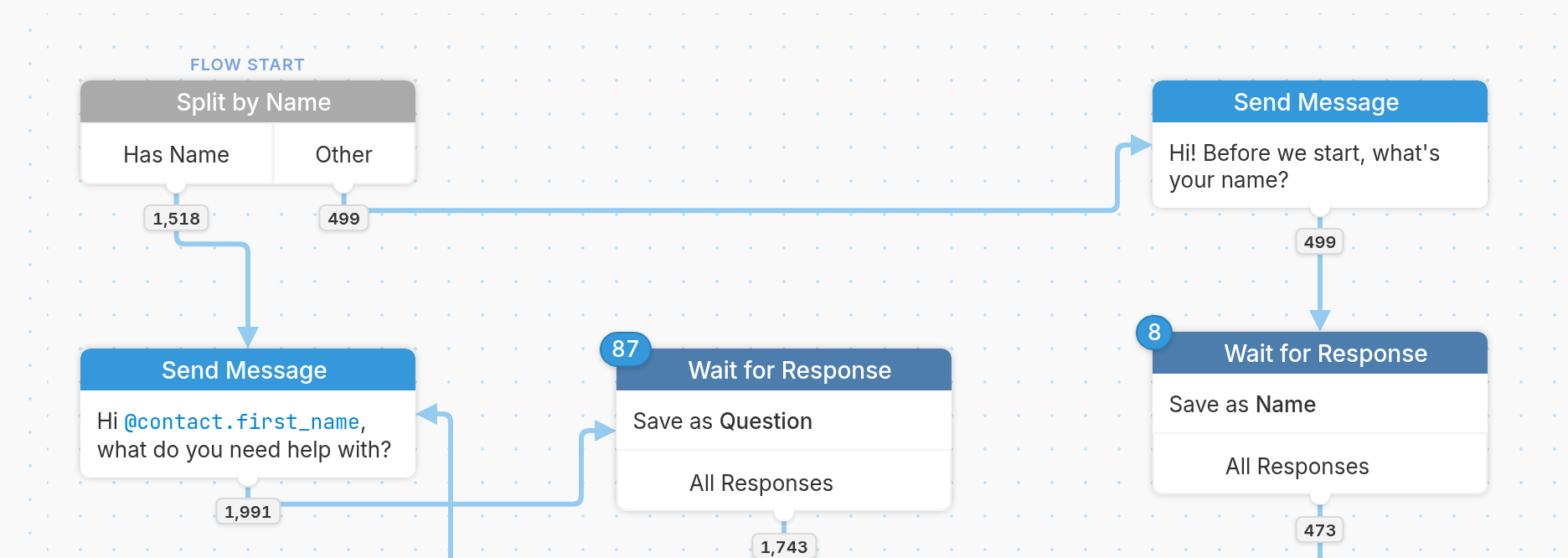
Here's how our Split by Contact Field action looks:
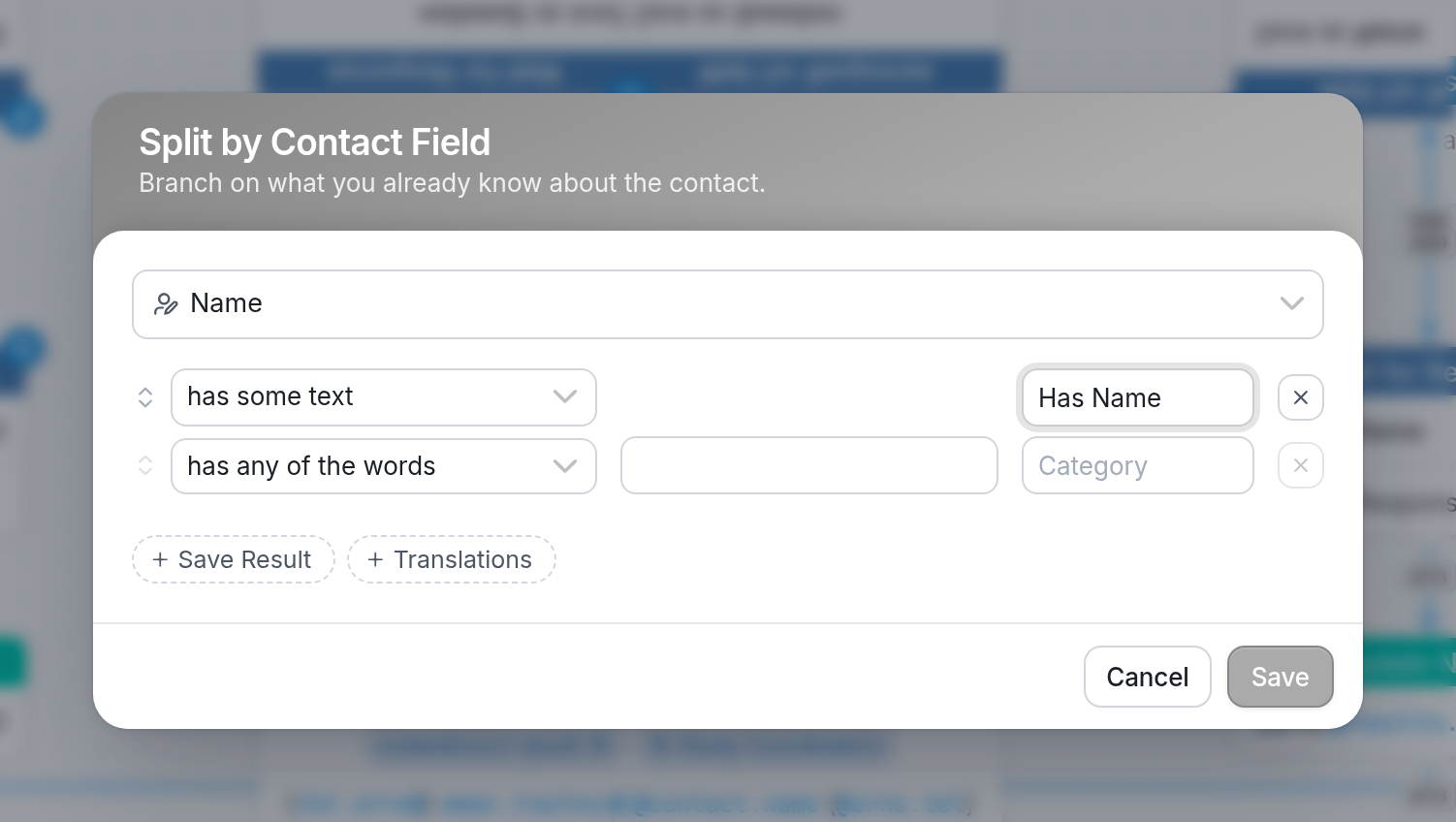
We've chosen the contact field Name from the dropdown menu of existing fields and chosen has some text as the response rule. If this field isn't empty, the contact is routed through the Has Name branch of our flow.
If the field is empty, the contact is routed through Other and asked for their name, as shown in the example flow above.
Questions? Send us a message via the support widget in the bottom right corner.