Use a 'Random Split' Action to Create Evenly-Distributed Buckets
The Random Split action sends your contacts down evenly distributed paths in your flow at random.
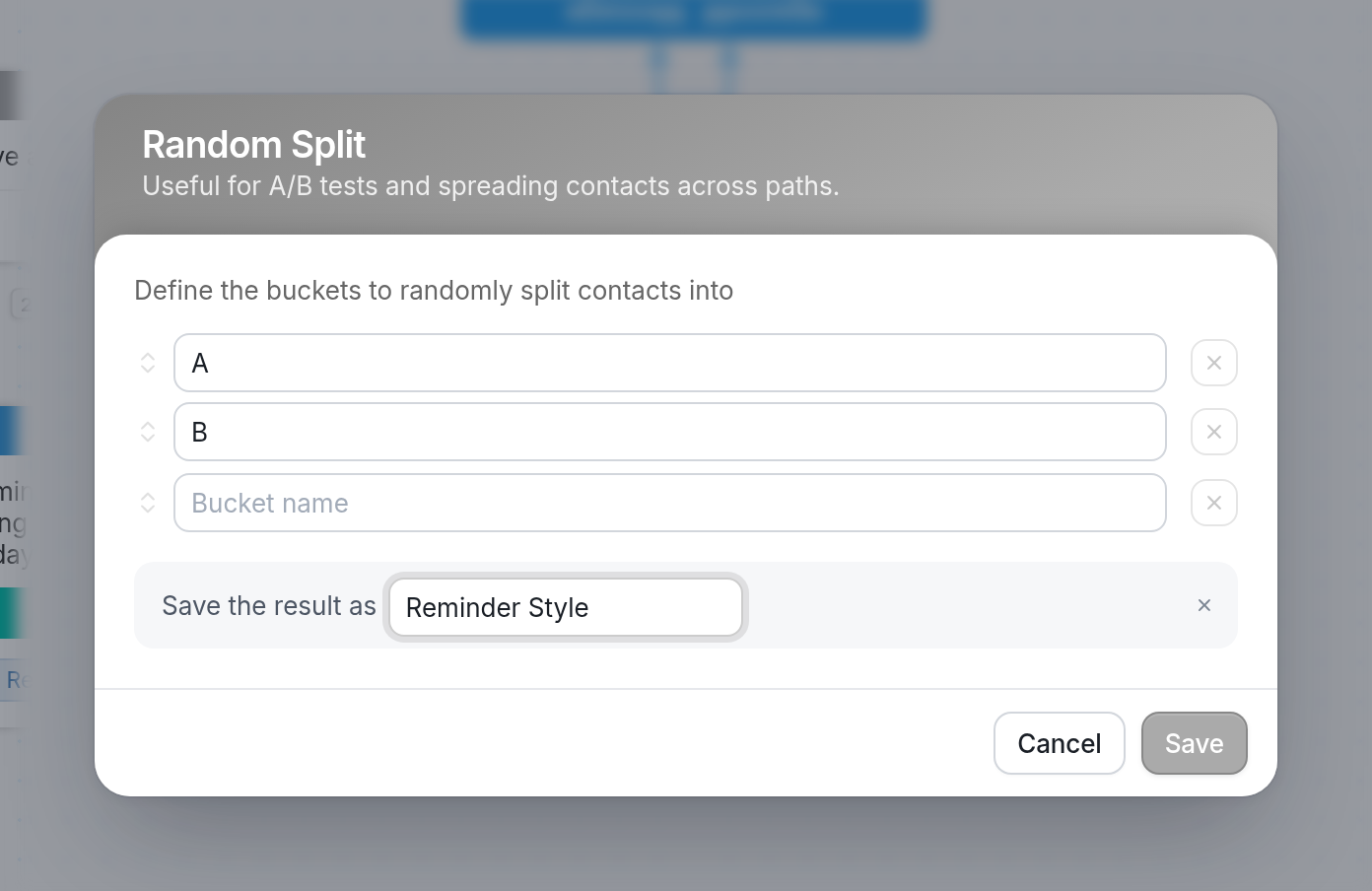
Add a name for each bucket. Under Save the result as, enter a name for the result. In this example it's "Reminder Style". You can add as many buckets as you need.
In the example below, contacts who enter the Reminder Test flow are split right away into two buckets, A and B. Each bucket sends a different reminder about the well-being survey and adds the contact to its own group, "Reminder A" or "Reminder B".
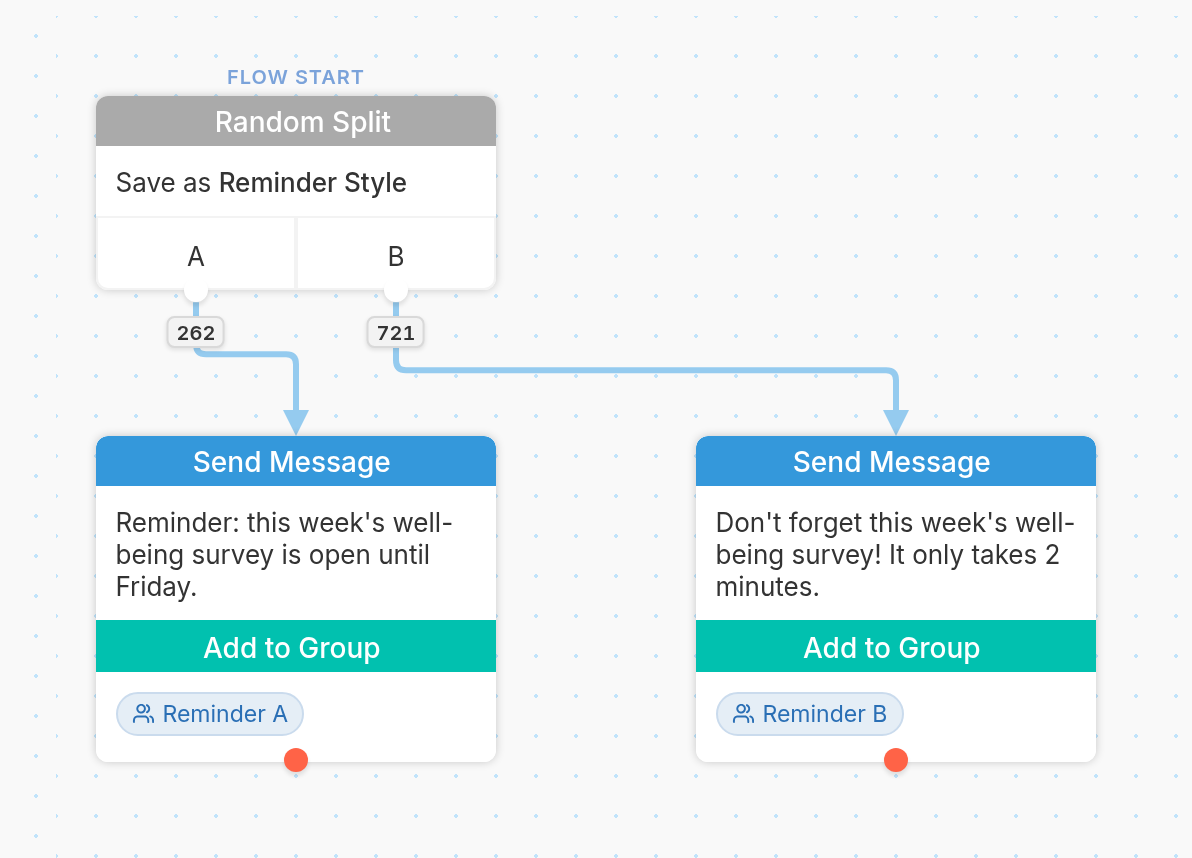
Our example ends there, but you could go on to start those contacts in a flow or add any number of other actions or Split Actions.
Random Split is useful for randomly branching contacts for an A/B test. See this guide for more information on A/B testing.