Viewing Results
Viewing Results
When your contacts interact with a flow, their responses are stored as flow results. To see them, select Results from the ☰ menu in the flow editor:
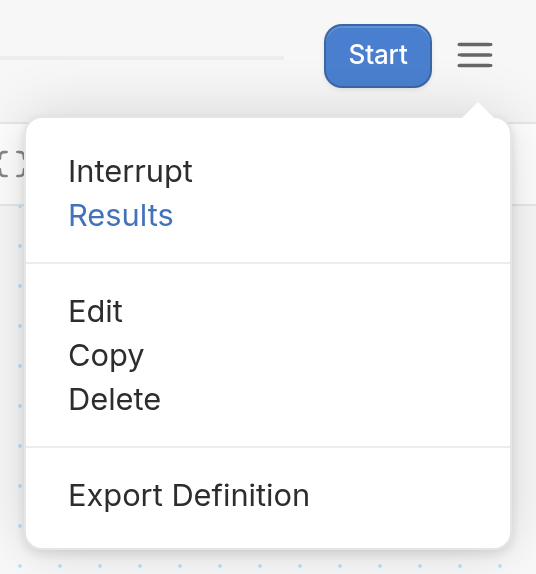
The results page has a Download button and three tabs: Engagement, Analytics and Runs.
Engagement Tab
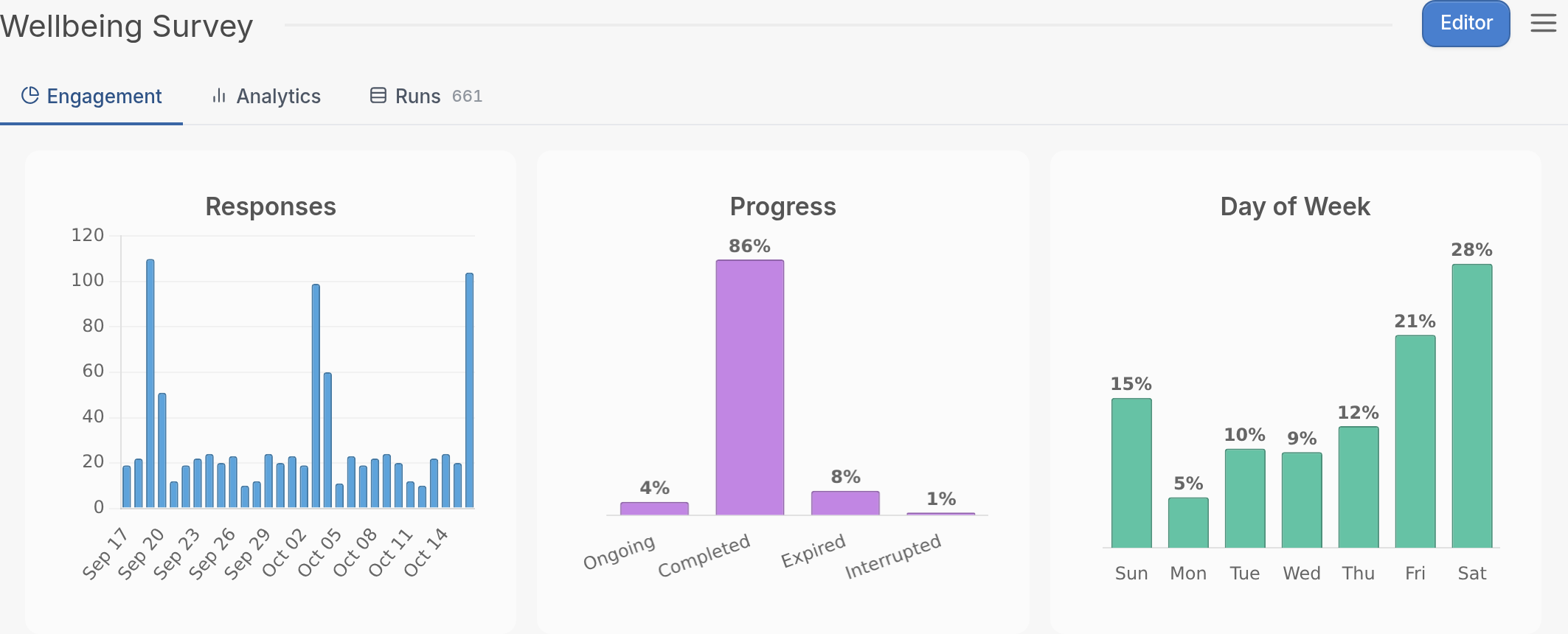
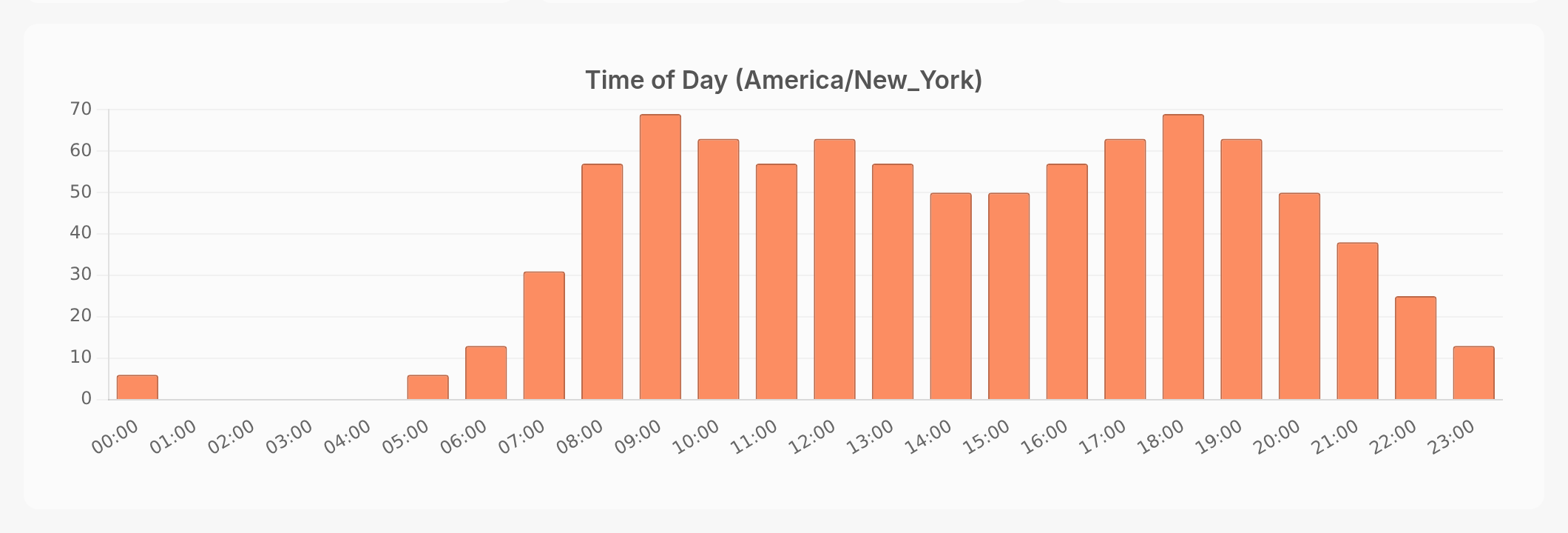
The Engagement tab shows the number of responses the flow receives each day, the percentage of runs that are ongoing, completed, expired or interrupted, and the day of the week and time of day that messages were received. Time of day is shown in your workspace's time zone.
Analytics Tab
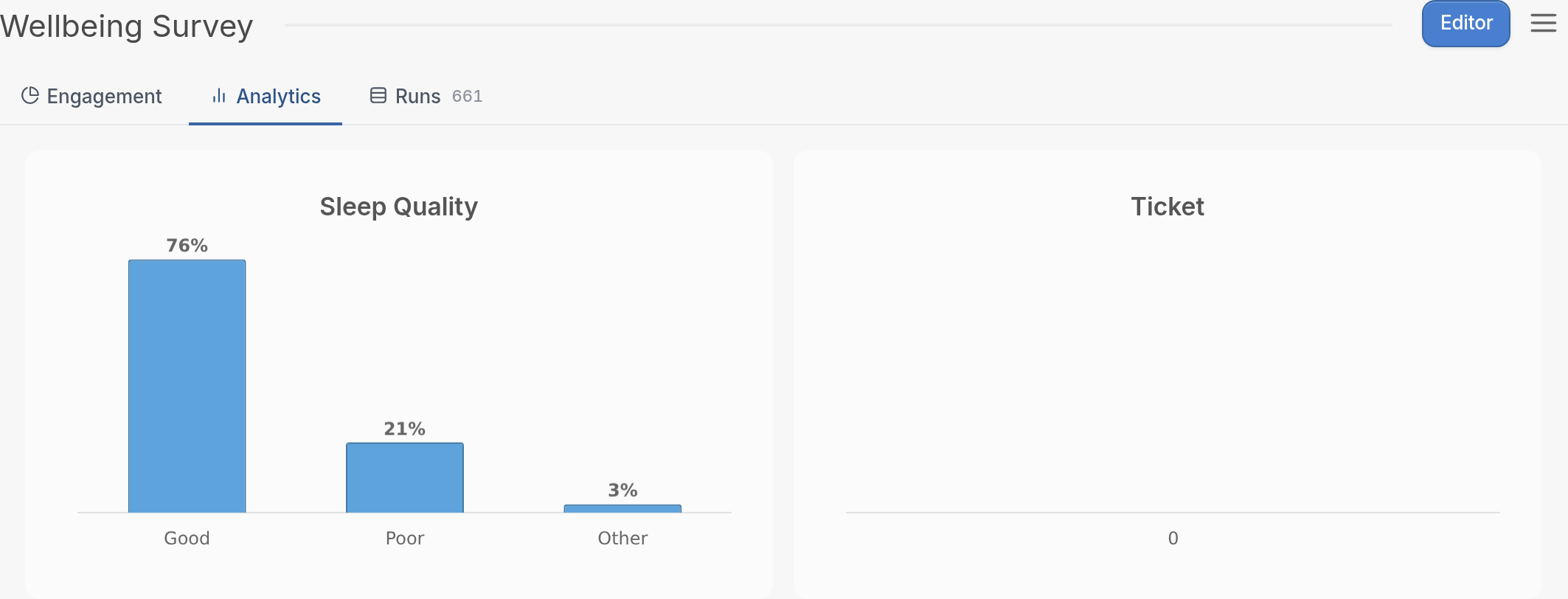
This tab breaks down the responses to your messages. The example below shows the Sleep Quality and Ticket results from the flow.
Runs Tab
This tab lists each contact that has interacted with the flow and the number of runs they've made. A run is a contact's passage through a flow from entrance to exit, including all the activity in between. Contacts exit a flow when they:
-
complete the flow,
-
start another flow via the Start another flow action, or
-
expire from the flow after the period of inactivity you set.
Click here to see how to export your flow results.