Setting an Expiration for a Flow
When contacts are inactive in a flow, you may want to remove them automatically after a certain period. You can do this by setting an expiration.
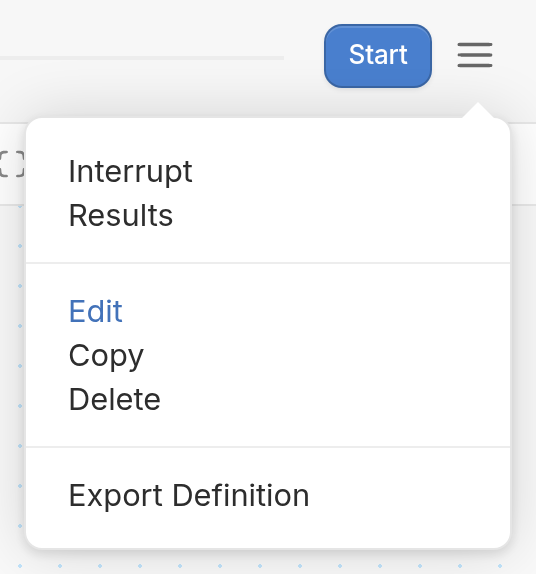
First, open your flow in the editor, click the ☰ menu icon and choose Edit.
Next, choose an expiration time from the Expire inactive contacts dropdown.
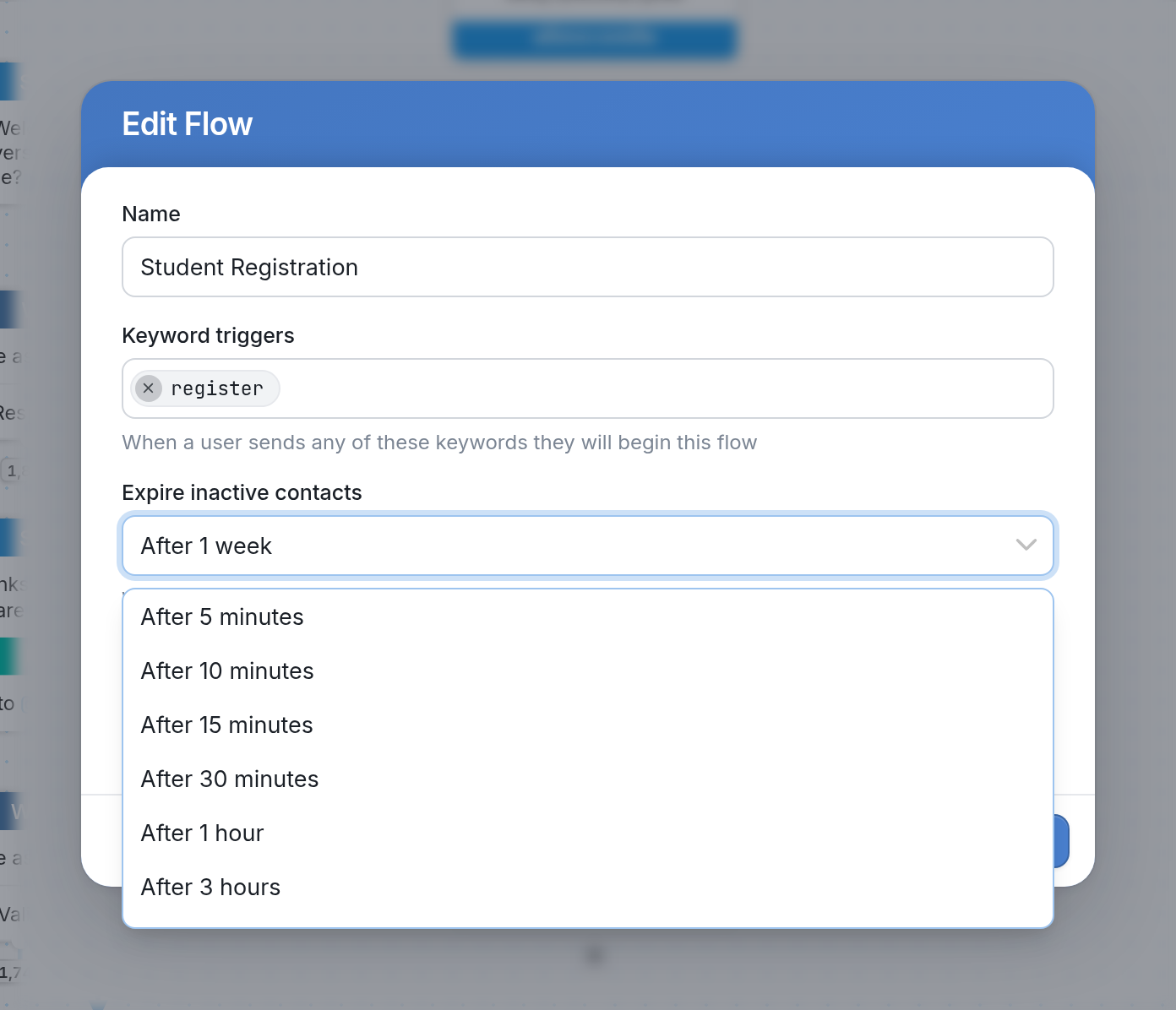
You can expire inactive contacts anywhere from 5 minutes to 2 weeks after they enter the flow. If you don't set an expiration yourself, a flow expires after 3 days by default.
Session Expirations
Session expiration is the overall time limit on flow sessions. A session begins when a contact first enters a flow. Because a flow can contain infinite loops, or child flows that send the contact back to the parent flow over and over, a contact could otherwise stay in a flow indefinitely. For this reason, TextIt allows a contact to stay active in a session for no more than 30 days.
'Wait for Response' Timeouts
If a contact stops responding in a flow, you can set timeouts for individual responses so you can follow up with inactive contacts directly.