Setting the Language for a Contact
We allow you to set a language preference for each of your contacts. Once set, this is the language in which a contact receives messages from translated flows.
Contacts Tab
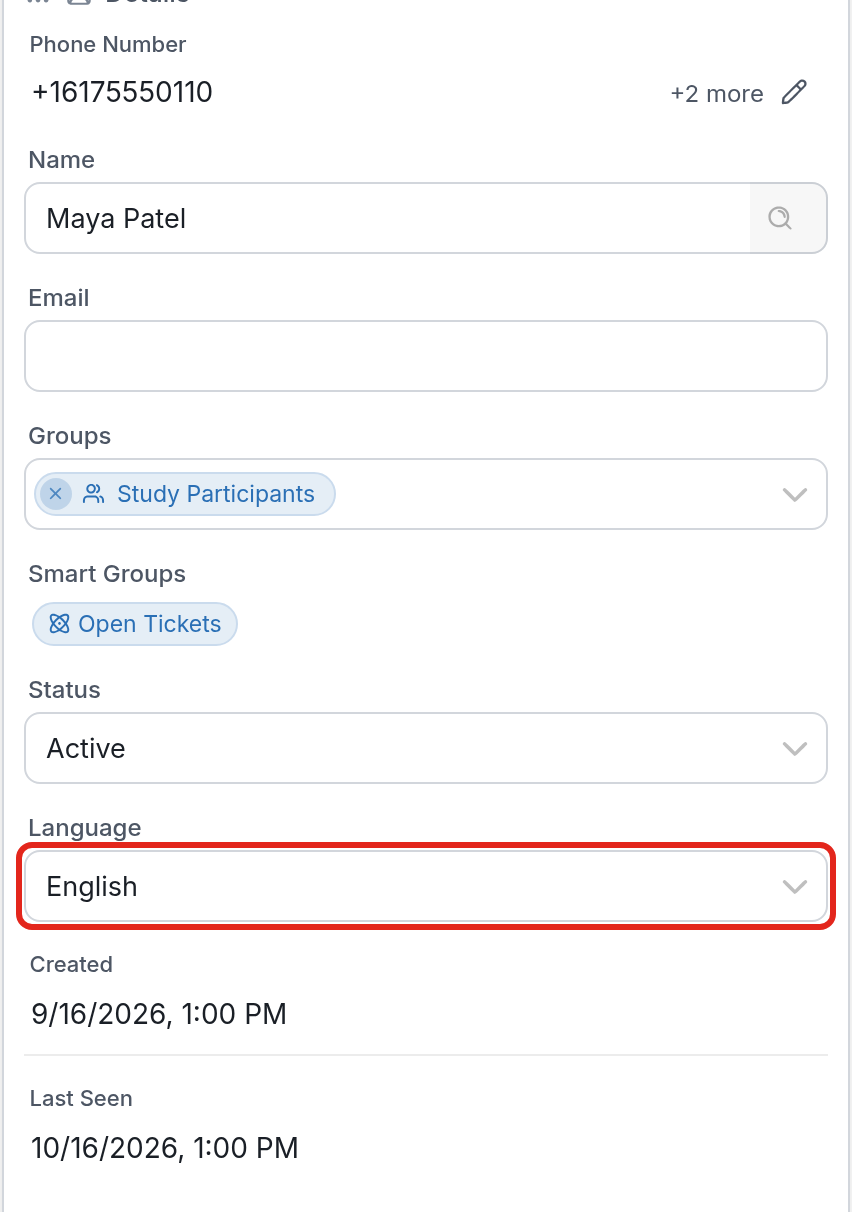
To set a contact's language preference from the Contacts tab:
- Go to the Contacts tab, then click the contact whose language you want to update.
- In the Details section, choose a language from the Language dropdown. It lists the primary and secondary languages you've added to your account. Then click Save the changes.
| Please note: |
-
A contact's language preference can be referenced using the @contact.language variable, which returns its ISO 639-3 code (Spanish becomes 'spa').
-
You'll need to translate your flows into each of the secondary languages you've added on your account page.
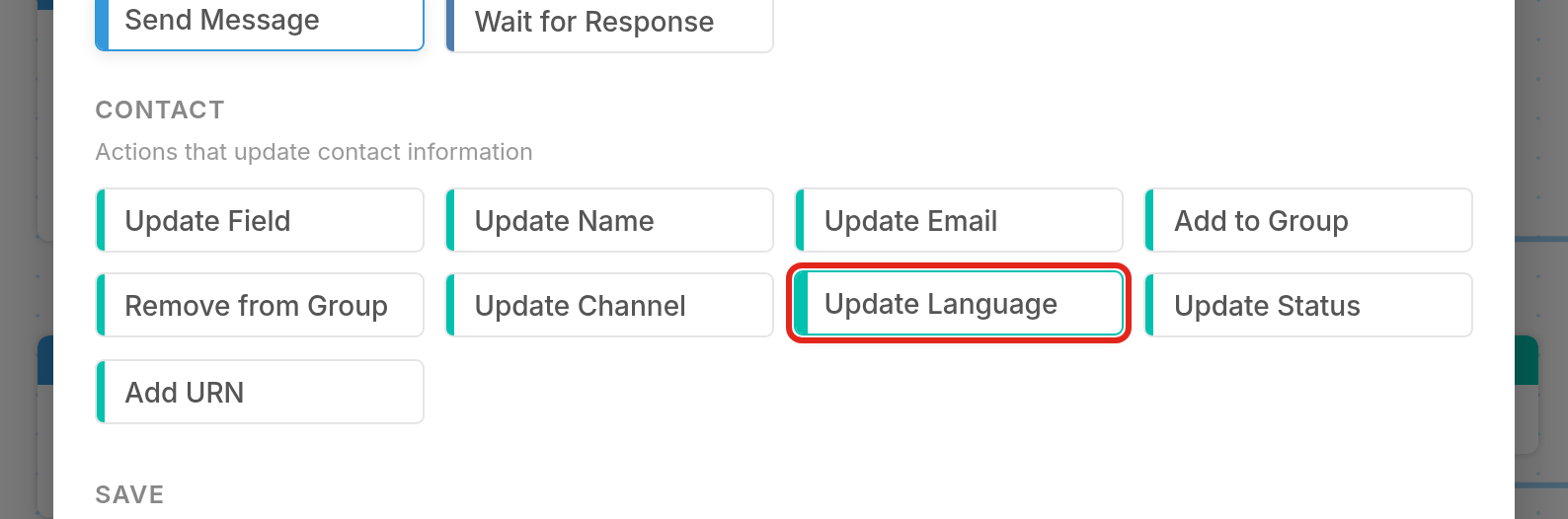
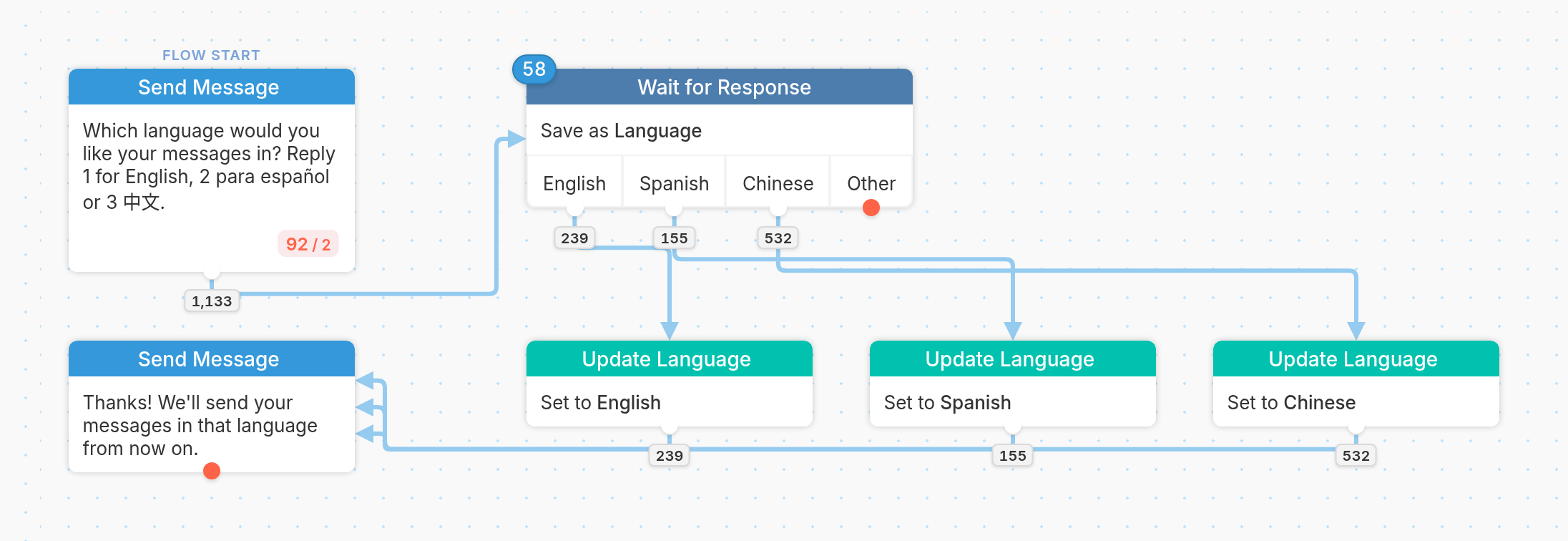
In a Flow
You can set a contact's preferred language in a flow using the Update Language action. See a detailed guide here.
Using a Contact Import
To set your contacts' preferred languages, add a column titled 'Language' to a contact import, containing the ISO 639-3 language code (e.g. 'spa' for Spanish). Note that all additional languages must first be added to your account via your account page.