Placing Contacts in the 'Stopped' Folder
Depending on the channel type, such as Twilio, a contact who opts out of your messages is automatically placed in the Stopped folder in the Contacts tab. These contacts are removed from all groups.
If the channel doesn't already have opt-out keywords, you can build your own opt-out language into your flows, which is considered a best practice.
You can use the Update the Contact action in your flow to change a contact's status from Active to Stopped or Blocked.
In the example below, the contact is asked whether they'd like to keep getting study messages:
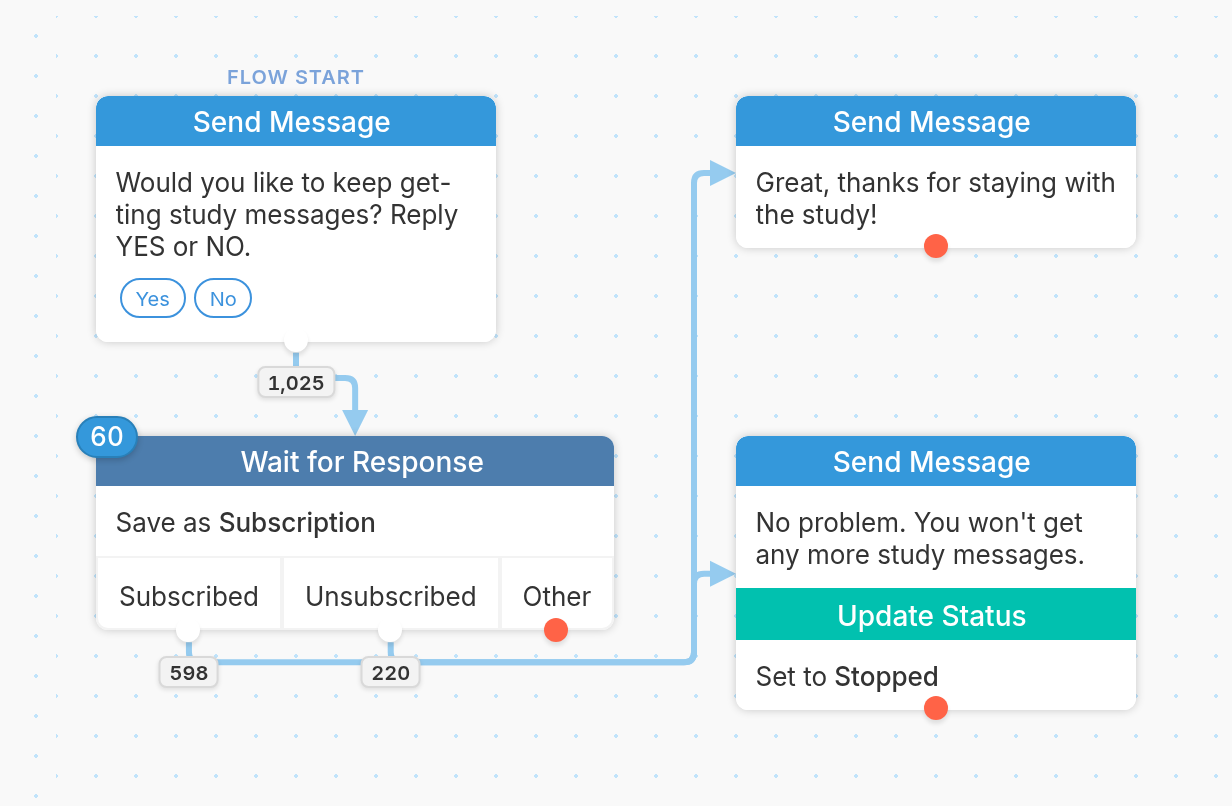
If they reply NO, the flow updates their status from Active to Stopped:
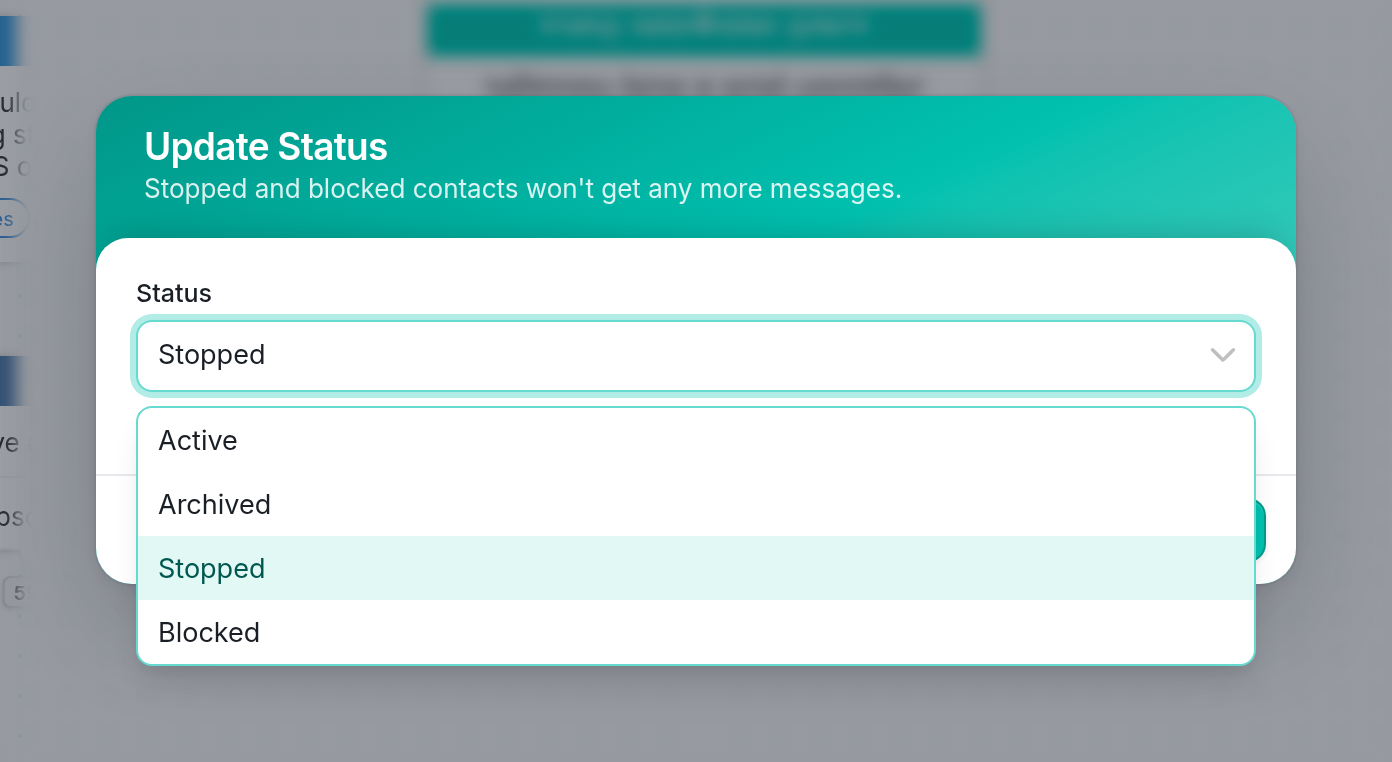
Unlike blocked contacts, stopped contacts can still send you messages to opt back in.
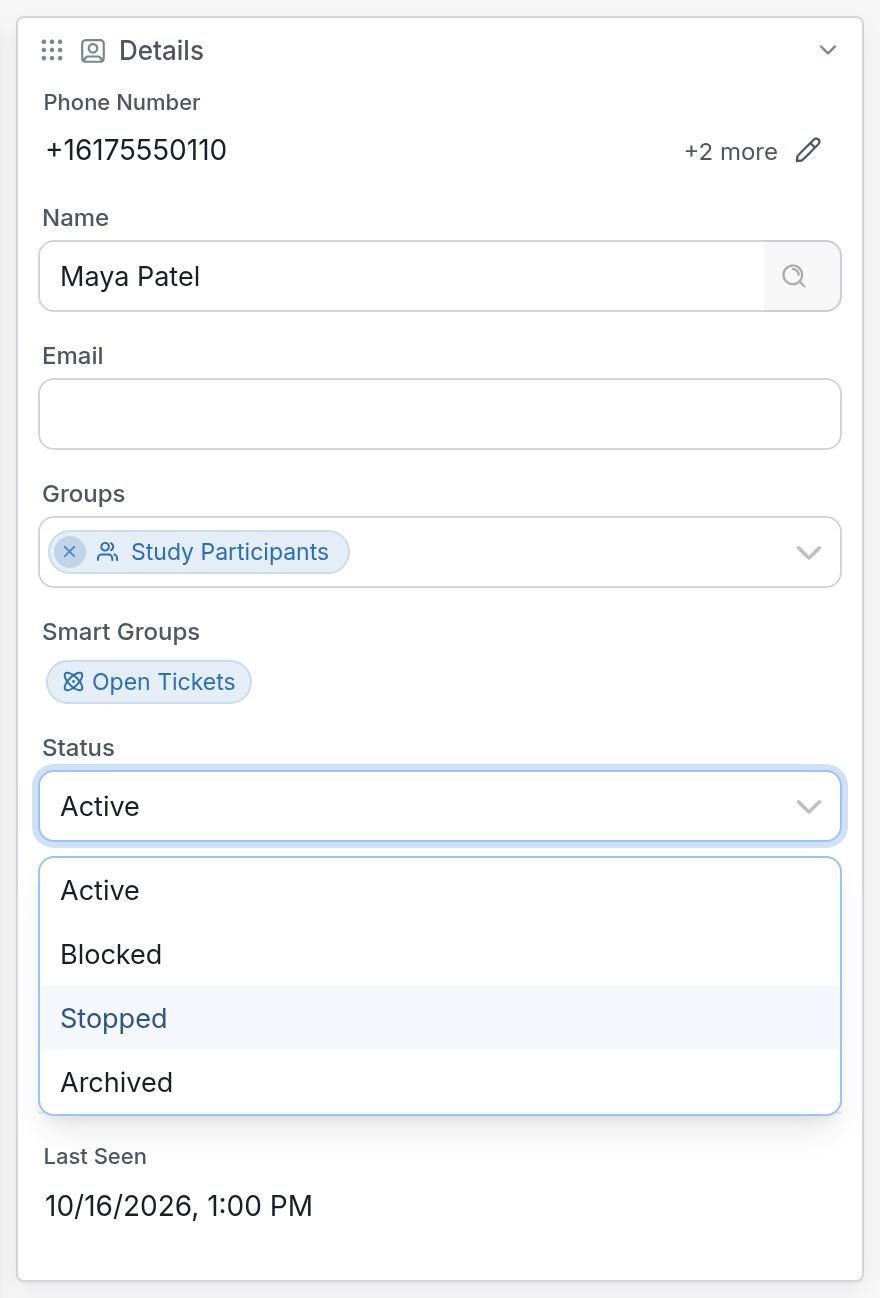
| Note that you can view or edit a contact's status from the Details window on the right-hand side of their profile page. |
Questions? Send us a message via the support widget in the bottom right-hand corner of your browser.