Managing Opt-Outs on Twilio Channels
Opt-outs are common in SMS and IVR services. Under the TCPA, your contacts should be able to opt out at any time. Use this guide to learn how to track and manage these contacts through Twilio and your Nyaruka account.
How Twilio Manages Opt-outs
When a contact sends STOP, STOPALL, UNSUBSCRIBE, CANCEL, END or QUIT to one of your Twilio numbers, Twilio stops sending them messages until they reply START. They receive the following message:
"You have successfully been unsubscribed. You will not receive any more messages from this number. Reply START to resubscribe."
When that contact resubscribes, they receive the following message:
"You have successfully been resubscribed to messages from this number. Reply HELP for help. Reply STOP to unsubscribe. Msg&Data Rates May Apply."
How We Manage Opt-outs
| When Twilio notifies us that a contact has blacklisted one of your Twilio numbers, we place that contact in the default Stopped group in your account's Contacts tab. The contact is removed from all other groups and marked so that any messages sent to them are blocked. | 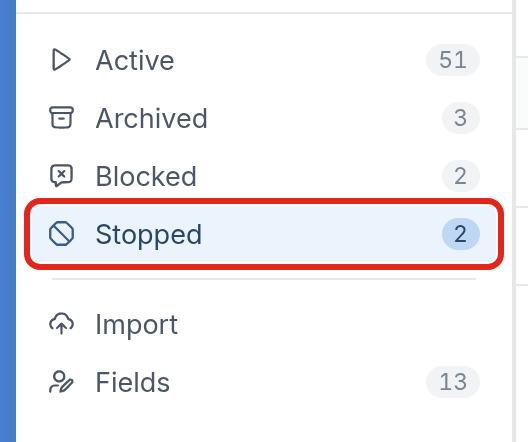 |
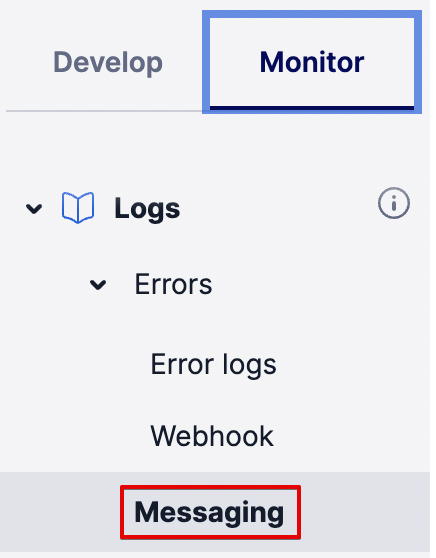
You can also have Twilio notify you of errors, like the 21610 blacklist error. In the Twilio console, messaging errors are listed under Monitor > Logs > Errors > Messaging.
For more information on proper SMS or IVR-based communication, consult our TCPA compliance guide.