Split by Channel in a Flow
If you want your flow to send only via certain channels, or to handle contacts differently depending on their channel, you can split on the channel with a Split by Expression using the @contact.channel.name expression.
In the following example, contacts on Facebook, WhatsApp and Telegram each get their own welcome message. Facebook contacts are also added to the Facebook Followers group first. Contacts on any other channel go to Other and exit the flow.
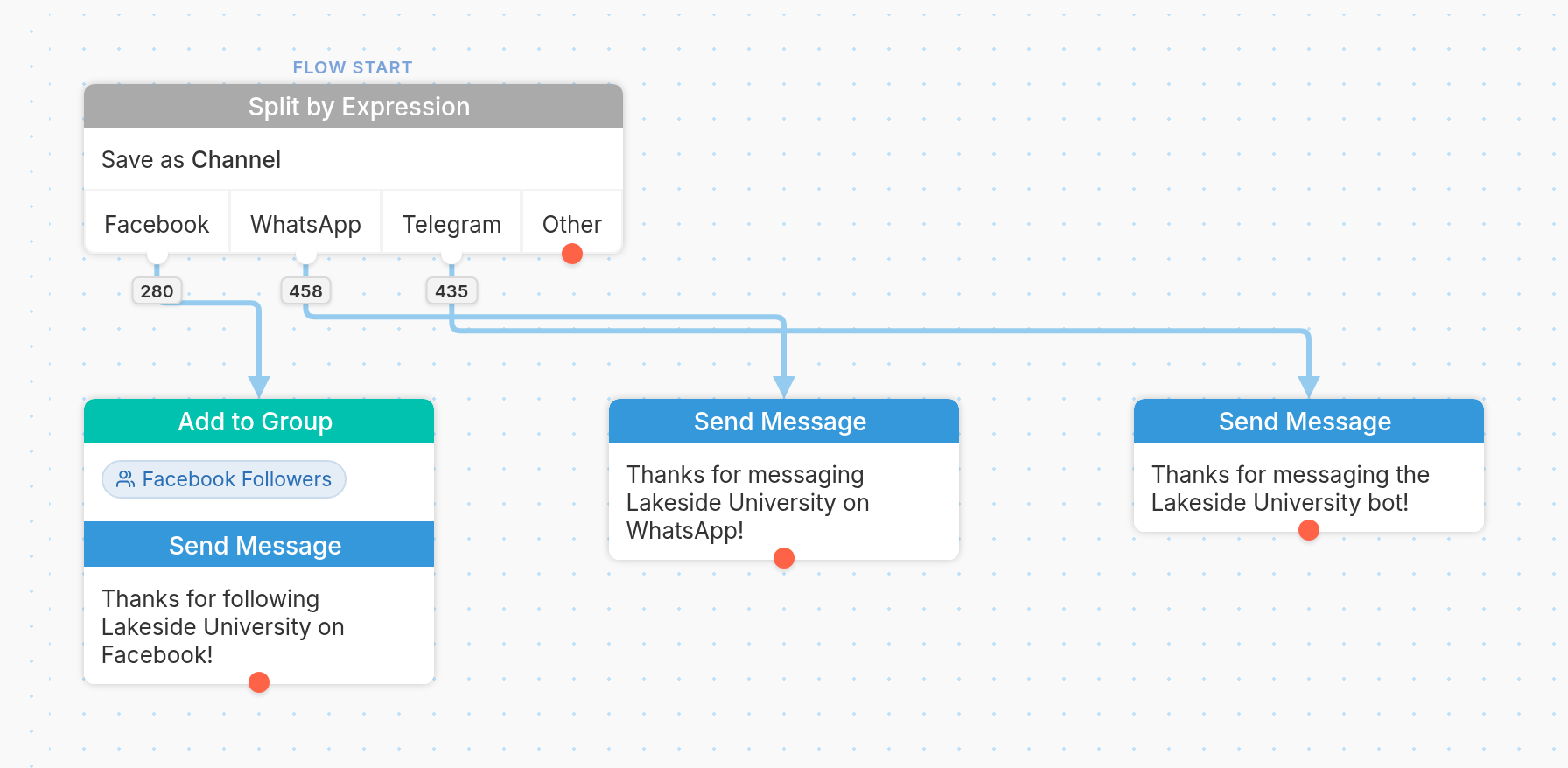
Here's how we set up the Split by Expression:
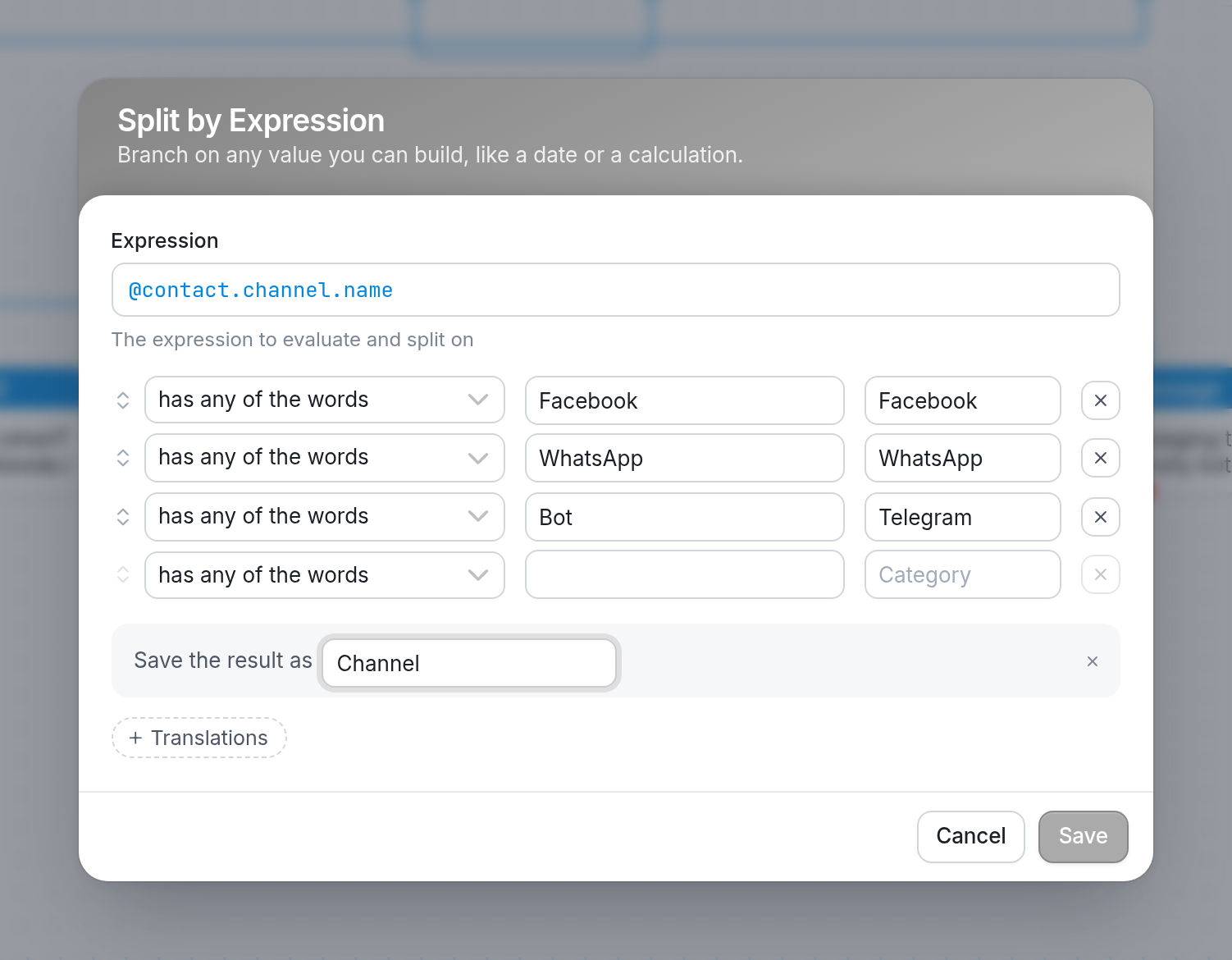
Flows are not channel specific. However, by splitting on the channel name at the beginning of a flow, you can ignore the channels you don't want to use.
To learn more, see channels and setting a contact's preferred channel.
Send us a question via the support widget at the bottom right of your browser.