Restricting Sending to International Numbers
Restricting Sending to International Numbers
Sending messages to international numbers can run up carrier or aggregator fees. A channel's Allow international setting is off by default, but if it has been turned on, you can turn it off to restrict sending and avoid international charges.
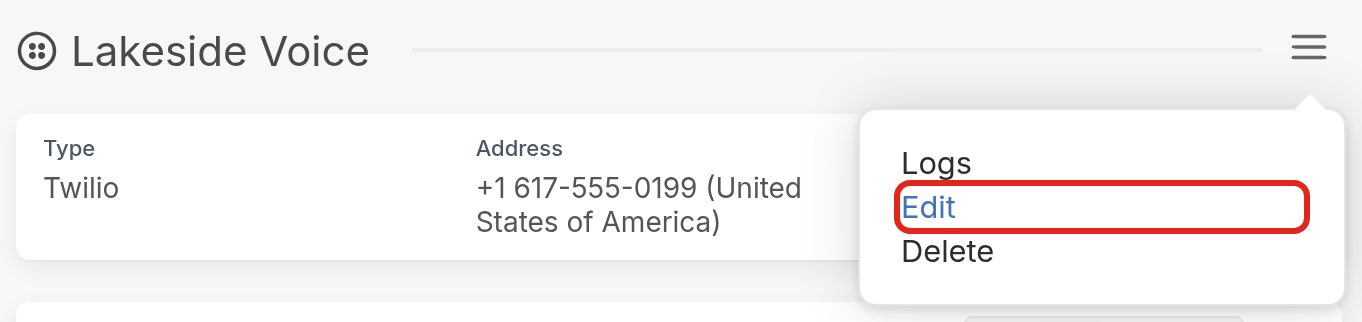
First, go to your Settings page and click the channel you'd like to restrict under Channels. On the channel's page, click the ☰ menu icon and select Edit:
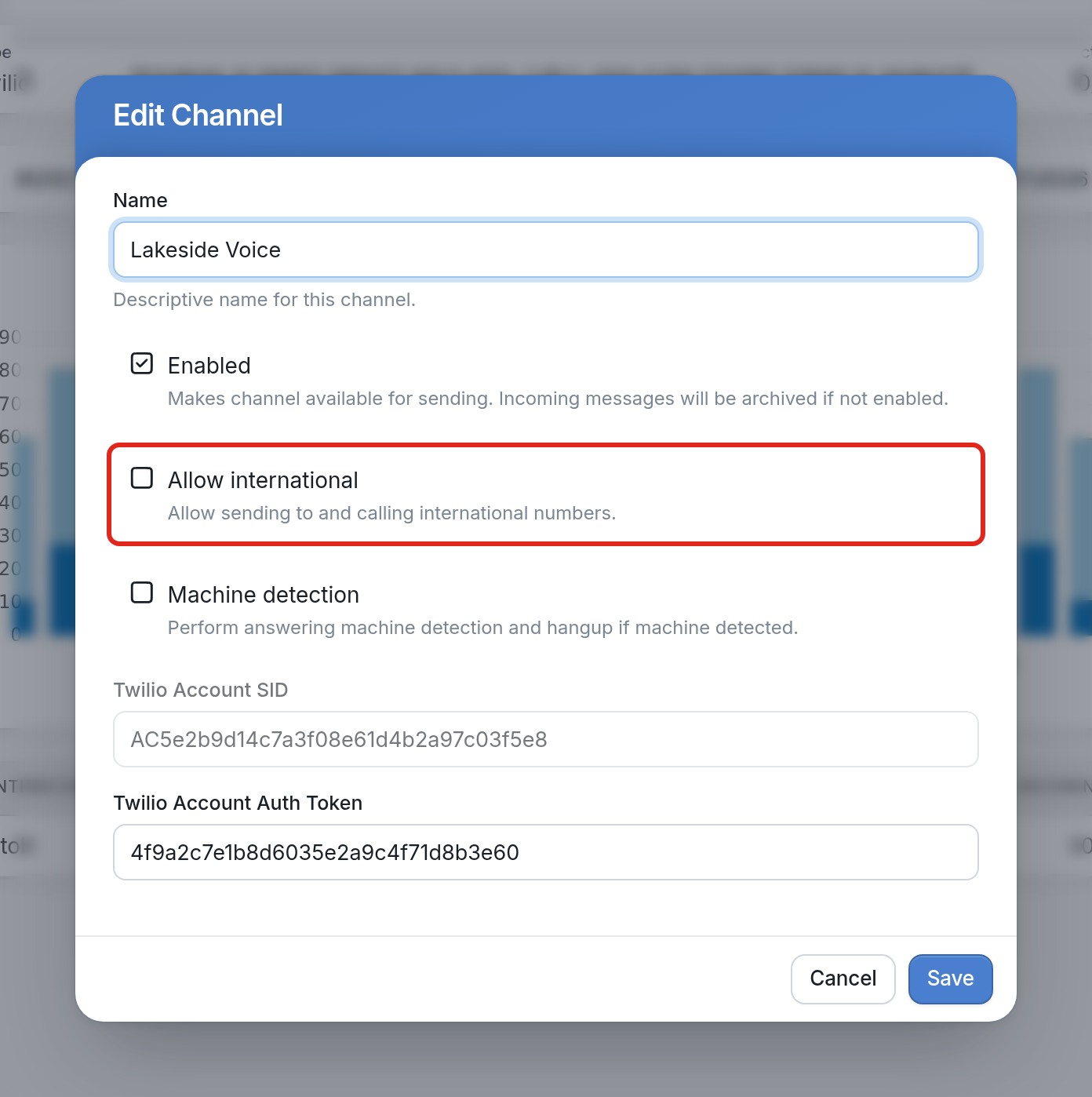
Uncheck Allow international ("Allow sending to and calling international numbers"), then click Save:
If you have questions, send us a message using the support widget in the bottom right corner.