Adding a Twilio Number
To send and receive messages through a Twilio channel, you'll need to create a Twilio account, purchase a virtual number, and connect it to your TextIt account. We recommend purchasing a toll-free number ($2/month) if you're deploying in the US or Canada.
| NOTE: Trial virtual numbers provided by Twilio are not sufficient for testing, because they don't allow sending or receiving real messages. If you'd like to test your flows before committing to a Twilio number, you can begin with a Telegram channel. |
Purchasing a Number
To purchase a toll-free virtual number through Twilio, you'll first need to sign up for an account or sign in to an existing Twilio account.
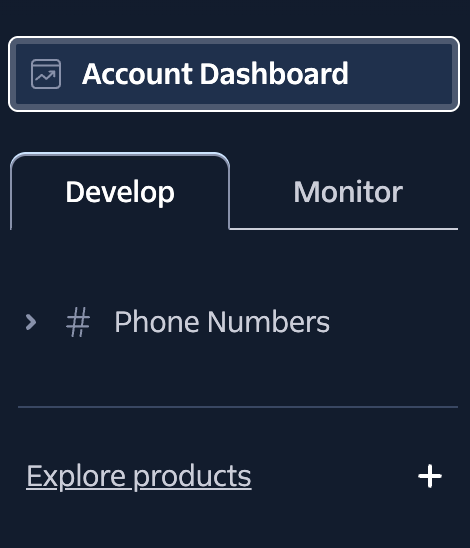
Once you're signed in, click Phone Numbers under the Develop tab in the left-hand menu, below Account Dashboard:
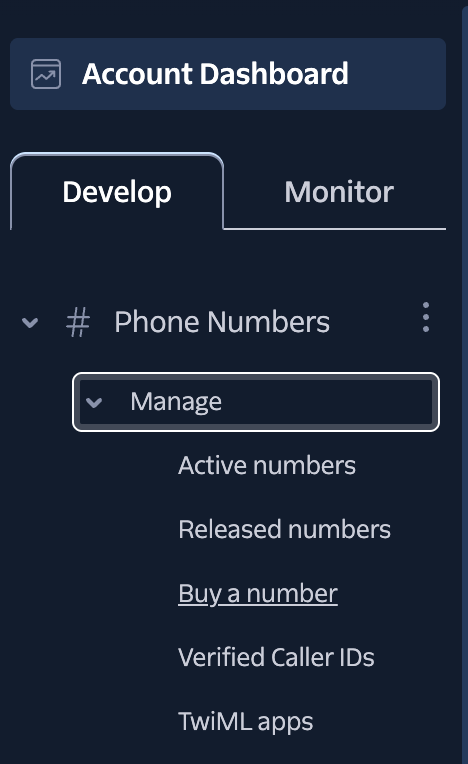
Click Manage in the drop-down, then click Buy a number:
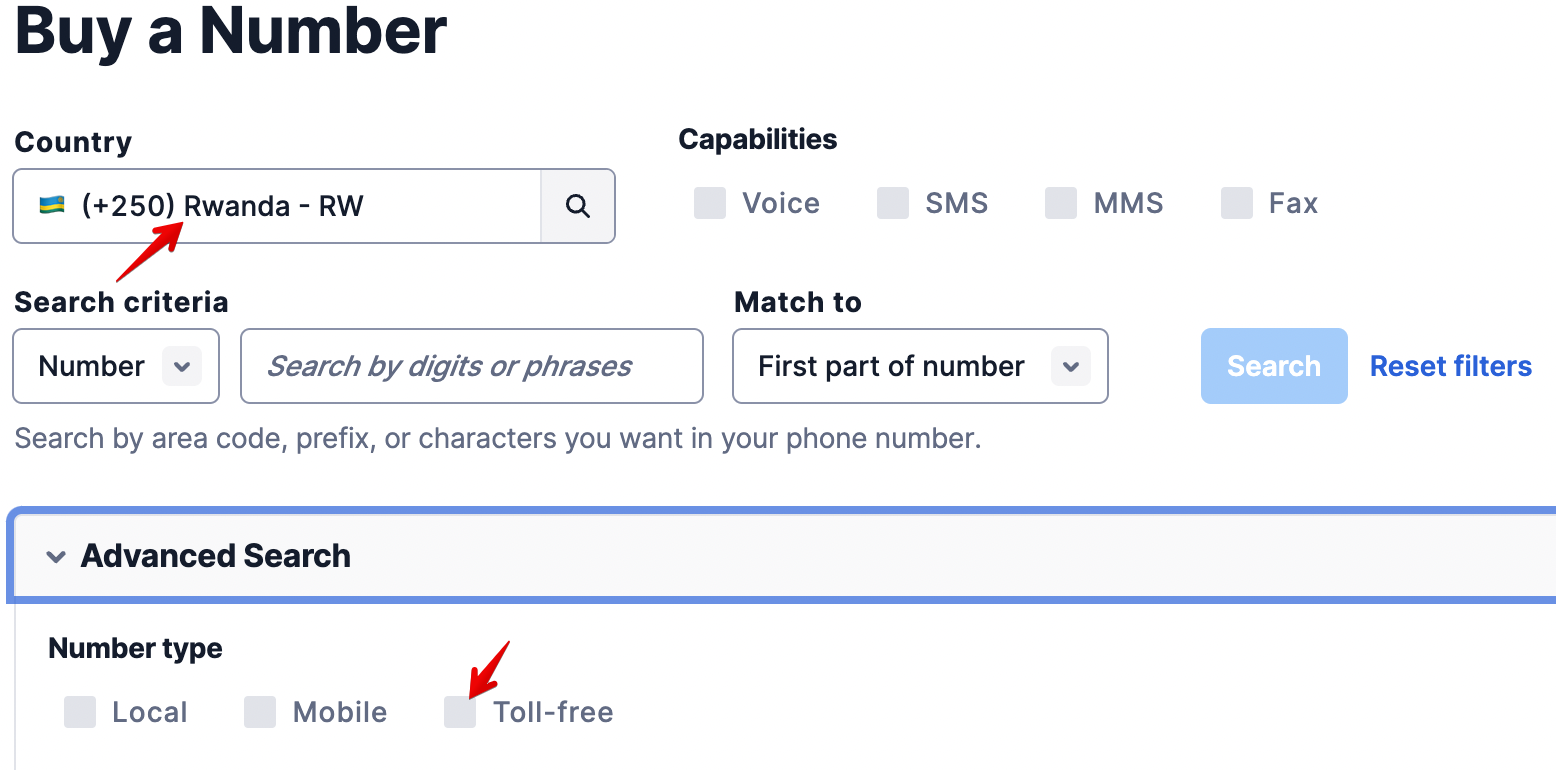
On the Buy a Number page, select the country you're based in under Country, then click Advanced Search to choose a number type.
We recommend a Toll-free number if one is available, but note that only standard long phone numbers support MMS.
Non-profit organizations and projects working on positive social change may qualify for a Twilio discount. Learn more about the Impact Access program, which offers a $500 kickstart credit as well as special discounts at Twilio.
Connecting your Number to our Platform
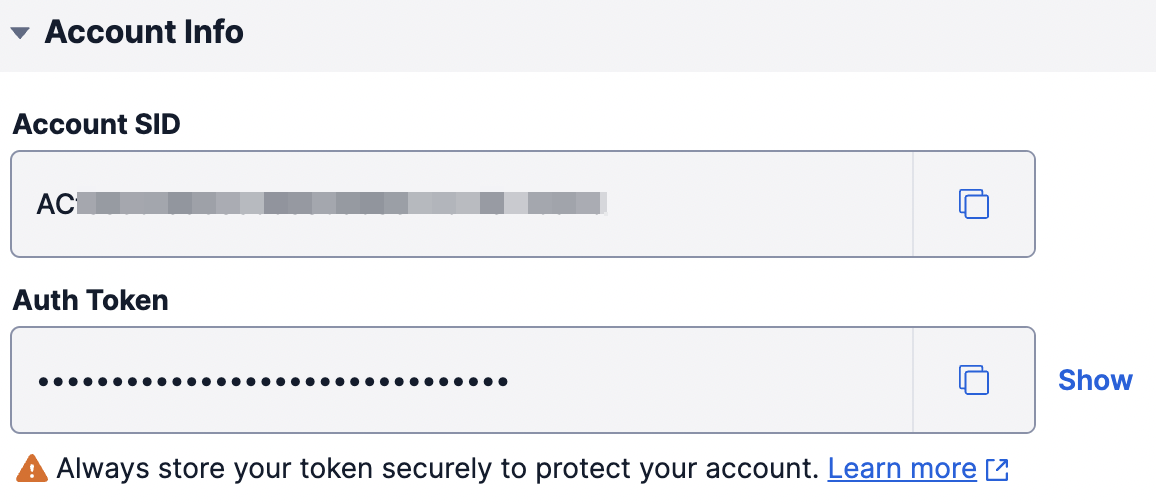
Once you've purchased a number, you'll need to connect your Twilio account to your account on our platform. To do so, add a channel and select the Twilio option. You'll be prompted to enter your Twilio Account SID and auth token. Enter them in the fields provided and click Save.
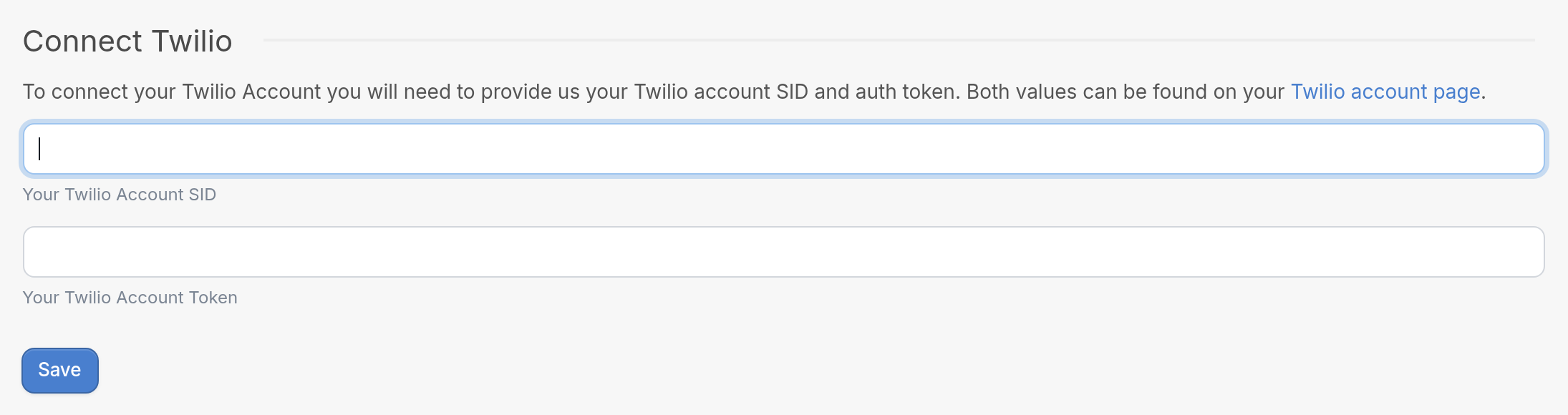
You'll find both values on your Twilio console page, under Account Info.
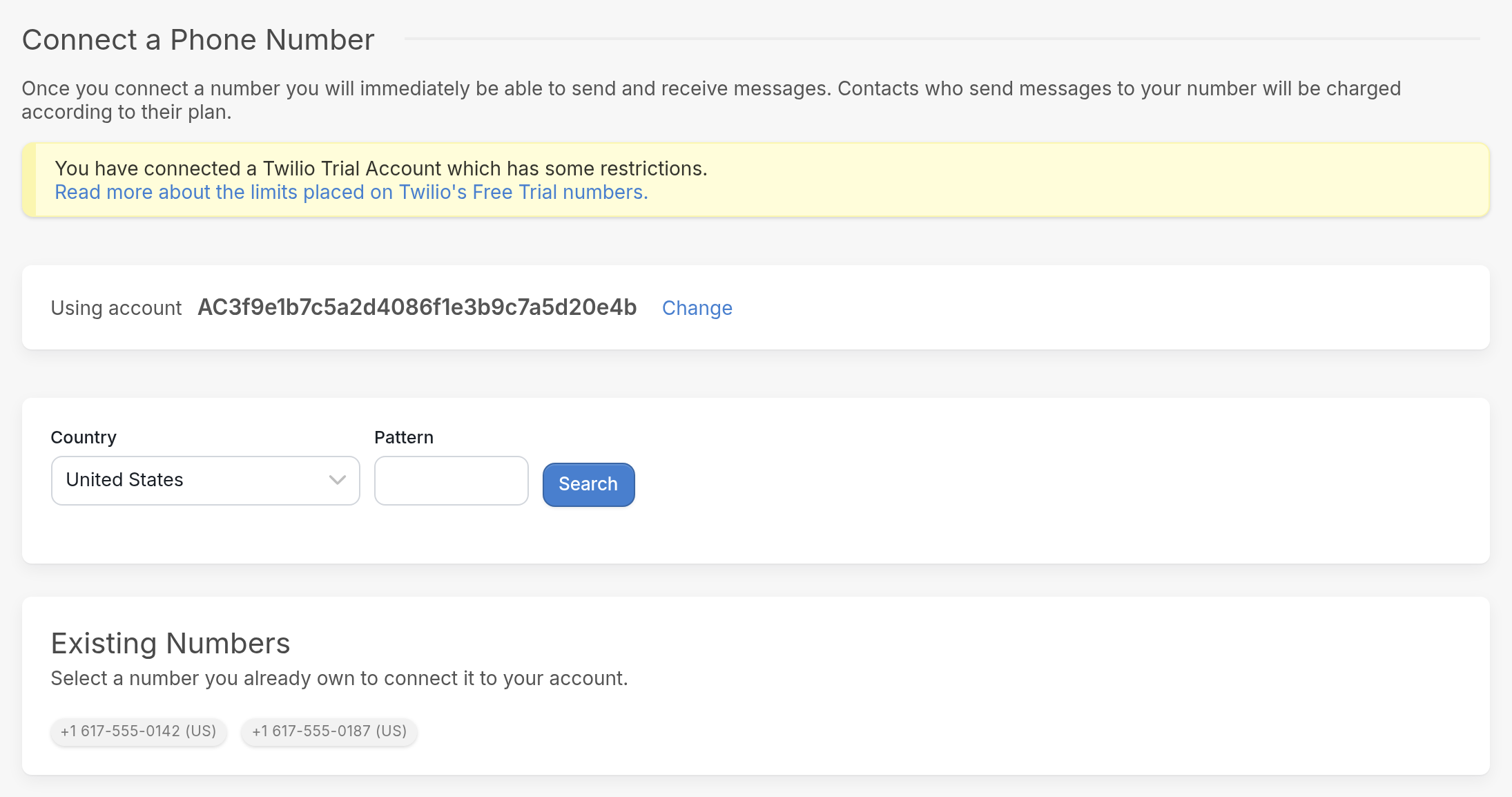
After you've entered your Twilio credentials, you'll be taken to the Connect a Phone Number page, which lists the Twilio numbers you've purchased under Existing Numbers. Select the number you'd like to connect. Once you connect a number, you'll immediately be able to send and receive messages. Contacts who send messages to your number will be charged according to their plan.
Your number is now connected, and no additional steps are required. Your Twilio numbers management page has extra sections, but you don't need to fill them out. Doing so can disrupt your phone number integration, because those sections are intended for a Messaging Service integration. You don't need a Messaging Service unless you want to send SMS at scale using multiple phone numbers on a single channel.
Common Issues
| You can view failed message logs for recently sent messages. They show the error code returned by Twilio, which links to Twilio's help docs. See a complete list of Twilio error codes here. |
30034: US A2P 10DLC - Message from an Unregistered Number
Your number is unregistered. Registration is a legal requirement that all SMS aggregators must comply with. Visit your Twilio dashboard to complete the verification process. See the note below about adding a Business Registration Number.
21608: The 'to' phone number provided is not yet verified for this account
You're using a trial Twilio number. Upgrade to a paid account.
30006: Landline or unreachable carrier
This usually means that the contact's phone number is a landline, so SMS won't reach them.
Important update: Starting February 17, 2026, Twilio will require all new toll-free verifications to include a Business Registration Number (BRN). TextIt has no control over this requirement. Review Twilio's documentation for details on the requirements and how to add your BRN.
20003: Permission Denied
This error usually means the credentials on your request are incorrect, expired, deleted, scoped to the wrong account, or not valid for the resource you're trying to access. It can also mean the account is inactive or has been suspended because of billing issues.
If you're having issues with your Twilio channel, send us a message through the support widget in the bottom right corner to start a conversation.