Setting a Contact's Preferred Channel
Default Behavior
By default, we match contacts with channels using the following criteria:
If you have multiple channels of the same type connected to your account, the channel the contact last initiated contact with is prioritized. A contact can be locked in to a specific channel (they'll only receive messages from that channel) under these conditions:
-
You have multiple channels of the same type connected to your account.
-
The contact's highest-priority address type (e.g. phone number) matches the type you have multiple channels of (e.g. multiple phone numbers).
-
The contact initiates contact through an incoming message.
If the contact has never interacted with a channel linked to your account, we prioritize the channel whose number has the largest prefix overlap with theirs.
For example, if your channels are +2505661212 and +2505551212, and you're sending an SMS to or calling +2505661231, we use the +2505661212 channel because it overlaps the most.
In most cases, we can identify the carrier of a contact's phone number and prioritize channels by carrier, though this depends on carrier behavior.
Custom Behavior
With the Update Channel action, you can create your own channel-matching logic to assign or switch a contact's preferred channel without waiting for an incoming message. This action lets you do things like:
-
switching between channels of the same type (e.g. phone numbers).
-
switching between channels of different types, like phone numbers and Telegram bots.
-
assigning Android channels based on contact fields, prefix overlap or group membership (to get around throughput restrictions).
-
switching between toll-free and standard virtual numbers.
-
assigning a number based on the country code, area code or other parts of a contact's phone number.
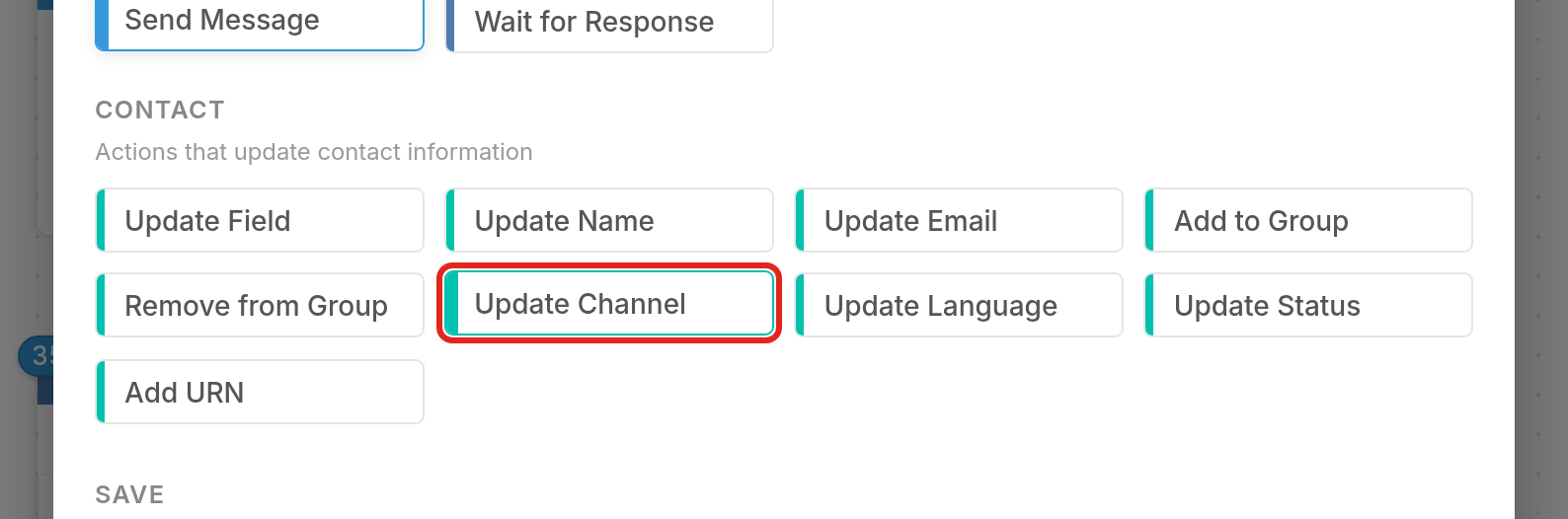
You add Update Channel like any other action. It's listed under Contact in the action picker:
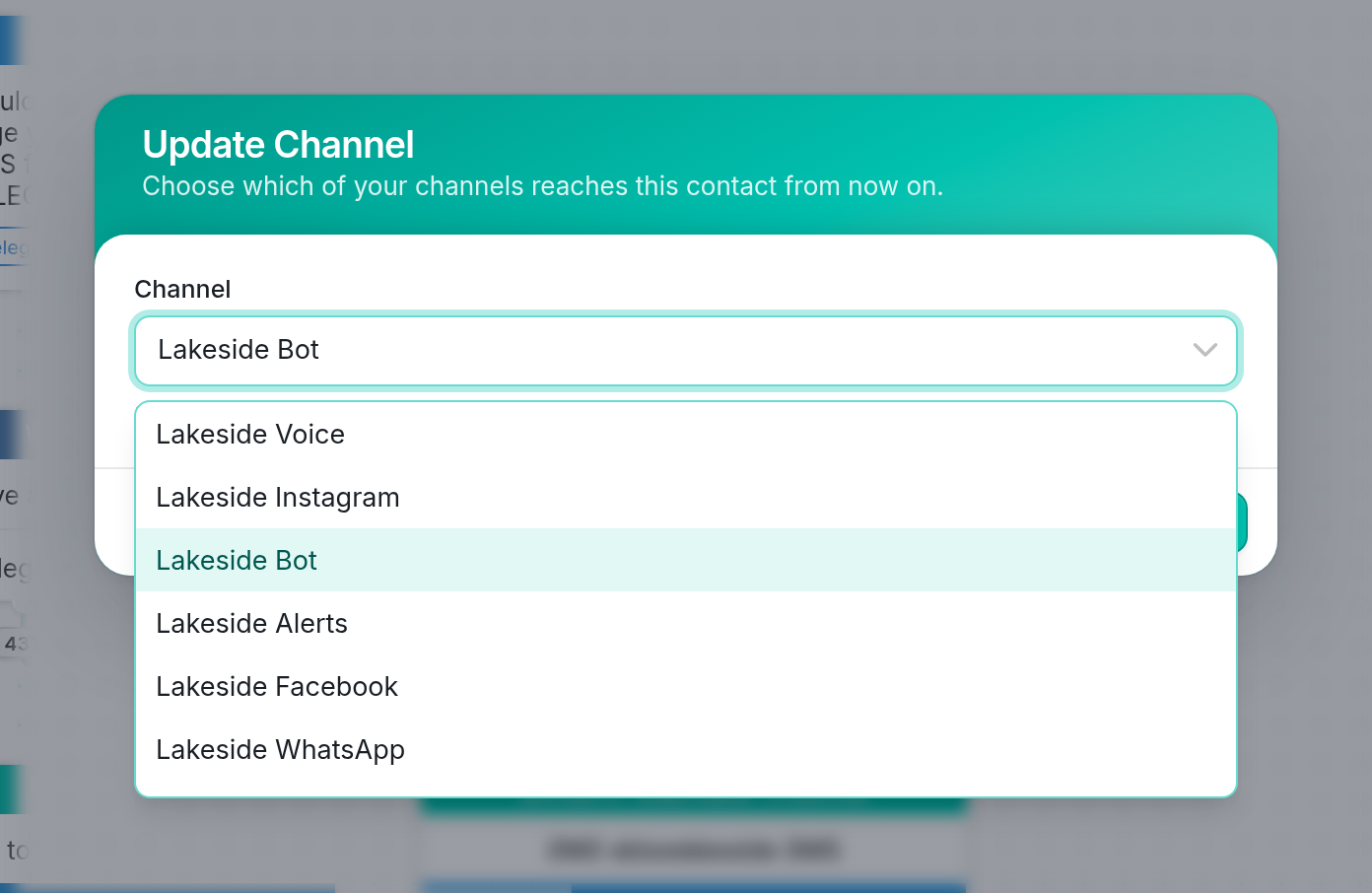
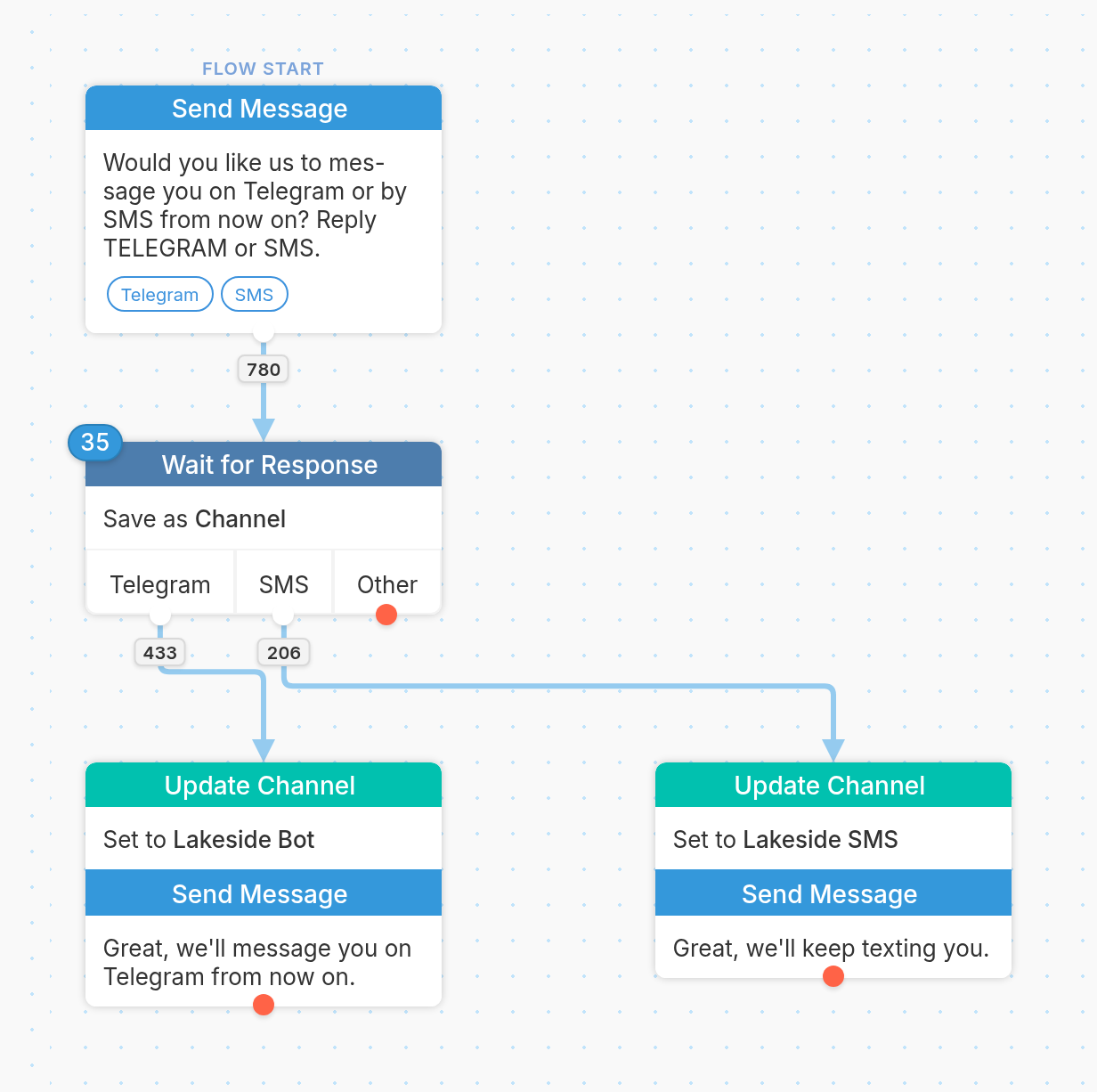
In the example flow above, when the contact replies Telegram, the Update Channel action sets their channel to Lakeside Bot, the workspace's Telegram bot, which is chosen from the Channel dropdown. That channel then becomes their preferred channel. A reply of SMS sets it to Lakeside SMS instead.
Considerations
We match contacts with channels according to the criteria above until a contact enters a flow with an Update Channel action. The contact then stays mapped to the selected channel until (a) they send a message to a different channel or (b) another Update Channel action changes their preferred channel.