Using the 'Last Seen On' Contact Field
Using the 'Last Seen On' field in a campaign or a contact search helps you find contacts based on when they last communicated with you.
You can use this field to find contacts who've been unresponsive or dormant and reach out to them or delete them from your database.
Searching with 'Last Seen On'
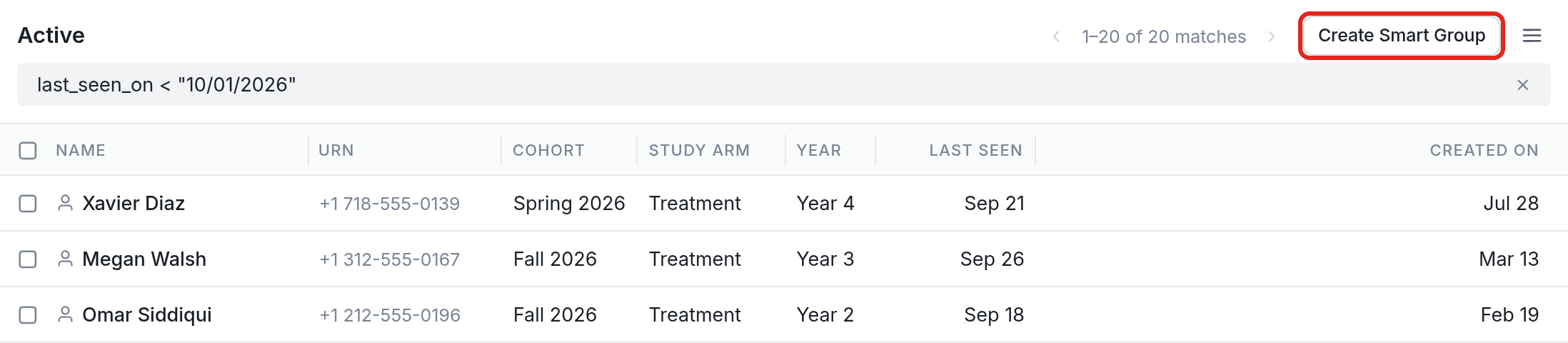
With a query that uses last_seen_on, you can search for contacts based on when they were last seen relative to a specific date.
You can use the following operators to search all the contacts in your account:
last_seen_on = "date" for contacts last seen on an exact date
last_seen_on > "date" for contacts last seen after a date
last_seen_on < "date" for contacts last seen before a date
last_seen_on >= "date" AND last_seen_on <= "date" for contacts last seen between two dates
last_seen_on != "date" for contacts not last seen on an exact date
last_seen_on = "date" OR last_seen_on = "date" for contacts last seen on multiple specific dates
You can create a new group from the contacts a search finds. In the example above, we searched for contacts last seen before October 1, 2026, using last_seen_on < "10/01/2026".
To create a group with just these contacts, we'll click the Create Smart Group button highlighted in the screenshot above.
Last, we'll name the group. These are contacts who haven't interacted with us in a while, so we'll name the group "Dormant":
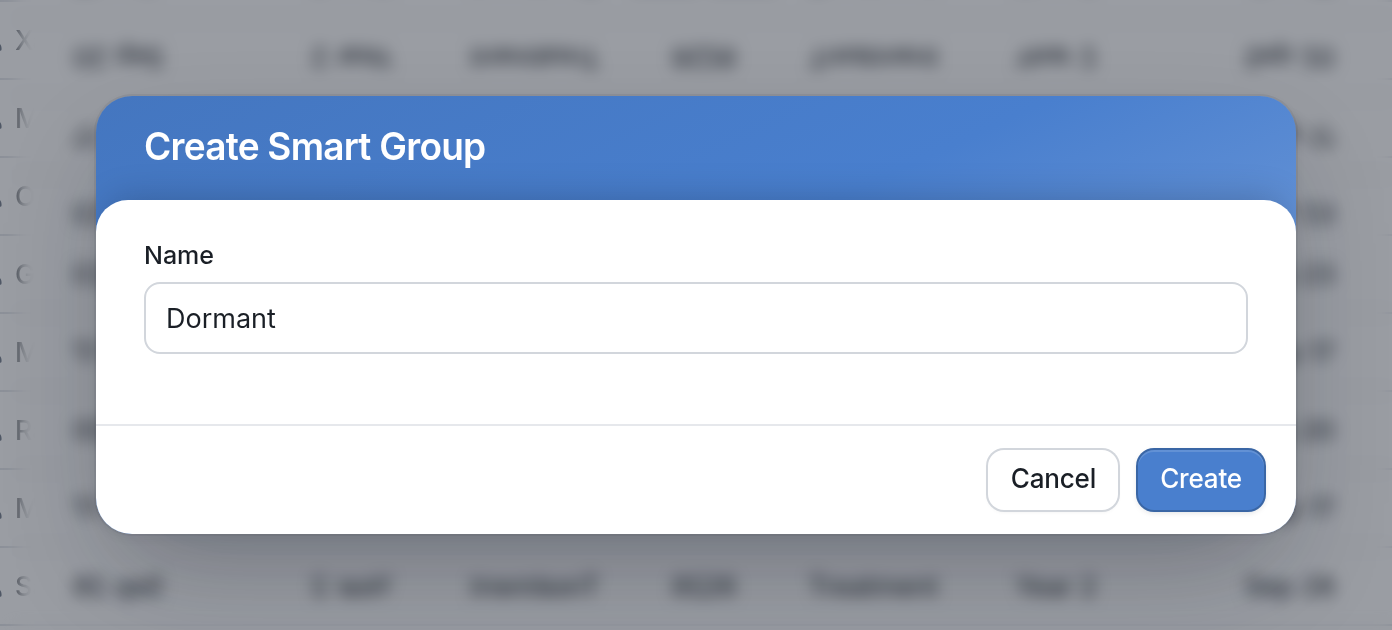
If we'd like, we can send that group a reminder message or even delete them entirely.
Using 'Last Seen On' in a Campaign
You can also follow up with contacts who haven't interacted with you recently from within a campaign, without searching for contacts or creating a smart group:
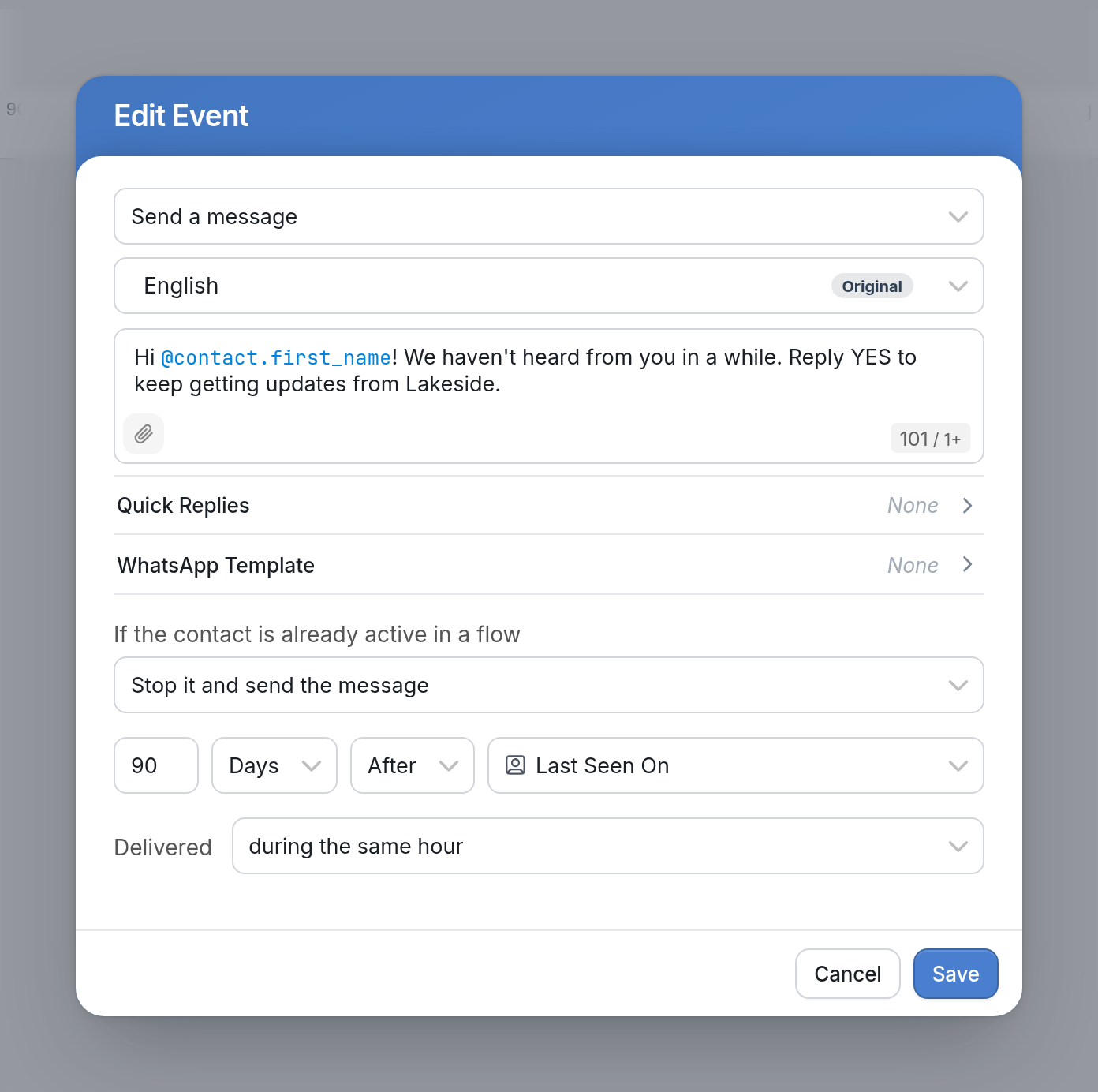
In the example above, from the Check In With Quiet Students campaign, we've set up a campaign event that sends contacts a message 90 days after their 'Last Seen On' date, which is the date they last interacted with us. The message asks them to reply YES to keep getting updates from Lakeside.
Sending a message or flow to dormant contacts can remind them to follow up with you, or help you weed out contacts who can be deleted.
Questions? Send us a message via the support widget in the bottom right corner of your browser.